
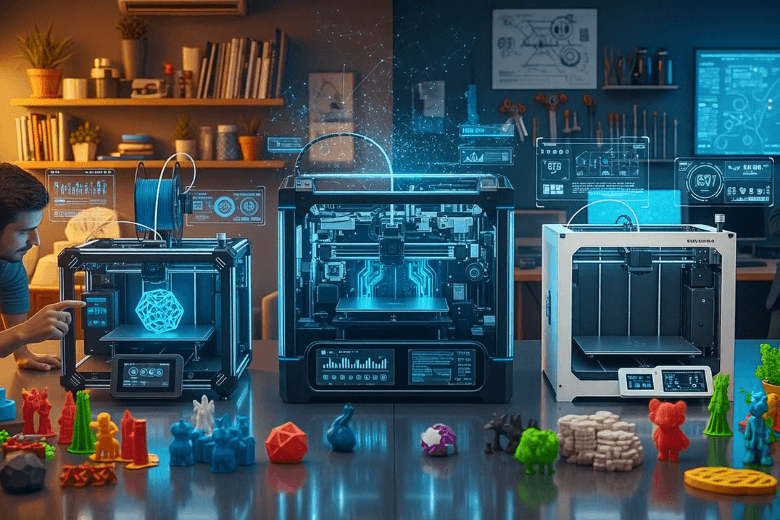
If you want the best results in home or professional environments, you must select from the leading 3d printers of 2025. The most impressive models include Creality K2 Plus, Elegoo Centauri Carbon, Prusa Core, Formlabs Form 4, Bambu Lab H2S, Bambu Labs P2S, Bambu Lab H2D 4-in-1, and FLASHFORGE Adventurer 5M Pro.
- Creality K2 Plus
- Elegoo Centauri Carbon
- Prusa Core
- Formlabs Form 4
- Bambu Lab H2S
- Bambu Labs P2S
- Bambu Lab H2D 4-in-1
- FLASHFORGE Adventurer 5M Pro
You need to match 3d printing technology to your specific requirements and budget. Careful selection ensures you benefit from the latest advancements in 3d printing technology.
Key Takeaways
- Choose a 3D printer that matches your specific needs and budget to maximise your printing experience.
- Consider key specifications like build volume and print speed, as they directly affect project completion and object size.
- For home use, the Creality K2 Plus offers excellent speed and print quality, making it a top choice for most households.
- Professional users should prioritise print quality and reliability; the Creality K2 Plus and Prusa Core are strong contenders.
- Always check for firmware updates and community support to ensure your printer remains effective and up-to-date.
Quick Comparison of Best 3D Printers
Summary Table
You need a clear overview to compare the best 3d printers for home and professional use. The table below summarises the essential specifications, helping you identify which model suits your needs.
|
Printer Model |
Build Volume (mm³) |
Max Print Speed (mm/s) |
Print Quality |
Multi-Material |
Auto Bed Leveling |
Price Range |
Target User |
|---|---|---|---|---|---|---|---|
|
Creality K2 Plus |
220 × 220 × 250 |
250 |
High |
No |
CR Touch |
£400-£600 |
Home/Pro |
|
Elegoo Centauri Carbon |
250 × 220 × 270 |
250 |
Good |
Not native |
Fully Enclosed |
£350-£500 |
Home/Budget |
|
Prusa Core |
210 × 210 × 250 |
200 |
Excellent |
Yes |
Automatic |
£800-£1200 |
Professional |
|
Formlabs Form 4 |
145 × 145 × 185 |
100 |
Superior (Resin) |
No |
Automatic |
£3500+ |
Professional |
|
Bambu Lab H2S |
256 × 256 × 256 |
500 |
High |
Yes |
Automatic |
£1200-£1500 |
Pro/Advanced |
|
Bambu Labs P2S |
256 × 256 × 256 |
500 |
High |
Yes |
Automatic |
£900-£1200 |
Home/Pro |
|
Bambu Lab H2D 4-in-1 |
256 × 256 × 256 |
500 |
High |
Yes (4-in-1) |
Automatic |
£1400-£1700 |
Pro/Versatile |
|
FLASHFORGE Adventurer 5M Pro |
220 × 220 × 250 |
200 |
Good |
No |
Automatic |
£400-£600 |
Home/Budget |
Tip: When comparing the best 3d printers, always check the build volume and print speed. These factors determine how quickly you can complete projects and the size of objects you can produce.
Key Differences
You will notice several key differences among the best 3d printers. Creality K2 Plus and FLASHFORGE Adventurer 5M Pro offer reliable performance at a lower price, making them ideal for home users or those new to 3d printing technology. Elegoo Centauri Carbon stands out for speed and affordability, while Prusa Core delivers exceptional print quality for professionals who demand precision.
Formlabs Form 4 uses advanced resin 3d printing technology, providing superior detail for professional applications, though the price is significantly higher. Bambu Lab models, such as H2S and H2D 4-in-1, excel in speed and multi-material capabilities, appealing to advanced users who require versatility.
You should consider your budget, desired print quality, and whether you need multi-material support. The best 3d printers for professionals often justify their higher price with advanced features and reliability, while home users benefit from models that balance cost and ease of use.
Best Overall 3D Printers 2025
Top Home Choice
You want a 3d printer that delivers consistent results, easy operation, and reliable print quality for home use. The Creality K2 Plus stands out as the best 3d printer for most households in 2025. You benefit from its impressive dimensional accuracy, which independent tests confirm with a calibration cube squareness within 5 micromillimetres. You achieve a perfect first layer even on demanding models with many holes. This level of print quality ensures your projects look professional, whether you print toys, household items, or prototypes.
Creality K2 Plus also excels in speed. You complete prints up to 15% faster than previous models, without sacrificing print quality. You can print ABS with a heated chamber, which produces clean surfaces and easy assembly. Multicolour printing works well, although you may notice increased material waste and longer print times. The auto bed levelling system simplifies setup, so you spend less time calibrating and more time creating.
You might compare the Creality K2 Plus with the Elegoo Centauri Carbon and FLASHFORGE Adventurer 5M Pro. Both offer good print quality and affordable prices, but you see the K2 Plus outperform them in accuracy and speed. Elegoo Centauri Carbon appeals if you want the fastest budget model, but you compromise on some advanced features. FLASHFORGE Adventurer 5M Pro suits beginners, but you miss out on the higher print quality and versatility of the K2 Plus.
Note: Some users express concerns about new firmware updates moving away from open-source principles. You may need to use a cloud application for printer configuration, which restricts local access. Consider these factors if you value privacy and control.
Top Professional Choice
You demand the best 3d printer for professional work, where print quality, reliability, and advanced features matter most. The Creality K2 Plus remains a top contender, even for professional environments. You rely on its ability to produce high-quality prints at speed, which helps you meet tight deadlines and deliver precise results. The heated chamber supports ABS and other engineering materials, so you create durable parts with clean finishes.
You also benefit from the K2 Plus’s multicolour capabilities. You produce complex models with vibrant details, which is essential for design studios and prototyping. The auto bed levelling and robust build volume allow you to tackle larger projects with confidence. You see consistent print quality across different materials, which reduces the risk of failed prints and wasted time.
When you compare the K2 Plus to other professional models, such as Prusa Core and Bambu Lab H2S, you notice some differences. Prusa Core offers excellent print quality and multi-material support, but you pay a premium. Bambu Lab H2S delivers advanced speed and versatility, yet the K2 Plus matches its print quality at a lower price point. Formlabs Form 4 excels in resin printing, providing superior detail for specific applications, but you face a much higher cost and limited build volume.
You should weigh your priorities. If you want the best balance of print quality, speed, and value, the Creality K2 Plus is the best 3d printer for both home and professional use. You enjoy the latest 3d printing technology without overspending, and you gain access to features that support a wide range of projects.
Tip: Always check for firmware updates and community support before you invest in a new 3d printer. You want a model that evolves with 3d printing technology and maintains high print quality over time.
Best Budget 3D Printers
Under £200-£1000 Options
You want a budget 3d printer that delivers reliable performance without sacrificing print resolution. The market in 2025 offers several strong contenders. You can compare models using the table below, which highlights their ratings, strengths, and weaknesses.
|
Printer Model |
Rating |
Pros |
Cons |
|---|---|---|---|
|
Creality Ender-3 V3 |
4.0 |
Easy to assemble, speedy prints, automatic bed leveling, sleek design |
Quite loud, plate adhesion issues |
|
Elegoo Centauri Carbon |
4.0 |
Simple setup, closed-frame design, very good quality prints |
Vibration issues, tall prints need support |
|
Elegoo Neptune 4 Plus |
4.5 |
Prints large objects, good quality, supports multiple filaments |
Takes up space, no filament included |
|
Bambu Lab A1 mini |
4.5 |
Excellent-quality prints, fast speed, quick assembly |
Small print bed, filament waste in multi-colour printing |
You see that the Elegoo Neptune 4 Plus and Bambu Lab A1 mini stand out for their high ratings and print resolution. Creality Ender-3 V3 remains popular among beginners due to its ease of use and community support. You may prefer the Elegoo Centauri Carbon if you value a closed-frame design and consistent print resolution.

You notice that entry-level users often choose models like ELEGOO Neptune 3 Pro and Anycubic i3 Mega for their silent operation and reliable print resolution. These printers offer features such as auto bed leveling and touchscreen interfaces, making them accessible for those new to 3d printing technology.
Fastest Budget Model
You seek speed and efficiency in a budget 3d printer. The Elegoo Centauri Carbon consistently impresses with its rapid print resolution. In practical tests, you can produce a 3DBenchy in just over 15 minutes. This speed outpaces competitors, even those with higher specifications on paper. You benefit from a maximum speed of up to 500 mm/s and a flow rate of 32 mm³/s, which ensures efficient and accurate print resolution.
- The Elegoo Centauri Carbon performs efficiently in real-world tasks.
- You often see it outpace competitors like the Creality K2 Plus and Anycubic S1 during actual printing.
You achieve excellent print resolution with the Elegoo Centauri Carbon, scoring 22 out of 30 on benchmark tests. Prints appear accurate and well-formed, especially considering the price. You find this model ideal if you want a great 3d printer that combines speed, quality, and affordability. You also benefit from the latest 3d printing technology, which enhances your experience and results.
Tip: Always check the print resolution and practical speed before choosing a budget 3d printer. You want a model that balances cost, quality, and efficiency for your projects.
Best Premium 3D Printers
High-End Features
You expect premium 3d printers to deliver reliable performance and advanced technology. Prusa Core and Bambu Lab H2S lead the market with features that set them apart from standard models. You see a clear difference in build quality, user interface, and connectivity options. The table below highlights the most common high-end features you find in top-tier machines:
|
Feature |
Description |
|---|---|
|
Connectivity Options |
USB, Ethernet, and wireless connectivity, remote printing over the cloud. |
|
User Interface |
5.5-inch interactive touchscreen with 1280 × 720p resolution. |
|
Advanced Printing Technology |
Closed-loop calibration with optical sensors for continuous correction and monitoring. |
|
Build Plate |
Glass and anodised aluminium build plates for improved printing with engineering materials. |
|
Enclosed Build Chamber |
Maintains temperature and airflow control for reliable printing. |
|
Sensor Alerts |
Sensors that pause printing if filament runs out to prevent print failures. |
You benefit from enclosed build chambers and sensor alerts, which help you avoid failed prints and wasted materials. You control your printer remotely, monitor progress, and adjust settings with ease. These features ensure you achieve consistent results, even with demanding engineering materials.
Advanced Performance
You demand more than basic functionality from a premium 3d printer. Prusa Core and Bambu Lab H2S offer advanced performance that justifies their investment. The Bambu Lab H2S stands out with a larger build volume, active humidity control, and the AMS 2 Pro system, which lets you switch between up to 16 filament spools seamlessly. You print larger objects, such as cosplay helmets, without sacrificing quality. The linear rail extruder drive and servo motor filament control give you enhanced precision.
Prusa Core focuses on build quality and ease of use. You get a robust frame and a high-resolution touchscreen, but you miss features like multi-material printing and heated chambers found in some competitors. The table below compares key features:
|
Feature |
Bambu Lab H2S |
|
|---|---|---|
|
Build Volume |
10.1 x 10.1 x 10.1 inches |
13.4 x 12.6 x 13.4 inches |
|
Multi-material Printing |
No |
Yes |
|
Unique Features |
High build quality |
Active humidity control, AMS 2 Pro |
You choose a premium printer for its reliability, precision, and ability to handle complex projects. You invest in these machines because they save you time, reduce errors, and support a wide range of applications. Premium 3d printers deliver the performance you need for professional results.
Tip: When you select a premium model, always consider the long-term value. Advanced features and reliable performance help you achieve consistent success in your projects.
Best Resin 3D Printers
Pro-Level Resin Printing
You want to achieve high-quality prints with exceptional detail and smooth finishes. Formlabs Form 4 stands out as the best resin 3D printer for professional use in 2025. PCMag UK rates Formlabs Form 4 as an excellent choice, highlighting its professional-grade capabilities and robust ecosystem of accessories. You benefit from a reliable workflow, consistent results, and a user-friendly interface. The Form 4 enables you to produce high-quality prints with minimal effort, making it ideal for demanding environments.
You notice that resin 3D printers excel in industries where precision matters most. The following table shows how different sectors use these machines for high-resolution prints:
|
Industry |
Applications |
|---|---|
|
Automotive |
Prototyping, Customized Parts |
|
Aerospace |
Lightweight Components, Tooling |
|
Healthcare |
Medical Devices, Surgical Guides |
|
Consumer Goods |
Product Development, Customisation |
You see that professionals in automotive and aerospace rely on resin 3D printers for prototyping and tooling. Healthcare specialists use them to create surgical guides and medical devices with high-quality prints. Consumer goods companies benefit from rapid product development and customisation.
Precision and Detail
You demand high-quality prints with intricate details and smooth surfaces. Formlabs Form 4 delivers outstanding performance, but you may also consider other precise resin 3D printers for specialised applications. The HeyGears Reflex 2 offers a larger build volume and optimised light projection, resulting in smoother surface finishes and less material waste. Stratasys Neo provides an open choice in resins and low service requirements, producing high-quality prints with highly realistic finishes and complex shapes.
|
Printer Model |
Features |
Precision Benefits |
|---|---|---|
|
HeyGears Reflex 2 |
Larger build volume, optimised light projection |
Smoother surface finishes, less material waste |
|
Stratasys Neo |
Open resin choice, low service requirements, reliable builds |
Highly realistic finish, intricate shapes |
“We believe that the Neo products are superior relative to other solutions currently available in the market,” explained Stratasys CEO Yoav Zeif.
The Stratasys Neo 3D printers use extremely thin layers in stereolithography and a precise laser beam. You create prototypes with high-resolution prints and intricate geometric shapes. You achieve high-quality prints that meet the strict standards of professional industries.
You should choose a resin 3D printer when you require high-quality prints, fine details, and smooth surfaces. These machines help you deliver high-resolution prints for prototypes, medical models, and customised products.
Best Large Format 3D Printers
Large Build Volume
You need a large format 3D printer when your projects demand scale and flexibility. These machines offer impressive build volumes, allowing you to print bigger objects or multiple parts in one run. You can select from several top models in 2025, each designed to meet specific production needs. The most advanced printers provide build volumes such as:
- 300 x 300 x 450 mm for single-piece prints or batch production.
- 200 x 200 x 450 mm for manufacturing large components, including medical implants.
- 250 x 430 mm with high-temperature capabilities for engineering-grade parts.
You benefit from these dimensions when you want to create prototypes, functional parts, or display pieces without splitting your design into smaller sections. Large format printers also support a wider range of materials, including high-temperature filaments, which expand your options for industrial and professional use.
Tip: Always check the maximum build volume before you invest in a large format 3D printer. Bigger build areas mean fewer limitations on your creativity and production efficiency.
Applications
You unlock new possibilities with large format 3D printers across many industries. These machines help you produce complex and sizeable objects that standard printers cannot handle. You see their impact in fields such as:
- Aerospace: You fabricate aerodynamic components that improve performance and reduce fuel consumption.
- Automotive: You create full-sized prototypes and vehicle parts, streamlining design and manufacturing.
- Advertising: You develop customised displays that capture consumer attention.
- Architecture and Furniture Design: You construct detailed models and prototypes for innovative designs.
- Entertainment: You produce intricate props and set pieces quickly for film and theatre.
You gain a competitive edge by using large format 3D printers for these applications. You speed up development cycles, reduce costs, and achieve higher accuracy in your final products. You also find that these printers support creative projects, from bespoke furniture to eye-catching advertising installations.
Note: Large format 3D printers require careful planning for workspace and material management. You should ensure your environment supports the printer’s size and operational needs.
Best Multi-Material 3D Printers
Multicolour Printing
You want to create vibrant, detailed models with multiple colours and materials. The Bambu Lab H2D 4-in-1 stands out as the leading choice for multicolour printing in 2025. You benefit from its dual-nozzle print head, which allows you to print with several colours at once. The automatic material system manages up to five filaments, so you switch between colours and materials without manual intervention. You achieve smooth transitions and sharp colour boundaries, which elevate the quality of your finished projects.
The actively heated chamber maintains a consistent temperature throughout the printing process. You see improved results when working with demanding materials, such as carbon-fill or TPU. This stable environment reduces warping and ensures that each layer adheres perfectly, even when you use specialist filaments.
Tip: You should select a printer with an actively heated chamber if you plan to print with advanced materials. This feature helps you avoid common issues like warping and poor adhesion.
|
Feature |
Description |
|---|---|
|
Dual-nozzle print head |
Allows for simultaneous printing with multiple materials and colours. |
|
Automatic Material System |
Capable of handling up to five filaments, enhancing multi-material printing. |
|
Actively heated chamber |
Maintains stable ambient temperature for better print quality with various materials. |
Versatility
You need a printer that adapts to different projects and materials. The Bambu Lab H2D 4-in-1 offers unmatched versatility. You print with a wide range of filaments, including PLA, ABS, PETG, carbon-fill, and TPU. The printer’s design supports complex multi-material prints, so you create functional prototypes, decorative items, and engineering parts with ease.
Other versatile models include the Prusa Core and Bambu Lab H2S. You find these printers offer reliable multi-material support and advanced features, such as automatic bed levelling and remote monitoring. You choose the best model based on your specific requirements, whether you prioritise speed, print quality, or material compatibility.
- The printer can handle specialist materials like carbon-fill and TPU, which require specific settings for optimal results.
- The actively heated chamber contributes to a stable printing environment, essential for successful multi-material prints.
Note: You should always check the printer’s compatibility with your preferred filaments. Reliable multi-material support expands your creative possibilities and improves your workflow.
How We Chose the Best 3D Printers
Evaluation Criteria
You want to select 3d printers that meet your expectations for performance and consistency. You should focus on several core criteria. Print quality stands as the most important factor. You need sharp details, smooth surfaces, and accurate dimensions. Speed matters when you work on tight deadlines or batch production. You must consider reliability, which ensures your printer operates without frequent failures or interruptions. Value plays a key role. You want advanced features at a reasonable price. Ease of use and support also influence your decision. You benefit from intuitive interfaces and strong community resources.
You should always check if the printer offers automatic bed levelling and multi-material support. These features improve your workflow and reduce manual intervention.
Testing Process
You need a transparent testing process to compare models fairly. You should use standardised benchmarks to assess print quality, speed, and reliability. You test each printer with calibration cubes, complex geometries, and multi-material prints. You measure print speed by timing how long it takes to produce a standard part. For example, the UltiMaker S8 completes a part in just 34 minutes, while the S7 takes 2 hours. You evaluate reliability by running repeated prints and monitoring firmware performance. Firmware optimisations often improve reliability, but smaller parts may not show the same benefits. You must consider geometry, material, and printing parameters, as these factors affect speed and reliability.
|
Aspect |
Details |
|---|---|
|
Print Speed |
The UltiMaker S8 printed a part in just 34 minutes, significantly faster than the S7's 2 hours. |
|
Reliability |
The firmware optimisations contribute to greater reliability, although smaller parts may not benefit as much. |
|
Factors Affecting Speed |
Gains depend on geometry, material, and printing parameters. Smaller parts have a longer start-up time. |
You should document every test and share results openly. You gain confidence in your choice when you see consistent reliability across different scenarios. You can trust your printer to deliver high-quality results, whether you print prototypes or production parts.
Tips for Choosing the Best 3D Printer
Matching Features to Needs
You must identify your priorities before you invest in a 3d printer. Start by considering the features that will improve your 3d printing experience. Touchscreen interfaces make navigation simple and intuitive. Dual filament support lets you print with multiple colours or materials, which adds versatility to your projects. Heated glass beds help with adhesion and reduce warping, especially when you use advanced filaments. Print resolution and print speed determine the level of detail and efficiency you achieve. You should also check for auto-bed leveling, which streamlines calibration and enhances ease of setup. Material compatibility matters; ensure your chosen model works with common options such as PLA and ABS.
Tip: Create a checklist of essential features for your intended use. This approach helps you compare models and avoid unnecessary extras.
- Touchscreen interface for straightforward control.
- Dual filament support for multi-material projects.
- Heated glass bed for improved adhesion.
- High print resolution and speed for quality and efficiency.
- Auto-bed leveling for hassle-free setup.
- Compatibility with PLA and ABS filaments.
Budget and Support
You need to balance your budget with the features you require. Entry-level 3d printers start at affordable prices, but advanced models offer greater precision and reliability. Always factor in long-term costs, including maintenance and upgrades. Reliable after-sales support enhances your user experience and protects your investment. Leading brands provide comprehensive warranty and support options, which you can see in the table below:
|
Feature |
Details |
|---|---|
|
Warranty Duration |
2 years covering materials and workmanship, the longest standard warranty in the industry. |
|
Technical Support |
Free lifetime phone and email support, available from 8 am to 8 pm US Eastern Time. |
|
Training Options |
Free live online training classes offered weekly for customers. |
Note: Strong community forums and responsive customer service can make troubleshooting easier. You should always check the warranty terms and support availability before you purchase.
You improve your 3d printing experience by choosing a printer that matches your needs, budget, and support expectations. Careful selection ensures you enjoy reliable performance and ongoing assistance.
You now have a clear overview of the best 3d printers for both home and professional use. Select a model that matches your requirements and budget to achieve optimal results. Use the comparison and tips provided to guide your decision. For further support, you can:
- Learn essential 3D printing information and maximise your printer’s capabilities.
- Access free 3D models and explore design software options.
- Consult guides tailored to business needs, outlining key factors for informed choices.
FAQ
What materials can you use with most 3D printers?
You can use PLA and ABS with most 3D printers. Some advanced models support PETG, TPU, and carbon-fibre filaments. Always check your printer’s compatibility before purchasing new materials.
How often should you maintain your 3D printer?
You should clean and inspect your printer after every few prints. Regular maintenance includes checking belts, lubricating moving parts, and updating firmware. This routine helps you achieve consistent results.
Do you need special software to design 3D models?
You need 3D modelling software to create custom designs. Popular options include Tinkercad, Fusion 360, and Blender. Many printers also support standard file formats like STL and OBJ.
Can you print large objects in one piece?
You can print large objects if your printer has a big enough build volume. For oversized projects, you may need to split the model and assemble the parts after printing.
What should you do if your print fails?
You should check for common issues like bed adhesion, filament jams, or incorrect settings. Restart the print after fixing the problem. Many printers offer troubleshooting guides in their manuals.
Share:
Essential Tips for Keeping Your 3D Printer in Top Condition
Sovol SV06 or SV08 Which 3D Printer Suits Beginners Best