
Key takeaways
-
CoreXY can support higher speed because it can keep moving mass low (motors stay on the frame, not on the toolhead). But speed claims don’t guarantee quality.
-
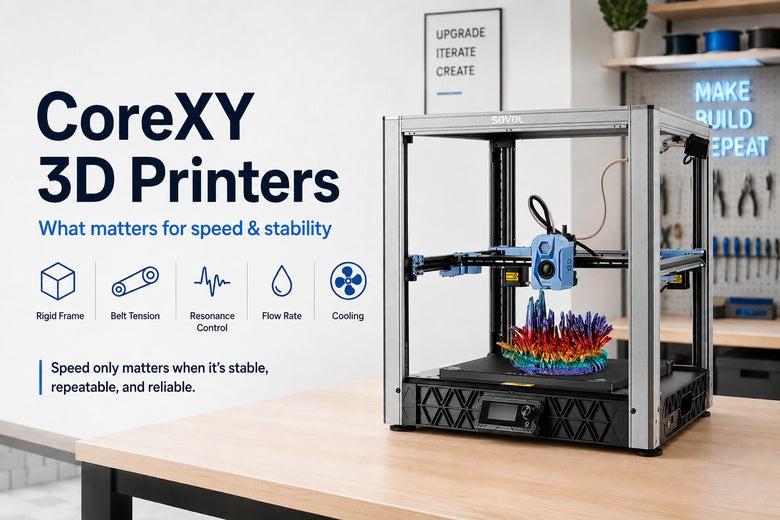
Stability is a stack: rigid frame + correct belt path/tension + resonance control + enough extrusion flow + cooling.
-
For makerspaces, “fast” only matters if it’s repeatable: easy to calibrate, hard for beginners to knock out of tune, with good docs and local parts/support.
-
A simple reality check: if a printer can’t push enough volumetric flow (how much plastic it can melt per second), it won’t hit high speeds without under-extrusion.
What is a CoreXY 3D printer?
CoreXY is an XY motion system where two fixed motors drive the toolhead through a crossed-belt path, and firmware maps normal X/Y moves into the two motor movements.
If you want the “math version,” the official CoreXY theory page summarises the relationship as A = X + Y and B = X − Y.
A useful mental model: two people pulling on a crossed set of cables to move one handle smoothly in any direction. Done well, it’s quick and accurate. Done poorly (belts misaligned or unevenly tensioned), prints can drift out of square.
CoreXY vs bed-slinger: what changes in the real world
When people upgrade from a bed-slinger (a moving bed in Y) to CoreXY, the biggest practical difference is often how the machine behaves under acceleration.
-
On many CoreXY designs, the motors stay stationary, so the moving assembly can be lighter.
-
A typical bed-slinger has to move the bed (and sometimes a growing print) back and forth, which can amplify vibration—especially on tall or heavy parts.
That’s why CoreXY is popular for higher-speed and larger-format machines. Firgelli’s overview of CoreXY crossed-belt motion covers the “stationary motors + belt geometry” idea clearly.
The stability stack: what determines quality at speed
For a community space, speed is only useful if it produces predictable, teachable results. Think of stability in layers. If one layer is weak, you’ll see the classic high-speed failures: ringing/ghosting, layer shifts, corners that bulge, or inconsistent dimensions.
1) Mechanics: frame rigidity and squareness
At high acceleration, the frame has to resist twisting and flexing. If it doesn’t, you’ll see:
-
Ringing/ghosting (echo-like ripples after corners)
-
Dimensions that change depending on where on the bed the part is printed
-
More “mystery failures” after the printer gets bumped or moved
3DMag’s overview of CoreXY motion and engineering considerations is a useful reminder that the CoreXY label isn’t enough—the build quality sets the ceiling.
2) Belts: alignment, pulley/idler quality, and equal tension
CoreXY depends on belt geometry more than a typical single-belt axis. Uneven belt tension or misalignment can quietly turn into prints that aren’t square.
Two practical references worth keeping around:
-
Dr. Rehorst’s deep dive on CoreXY belt layout and tensioning
-
Filament2Print’s note that on CoreXY printers, axis perpendicularity issues can come from a large difference in tension between the two belts
Pro Tip: When you test a printer for your space, print a large calibration square and measure diagonals. If diagonals differ, it’s often a squareness/belt-path issue—not a slicer setting.
3) Motion tuning: resonance control and input shaping
Once mechanics are sound, motion tuning becomes the limiter. Fast direction changes excite resonances in the frame and gantry.
Modern high-speed workflows often use input shaping to reduce ringing by compensating for resonance. It’s helpful, but it’s not a substitute for correct belt tension and a rigid frame.
4) Extrusion throughput: volumetric flow is the hard ceiling
Here’s the part many “mm/s” numbers gloss over:
-
Your slicer can request 500–700 mm/s.
-
Your motion system might physically move that fast.
-
But if the hotend can’t melt plastic quickly enough, you’ll under-extrude.
That limit is commonly described as volumetric flow rate (mm³/s). In practice, it dictates whether your makerspace can standardise on a small set of reliable profiles—or whether every printer needs constant babysitting.
5) Cooling and material behaviour
Even with enough flow, the part still needs time to cool—especially on small features.
Fast printing is often easiest to make repeatable with PLA workshop parts. If your community prints ABS/ASA functional parts, stability and enclosure/thermal control can matter more than raw speed.
A practical checklist for evaluating a CoreXY printer (makerspace edition)
You don’t need lab gear. You need a few repeatable checks that reveal whether the machine will behave in week 12, not just day one.
-
Start with moderate acceleration and confirm clean walls before you chase speed.
-
Check squareness across the bed: print one part in the centre and one near a corner.
-
Inspect corners for ringing: if it appears as you speed up, you’ve found a resonance ceiling.
-
Look for flow-limited symptoms: thin walls, gaps, or inconsistent top surfaces when speed increases.
-
Assess maintenance burden: documentation, bed levelling routine, and parts availability matter more than a headline max speed.
⚠️ Warning: If you’re seeing layer shifts at higher acceleration, treat it as a mechanical reliability issue first (belt path, pulleys, loose hardware), not a slicer tweak.
Where Sovol fits (neutral examples for UK buyers)
If you want to anchor the discussion in real, UK-available CoreXY machines without turning the article into a pitch:
-
The Sovol SV08 is a CoreXY printer with features aimed at high-speed workflows.
-
The Sovol SV08 Max is the large-format option—relevant if your makerspace runs big props, enclosures, or workshop fixtures and you want a CoreXY frame at that scale.
For readers who want a brand-native explanation, Sovol also has a clear primer on CoreXY technology and how it works.
FAQ
Is CoreXY always faster than a bed-slinger?
Often faster in potential, because many CoreXY designs keep moving mass lower. But real print time depends on your flow limits, cooling, and the quality level you need.
What matters more for “fast printing”: top speed or acceleration?
For most parts, acceleration (and how cleanly the printer handles corners) matters more than headline top speed. Many moves are short, so the printer may never hit its maximum speed.
What’s the quickest way to sanity-check speed claims?
Look for:
-
evidence the machine is rigid and holds calibration
-
clean corners (low ringing) at the speeds you actually plan to run
-
a realistic understanding of volumetric flow limits for your materials
Next steps
If you’re standardising printers for a makerspace, document your “house profile” the same way you’d document a CNC workflow:
-
pick one reliable speed/acceleration band per material
-
lock in a short calibration routine
-
keep a simple acceptance test print (square + corner test)
Then use the checklist above to evaluate candidates—and use local parts/support as a tie-breaker once the fundamentals are satisfied.
Share:
How to Improve 3D Print Quality With a Better 3D Printer Setup
Budget 3D Printers vs Premium 3D Printers: What’s the Difference?