
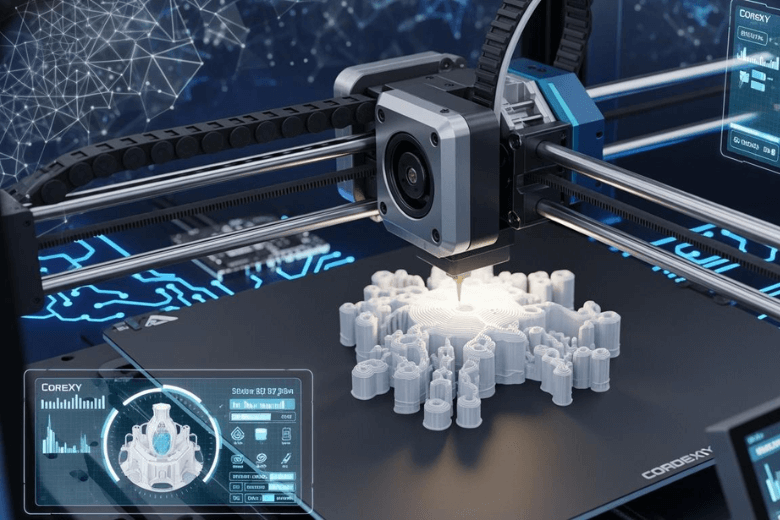
You experience faster and higher quality 3d printing when you choose corexy kinematics. The unique mechanical design uses a rigid frame, a stationary bed, and a lightweight carriage. These features reduce vibrations and moving mass. As a result, you achieve smoother prints and increased reliability. Leading models like the Elegoo Centauri and Bambu Lab P1P reach maximum speeds of 500 mm/s with acceleration up to 20000 mm/s², outperforming many standard printers.
|
Printer Model |
Max Speed (mm/s) |
Acceleration (mm/s²) |
Flow Rate (mm³/s) |
|---|---|---|---|
|
Elegoo Centauri |
500 |
20000 |
32 |
|
Bambu Lab P1P |
500 |
20000 |
N/A |
Key Takeaways
-
CoreXY kinematics enable faster 3D printing by reducing moving mass, allowing for rapid acceleration and high speeds without sacrificing quality.
-
The stationary print bed in CoreXY printers minimises vibrations, leading to smoother prints and improved surface finishes.
-
A lightweight carriage design enhances stability and precision, ensuring accurate layer placement even during high-speed operations.
-
Regular maintenance, such as checking belt tension and lubricating parts, is essential for optimal performance and reliability of CoreXY printers.
-
CoreXY printers are user-friendly, making them suitable for beginners with clear assembly instructions and intuitive controls.
CoreXY Kinematics Explained
Mechanical Structure
You benefit from the unique design of corexy kinematics when you use modern 3d printers. This system features a rigid frame, a stationary print bed, and a lightweight carriage. The belt-driven motion systems in corexy allow the print head to move quickly and accurately across the X and Y axes. The stationary bed remains fixed during printing, which means the only moving mass is the print head and its carriage. This design reduces the forces that cause vibrations and improves the overall stability of your 3d prints.
When you choose corexy, you gain several advantages:
A stationary print bed reduces vibrations during printing, enhancing surface finish.
The fixed bed stabilises prints, preventing layer shifts that could compromise the model.
The design minimises the need for complex adjustments, reducing calibration time.
You will notice that the rigid frame and linear rails or bearings in corexy motion systems provide a solid foundation. This structure ensures that the print head moves smoothly and precisely, even at high speeds. The lightweight carriage further decreases inertia, allowing for rapid acceleration and deceleration without sacrificing print quality.
Differences from Other 3D Printers
You may wonder how corexy compares to other popular 3d motion systems. The table below highlights the main differences in movement and mechanical design between corexy, Cartesian, and Delta 3d printers:
|
Printer Type |
Movement System |
Mechanical Design Characteristics |
|---|---|---|
|
CoreXY |
Uses a unique motion system that allows for high-speed printing with reduced vibrations due to lightweight components. |
Often incorporates linear bearings or rails for rigidity and low friction. |
|
Cartesian |
Typically has a moving bed or moving print head, with the bed often being heavier, which can lead to vibrations. |
The Ender 5 family has a fixed bed that only moves on the z-axis, minimising vibrations during printing. |
|
Delta |
Utilises a three-arm system that allows for rapid movement in all directions, but can be complex to calibrate. |
Generally lighter moving parts, which can help reduce vibrations during operation. |
You see that corexy kinematics stand out because they combine a stationary bed with a lightweight carriage and a robust belt system. This combination sets corexy apart from other 3d motion systems, giving you faster, more reliable, and higher quality prints.
Speed Advantages of CoreXY 3D Printers
Reduced Moving Mass
You gain a significant advantage with corexy kinematics because the only moving parts during printing are the print head and its lightweight carriage. This design sharply reduces the moving mass compared to traditional 3d printers, where the bed or heavier assemblies often move. Lower moving mass means less inertia, which allows for rapid acceleration and deceleration. You achieve higher printing speed without sacrificing print quality or print consistency.
Consider the following comparison:
|
Printer Type |
Moving Mass (grams) |
Acceleration Rate (mm/s²) |
|---|---|---|
|
Cartesian Printer |
500-1000 |
2000-5000 |
|
CoreXY Printer |
100-200 |
10000+ |
You see that corexy printers can reach acceleration rates above 10,000 mm/s², while Cartesian printers typically remain below 5,000 mm/s². This difference enables you to complete prints in a fraction of the time. For example, the Vertigo MK1 achieves accelerations up to 30,000 mm/s², and the Creality K1 Max reaches 20,000 mm/s². These figures demonstrate the efficiency of corexy motion systems in delivering high-speed printing.
-
Reduced moving mass leads to lower inertia.
-
You benefit from faster acceleration and deceleration.
-
Higher print speeds become possible without losing accuracy.
Stationary Bed and Lightweight Carriage
You notice a clear improvement in print consistency and mechanical stability with a stationary bed. In corexy 3d printers, the bed remains fixed during operation. This feature eliminates the vibrations and shifting that often occur in printers where the bed moves along one or more axes. The lightweight carriage, which carries only the print head and essential components, further reduces the forces acting on the frame.
The result is a system that supports high speed and accurate prints. For instance, the Creality K1 Max and K1C both achieve speeds up to 600 mm/s, which is twelve times faster than many standard 3d printers. The Vertigo MK1 also demonstrates impressive performance, reaching 300 mm/s. You experience smoother motion and fewer artefacts on your models, even at high speeds.
Tip: A stationary bed not only improves print quality but also makes it easier to print tall or delicate objects without risk of layer misalignment.
Optimised Belt System
You benefit from the advanced belt-driven motion systems in corexy printers. The belts transfer movement efficiently and precisely, allowing the print head to glide smoothly across the X and Y axes. This system minimises backlash and ensures that every movement translates directly into accurate layer placement.
-
The belt system in corexy motion systems enables smooth, fast motion.
-
You achieve aggressive acceleration, with some printers reaching up to 20,000 mm/s².
-
The reduction in moving mass and optimised belt paths minimise vibrations and inertia.
You can see the impact of these features in real-world benchmarks:
-
Creality K1 Max: Up to 600 mm/s print speed, 20,000 mm/s² acceleration.
-
Vertigo MK1: 300 mm/s print speed, 30,000 mm/s² acceleration.
-
Creality K1C: 600 mm/s print speed.
When you compare print times, the difference becomes clear:
|
Printer Type |
Print Speed (mm/s) |
Print Time (minutes) |
|---|---|---|
|
CoreXY (e.g., Creality Ender-7) |
200-250 |
20-30 |
|
Cartesian (e.g., Ender-3) |
80-100 |
40-50 |
You complete prints three to four times faster with corexy motion systems. The combination of a stationary bed, lightweight carriage, and optimised belt system delivers unmatched speed and precision in 3d printing.
Print Quality with CoreXY
Vibration Reduction
You achieve superior print quality with corexy kinematics because the rigid frame and stationary bed work together to minimise vibrations. The robust construction absorbs movement, so you avoid the resonance that often plagues traditional 3d printers. In fact, the corexy frame design reduces resonance by 63% compared to bed-slinger models. This significant reduction means you see fewer surface imperfections and more consistent layers on your 3d prints.
-
You benefit from improved surface finish and dimensional accuracy, reaching tolerances as fine as ±0.1 mm.
-
Features such as auto bed levelling and 0.01 mm precision calibration help you secure the first layer, which is crucial for outstanding prints.
-
The stationary bed ensures that tall or delicate models remain stable throughout the printing process.
You notice that reduced vibrations not only enhance the appearance of your models but also prevent issues like ghosting and ringing. These improvements translate directly into higher print quality, especially when you print at high speeds.
Tip: For best results, always check that your printer's frame remains tightly assembled. Even small adjustments can further reduce vibration and improve your 3d printing outcomes.
Precision and Stability
You experience remarkable precision and mechanical stability with corexy 3d printers. The dual stepper motors control the X and Y axes, distributing power evenly and reducing the load on moving parts. This design allows you to maintain high print speeds without sacrificing accuracy, even during long-duration prints.
-
The dual motor system provides enhanced stability, so you achieve accurate prints over extended periods.
-
The reduced weight on the moving platform means you can print complex models with fine details and consistent layer adhesion.
-
Many corexy printers include resonance compensation systems. These systems measure vibrations during setup and adjust for them in real time, resulting in smoother and more precise outputs.
You find that users consistently praise corexy printers for their ability to produce detailed and reliable results. For example, the Snapmaker J1S receives positive feedback for its bridging capabilities and quick movement, which help maintain layer consistency and detail. The Anycubic Kobra S1 also stands out for producing prints with fine details and strong layer adhesion. These real-world experiences confirm that you can expect high print quality and outstanding prints from corexy 3d printers.
You also avoid common issues such as lifting, warping, or inconsistent extrusion. The combination of a rigid frame, advanced motion system, and smart compensation features ensures that your 3d models look professional and meet precise specifications.
Note: When you use a corexy printer, you gain the confidence to tackle ambitious projects, knowing that your machine will deliver consistent and accurate results every time.
Practical Considerations for 3D Printing
User Experience
You will find that corexy 3d printers offer a user-friendly experience, even if you are new to 3d printing. The intuitive design and clear assembly instructions make the setup process straightforward. Many users report assembling their printers within an hour, which reduces frustration and allows you to start printing quickly. The following table summarises common feedback from users:
|
User Feedback |
Description |
|---|---|
|
Straightforward Setup |
Users report that the setup process is impressively straightforward, aided by a clear and concise user manual. |
|
Intuitive Design |
The design is noted to be intuitive, making assembly approachable even for beginners. |
|
Quick Assembly |
Users have successfully assembled the printer within an hour, indicating ease of use. |
You benefit from features such as adjustable touch screens and support for various nozzle sizes. These enhancements make it easier to control your 3d printer and adapt to different projects. The quiet operation of modern motion systems creates a more pleasant environment, especially during long prints. You will also appreciate the versatility, as these 3d printers handle a wide range of filaments and temperatures, supporting both simple and advanced applications.
Maintenance and Limitations
You must perform regular maintenance to keep your outstanding printer running at peak performance. Tasks include checking belt tension, lubricating moving parts, inspecting pulleys, cleaning the frame, and ensuring all screws remain tight. These steps help maintain the reliability and high speed that corexy motion systems deliver.
However, you may encounter some challenges. Manual filament swapping can be time-consuming, particularly for prints with multiple colour transitions. Automatic colour changes generate significant purge waste, which increases material costs and complicates recycling. Achieving perfect transitions often requires careful calibration and fine-tuning of slicer settings. Advanced features in some models, such as the Kobra S1 Combo, may present a steeper learning curve compared to simpler 3d printers like the Ender 3.
-
Colour transitions are limited, restricting gradient effects.
-
Print failures may occur due to improper filament loading or extrusion errors.
-
Increased waste leads to higher filament consumption.
You will find that corexy 3d printers stand out for their reliability and uptime. The innovative motion systems minimise moving mass and maximise stability, ensuring consistent results. Models like the Prusa CORE One L and Anycubic Kobra S1 demonstrate professional-grade performance and low downtime, making them excellent choices for anyone seeking a dependable 3d printer.
You gain faster, higher quality 3D prints with CoreXY kinematics due to reduced moving mass, a stationary bed, and advanced belt systems. You benefit from ultra-fast speeds, efficient cooling, and user-friendly operation. Industry experts note some trade-offs, such as tuning requirements and surface finish issues:
|
Challenge Type |
Description |
|---|---|
|
Tuning Requirements |
You may need to adjust settings for optimal results. |
|
Surface Finish Issues |
Certain filaments can cause banding or layering problems. |
|
Waste Management |
Many models lack built-in waste solutions. |
If speed and quality matter most, you should consider CoreXY for your next 3D printer.
FAQ
What makes CoreXY printers faster than other types?
You achieve higher speeds with CoreXY printers because the design reduces moving mass. The stationary bed and lightweight carriage allow rapid acceleration. The optimised belt system ensures smooth, precise movement. You complete prints in less time without sacrificing quality.
Do CoreXY printers produce better print quality?
You notice improved print quality due to reduced vibrations and a rigid frame. The stationary bed prevents layer shifts. The advanced motion system delivers consistent, accurate layers. You see fewer surface defects and sharper details on your models.
Are CoreXY printers difficult to maintain?
You find maintenance straightforward. Regularly check belt tension, lubricate rails, and tighten screws. The open design allows easy access to components. You avoid complex adjustments common in other systems. Most users report minimal downtime with routine care.
Is a CoreXY printer suitable for beginners?
You can start with a CoreXY printer even as a beginner. Many models offer clear instructions and intuitive assembly. The user-friendly interface helps you learn quickly. You benefit from reliable performance and straightforward operation.
Share:
The Ultimate Guide to Choosing a Large Format Printer in 2026
How CoreXY 3D Printer Technology Works Explained for Beginners