
If you run a makerspace (or you’re the person everyone pings when prints start failing), wet filament is one of those problems that wastes hours because it pretends to be a slicer issue.
This guide is built for fast diagnosis: a short checklist, a few confirming tests, and then a practical fix-and-prevent routine that works in typical UK indoor humidity.
You’ll see this topic phrased a few ways in search (e.g., signs of wet filament). In practice, it all comes down to the same question: has the spool absorbed enough water to disrupt extrusion?
Key takeaways
-
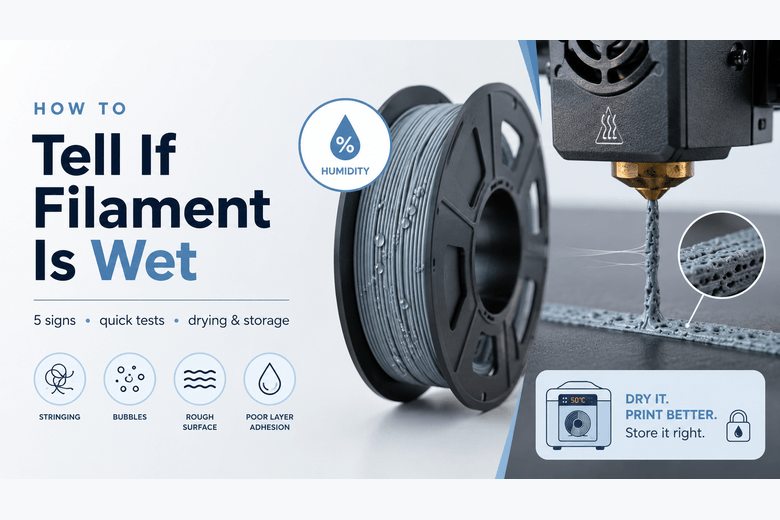
The most reliable signs are popping/crackling at the nozzle and bubbles/foam in extrusion—that’s moisture flashing into steam.
-
Wet filament often causes stringing and rough surfaces that don’t improve with normal retraction tuning.
-
TPU and nylon (PA) are the usual “always dry me” offenders; PLA can still go wet, just more slowly.
-
Drying works—but only if you use controlled temperature and then store the spool sealed so it doesn’t reabsorb moisture.
What “too moist” actually means
Most 3D printing filaments are hygroscopic: they slowly absorb water from the air. When that water hits hot-end temperatures, it turns into steam inside molten plastic, which creates pressure spikes and tiny voids.
That’s why wet filament can show up as:
-
audible crackling
-
inconsistent extrusion
-
pitted surfaces
-
weaker parts
Sovol’s own troubleshooting overview summarises the pattern well in its guide to wet-filament symptoms (popping, bubbles, stringing).
If you want a quick baseline definition for training new members: “wet filament” is filament that has absorbed enough moisture to cause audible steam release or visible bubbles at the nozzle during normal printing.
How to tell if filament is wet: 5 signs you can trust
You don’t need lab gear. You need a few high-signal observations.
1) You hear popping, crackling, or hissing at the nozzle
If you hear it during steady extrusion (not just a single pop when the print starts), treat moisture as the primary suspect.
Why it matters: steam has to escape somewhere.
2) You see bubbles, foam, or “spitty” extrusion
Watch the nozzle during a skirt, brim, or a simple extrusion line.
What it looks like: tiny bubbles in the line, occasional “puffs”, or a slightly frothy texture.
3) Your surfaces look rough or pitted (even when everything else seems right)
Wet filament often leaves a matte, sandpapery finish or small pits—especially visible on top surfaces and walls.
4) You get stringing that won’t behave
If you’ve already done the normal retraction sanity checks and the strings are still wild, moisture is a likely cause.
5) Your parts feel weaker than usual
Wet filament can reduce layer bonding and make prints snap or delaminate more easily.
Pro Tip: If you’re diagnosing a printer used by multiple people, keep a small “known-dry” spool for comparison. Swap spools before you start changing settings.
3 quick tests to confirm it’s moisture (not settings)
These are intentionally simple—good for workshops and shared printers.
Test A: The 2-minute listening test
-
Heat the nozzle to your normal printing temperature.
-
Extrude 100–150 mm of filament.
-
Listen closely.
Confirm moisture when: popping/crackling repeats during steady extrusion.
Test B: The “single-wall cube” reality check
Print a small, fast cube/vase-mode wall at a conservative speed.
Confirm moisture when: the wall shows random pits/voids or inconsistent line width that you can’t explain with speed/temp.
Test C: Dry it, then rerun the same test print
This is the strongest proof.
Confirm moisture when: the same gcode prints cleanly after drying.
Material-by-material: what wet filament looks like in practice
Not all filaments fail the same way.
PLA (often “fine”… until it isn’t)
PLA tends to absorb moisture more slowly than nylon, but once it’s wet you’ll often see:
-
crackling/popping
-
rough or cloudy surfaces
-
brittle parts
-
stringing that feels out of proportion to your settings
PETG (stringing magnifier)
PETG’s classic wet signs are:
-
increased stringing/oozing
-
occasional bubbles
-
messy surfaces and blobs
TPU (moisture-sensitive and frustrating)
Wet TPU is usually obvious:
-
excessive stringing
-
inconsistent extrusion
-
gummy-looking surfaces
If you print TPU in a humid room, it can be worth printing directly from a dry box for longer jobs.
Nylon / PA (assume it needs drying)
Nylon is famously moisture-sensitive. If it has been left out, drying first is usually faster than trying to tune around it.
Drying: safe ranges, and what to avoid
Drying filament is about controlled heat over time, not blasting it with the hottest appliance you have.
Prusa’s knowledge base includes a practical drying temperature/time table (Prusament materials) and flags a key risk: home ovens can have wide temperature swings, so you should verify temperature with an external thermometer.
Typical drying ranges (maker-friendly starting points)
Exact recommendations vary by manufacturer, but if you’re searching for filament drying temperature time guidance, these ranges are commonly used as a starting point:
-
PLA: ~40–50°C (several hours)
-
PETG: ~55–65°C
-
TPU: ~40–60°C (often lower is safer)
-
ABS/ASA: ~80–85°C
-
Nylon/PA: ~80–90°C (often longer)
⚠️ Warning: If the dryer/oven runs hotter than you think, you can deform filament or even soften spools. Don’t guess—measure the real temperature.
Picking a dryer approach (without making it a shopping article)
In a shared space, the real benefit of a filament dryer is consistency: predictable temperature, lower risk than a temperamental oven, and less argument about “who left the spool out.”
If you want options to match different materials, Sovol UK’s Filament Dryer collection is a reasonable place to compare temperature ranges.
For example:
-
The SH01 (40–50°C) drying box fits PLA-style drying ranges.
-
The SH02 dryer (up to 70°C) with presets covers a wider set of common filaments.
-
The SH03 dryer (up to 85°C) reaches higher temperatures that are useful for more moisture-sensitive materials.
(Those links are here as references—drying still comes down to matching temperature and time to the filament you’re using.)
How to store 3D printer filament in a UK workshop or makerspace
Drying is only half the job. If the spool goes straight back into humid air, it will slowly reabsorb moisture.
A low-friction system that actually gets followed:
-
One sealed container per “active” filament family (PLA, PETG, flex, nylon).
-
Desiccant inside each container, plus a simple humidity indicator.
-
A habit rule: spools go back in the box when the print ends—no exceptions.
Sovol UK’s own troubleshooting content on brittleness reinforces the storage side of the problem: in its guide on why filament snaps and how to stop it, moisture and poor storage show up as repeat offenders.
Moisture vs retraction vs partial clog: a simple diagnostic split
This is where most teams lose time.
If it’s moisture, you’ll usually see at least one of:
-
popping/crackling/hissing
-
bubbles/foam in extrusion
-
surface pitting
What fixes it: drying + sealed storage.
If it’s retraction tuning, you’ll usually see:
-
mostly stringing (without popping)
-
surfaces otherwise clean
What fixes it: retraction distance/speed, temperature tweaks, travel moves.
If it’s a partial clog, you’ll usually see:
-
consistent under-extrusion
-
extruder clicking without the wet-filament audio/visual signs
What fixes it: cold pull, nozzle clean/replace, check heatbreak and filament path.
Key Takeaway: Don’t tune retraction for an hour on a wet spool. Drying is faster, and it removes one variable from every other troubleshooting step.
Next steps: make this repeatable
If you want this to run smoothly in a community environment, treat filament care as a process, not a one-off fix:
-
Pick one quick test print (stringing tower, single-wall cube) and standardise it for your printers.
-
Keep one “known-dry” spool for comparison.
-
Put a label on your storage box: date opened + date last dried.
If you’re building out that workflow, starting with a consistent drying/storage setup (and then documenting it for your members) usually delivers the biggest reduction in “mystery failures” per hour spent.
Share:
How to Get Better 3D Print Quality from Your Printer Setup
PETG Filament Explained: When Should You Use It?