
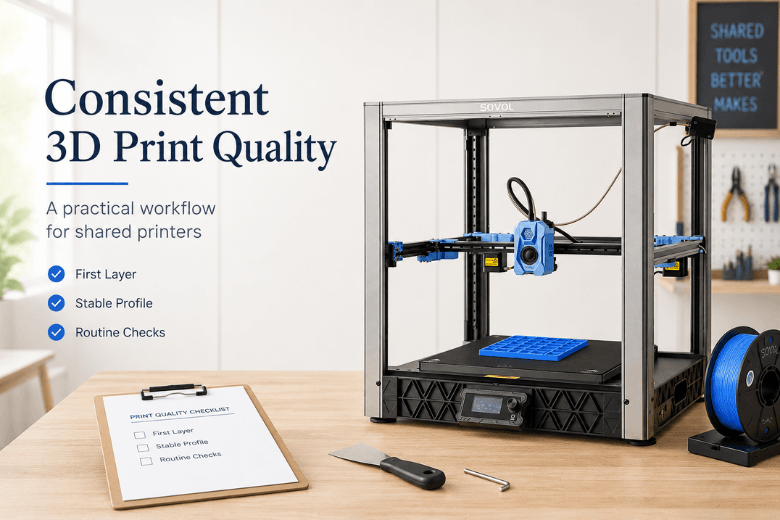
If you run printers in a makerspace (or you’re the person everyone asks to “make it print”), you’ve probably noticed a pattern: most failures aren’t caused by one “bad setting.” They come from a setup that changes a little bit every week—different filament, different plate, different slicer profile, different person touching Z-offset.
This guide is an operational approach: standardise what needs to be stable, tune only what’s worth tuning, and build a repeatable workflow your members can follow.
Key takeaways
-
Treat 3D print quality as a workflow, not a collection of slicer tips.
-
Fix the first layer before you touch retraction, flow, or “quality” settings.
-
Calibrate in a sensible order (first layer → extrusion consistency → temperature/cooling → motion).
-
Make reliability a shared-space habit: baseline profiles, change logs, and a maintenance cadence.
A quick “symptom → first check → one change” table (for consistent 3D print quality)
Use this as a triage tool. The goal is to avoid random setting changes.
|
Symptom you see |
First thing to check |
One change to try (after the check) |
|---|---|---|
|
First layer won’t stick / corners lift |
Plate cleanliness + Z-offset on a one-layer test |
Slow first layer and adjust Z in tiny steps (this solves most first layer adhesion issues) |
|
Elephant’s foot (squished bottom edge) |
Nozzle too close / bed too hot |
Raise Z slightly or drop bed temp a bit |
|
Stringing between parts |
Nozzle temp + retraction baseline |
Drop nozzle temp a small step before changing retraction |
|
Gaps / under-extrusion mid-print |
Spool drag, partial clog, inconsistent filament |
Check feed path and nozzle; then re-check flow |
|
“Ringing” / ghosting on corners |
Belts/pulleys/loose frame, unstable table |
Tighten/secure mechanics before slowing speeds |
|
Random failures on “the same file” |
Changing variables (filament, plate, profile versions) |
Lock a baseline profile + log changes |
Best practice 1: Standardise your baseline before you optimise
Why it matters: If the baseline changes, your tuning becomes noise. In shared spaces, most “mystery problems” are just untracked changes.
How to do it (makerspace-friendly):
-
Pick one baseline filament per material type you teach most (e.g., one PLA brand/colour).
-
Keep a single “golden” slicer profile per printer model and nozzle size.
-
Put version numbers on profiles (v1.0, v1.1…) and write down what changed and why.
-
Make a rule: change one variable at a time, then re-print a small test.
What failure looks like: People tweak retraction, speed, temperature, and Z-offset all at once. The printer gets “better” for one person, then worse for everyone else.
Best practice 2: Win the first layer (cleaning → leveling → Z-offset)
Why it matters: When the first layer is wrong, everything else is a workaround.
How to do it:
-
Clean the build surface properly
-
For PEI sheets, washing with warm water + a little dish soap is often the “reset” move.
-
In a shared space, assume fingerprints and dust are present even if the plate looks fine.
-
-
Run a one-layer test print
-
A simple square or first-layer patch tells you more than a full model.
-
-
Adjust Z-offset in tiny steps
-
Sovol UK recommends a practical fix order—clean first, then run a one-layer test, then live-adjust Z in small increments—in their bed adhesion fix guide.
-
-
Use first-layer settings as tools (not magic)
-
If you need extra forgiveness while you stabilise the process, reduce first-layer speed. Simplify3D explicitly calls out using 30–50% first-layer speed, and using first-layer height/width adjustments to improve contact and adhesion in “Perfecting the First Layer”.
-
Pro Tip: In makerspaces, a “first-layer check” is the cheapest quality control step you’ll ever run. Make it standard for new members.
What failure looks like: People crank bed temperature or add adhesives before they’ve confirmed Z-offset and cleanliness. Prints may stick “sometimes,” but success rate stays unpredictable.
Best practice 3: Calibrate extrusion consistency before chasing cosmetics
Why it matters: Under- or over-extrusion can masquerade as lots of different problems: weak layers, rough surfaces, gaps, inconsistent line widths.
How to do it (practical order):
-
First, confirm the basics: spool feeds smoothly (no snagging), the extruder path is clean, and the nozzle isn’t partially clogged.
-
Then calibrate extrusion in a controlled way using simple test prints.
If your space runs multiple printers, consider making extrusion calibration a mentor-only change. It’s easy to turn one “fix” into a slow drift across every profile.
What failure looks like: Members respond to gaps by raising temperature, increasing flow, and changing speeds all at once—until the printer oozes, strings, and still fails.
Best practice 4: Use temperature and cooling as targeted tools
Why it matters: Temperature and cooling are the knobs that trade off between layer bonding, detail, and stringing. Too hot can string; too cool can weaken layers; too much fan can cause poor adhesion on early layers.
How to do it:
-
Use a temperature tower (or a small controlled test) when you change filament brand/type.
-
Make small changes. For example, Prusa discusses how modest temperature changes and slowing early layers can help adhesion and reduce defects in “How to fix the most common 3D printing errors”.
-
If you’re seeing stringing, try lowering nozzle temperature a small step before you start getting aggressive with retraction.
What failure looks like: Temperature becomes the “fix for everything,” so profiles drift upward until bridging and overhangs suffer—and stringing comes back anyway.
Best practice 5: Treat motion quality like a print setting (because it is)
Why it matters: Ringing/ghosting, layer shifts, and wobble are often mechanical or stability problems first—then tuning problems second.
How to do it:
-
Put the printer on a stable surface.
-
Make belt and fastener checks part of your monthly routine.
-
If you see layer shifts or repeated corner ghosting, fix the mechanics before you reduce speed across the board.
What failure looks like: People slow down prints to hide mechanical issues. Prints take longer and still look inconsistent.
Best practice 6: Control filament moisture (especially in the UK)
Why it matters: Wet filament can show up as stringing, rough surfaces, weak layers, and inconsistent extrusion. In a shared environment, you often don’t know how long a spool has been open.
How to do it:
-
Store spools sealed when not in use.
-
Label open dates.
-
If a spool suddenly prints worse than it used to, treat moisture as a first suspect—not an afterthought.
-
If you’re diagnosing inconsistent extrusion, check dry filament before you re-tune your baseline profile.
What failure looks like: People re-tune profiles for a filament problem. Then the “fix” gets baked into the baseline profile and causes trouble later.
Best practice 7: Run a maintenance cadence you can actually sustain
Why it matters: A printer that’s “mostly fine” becomes unreliable when dust, residue, loosened belts, and clogged fans accumulate.
How to do it (cadence you can assign):
-
Before each print session: quick checks (bed condition, nozzle/extruder area, filament feed path).
-
Monthly: belts/fasteners, deeper clean, firmware/software housekeeping.
If you want a structured template to copy into your makerspace SOP, Sovol UK’s 3D printer maintenance checklist (2026) is a good starting point.
⚠️ Warning: Maintenance is also a safety practice. Loose wiring, damaged insulation, or seized fans aren’t “print quality issues”—they’re risks. If something looks unsafe, stop and fix it before you print.
What failure looks like: The printer only gets attention when it fails, which makes failures more frequent and harder to diagnose.
How to implement this in a shared space (without becoming the bottleneck)
A workflow is only useful if people follow it.
-
Create a one-page “Before you print” checklist and put it next to each machine.
-
Define who can change what
-
Members: cleaning, loading filament, running first-layer tests.
-
Mentors/staff: profile changes, extrusion calibration, firmware updates.
-
-
Keep a simple log
-
Date, filament type, profile version, what changed, and the result.
-
If you run Sovol printers (or you’re evaluating them), centralising firmware and manuals helps reduce “mystery configuration” problems. Use the Sovol UK downloads page for firmware and manuals so everyone is pulling from the same source.
FAQ
What should I tune first for better 3D print quality?
Start with the first layer. If adhesion and Z-offset aren’t stable, everything else becomes guesswork. Use a one-layer test and confirm cleanliness + Z-offset before tuning retraction, speed, or flow.
How many settings should I change at once?
One. In a shared environment, treat tuning like change control: adjust one variable, re-test, then decide whether it helped.
Should I keep re-leveling the bed?
If your printer has a stable bed and you’re not changing plates/nozzles, you shouldn’t need to re-level constantly. What you will need regularly is a quick first-layer verification and occasional Z-offset touch-ups.
Is it normal that the same file prints differently week to week?
It’s common in shared spaces—because variables change (filament moisture, plate contamination, profile drift). The fix isn’t a secret slicer value; it’s standardisation and logging.
Next steps (resources you can share with your community)
-
If you want a more detailed, setup-first workflow you can adapt, start with Sovol UK’s “better 3D printer setup” calibration guide (2026).
-
For first-layer issues specifically, keep this link in your onboarding docs: Sovol UK’s bed-adhesion fix order for first layers.
-
For training new members over time, Sovol UK also published a structured 3D printing learning path.
If you’re comparing printers for a shared space, Sovol is one option worth considering—mainly because the ecosystem leans open-source friendly and there’s dedicated local UK dispatch/support. The practical test is still the same: pick a baseline profile, run your first-layer and calibration checklist, and see which machines stay boring (in the best way) over a month of real use.
Share:
Budget 3D Printers vs Premium 3D Printers: What’s the Difference?
How to Tell if Filament Is Wet (and What to Do Next)