
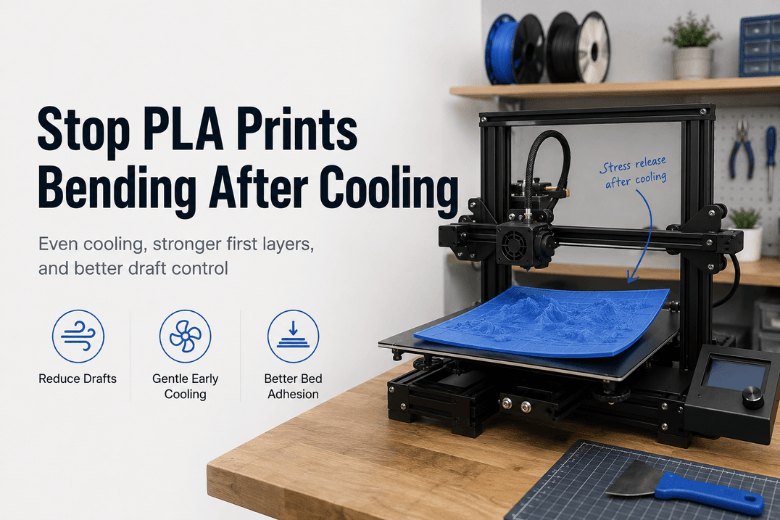
Key Takeaway: Most “bending after cooling” is stress finally winning after the print lets go a tiny bit—so the fix is usually about making cooling more even and making the first layer harder to peel up, not “more heat everywhere.”
If you run printers in a makerspace or community lab, you’ve probably seen this pattern:
-
The print looks fine at the end of the job.
-
You come back later and it’s slightly banana-shaped.
-
Or the corners are up, even though the first layer looked decent.
That’s not just annoying—it’s an uptime problem. The right fix is the one you can standardise across machines, users, and room conditions.
Quick diagnosis: what “bending after cooling” actually is
People use “bent after cooling” to describe a few different failure modes. Before you buy anything, sort the symptom into the right bucket:
|
What you see |
Most likely cause |
What usually fixes it |
|---|---|---|
|
Corners lifted up, edges curled |
Warping / corner lift from uneven cooling + shrink stress |
Bed adhesion + draft control + smarter cooling (first layers) |
|
Whole part gently bowed, no obvious corner lift |
Internal stress (temperature gradient) releasing as it cools |
Reduce sudden cooling, tune bed temp, control environment |
|
Edges look “melted” or saggy, especially on thin parts |
PLA too warm for too long (bed/chamber heat) |
Lower bed temp, more cooling after first layers, avoid hot enclosure |
Warping itself is widely explained as plastic shrinking as it cools; if cooling is uneven, stress accumulates and pulls edges upward. That’s the core mechanism described in Simplify3D’s warping troubleshooting guide.
The decision framework: fix PLA warping with settings, environment, or hardware?
Think of your options in three tiers. Start at Tier 1; only move up when you have a repeatable diagnosis.
Tier 1 — Settings fixes (cheap, fast, often enough)
These are the changes that solve a large share of PLA warp issues without touching hardware.
1) First layers: slow down cooling and lock in adhesion
A common, practical approach is no part cooling for the first few layers. For example, Bambu Lab’s printed model warping troubleshooting notes explicitly call out “no cooling for the first 3 layers” as a way to improve adhesion and reduce early stress.
What to standardise in a shared profile:
-
No/low fan for the first 2–4 layers.
-
Slightly slower first layer speed.
-
A first layer that’s consistently “squished” (correct Z offset), not barely touching.
2) Bed temperature: treat it as a control knob, not a badge of honour
If your room is cool or drafty, a bed that’s too cool can let the edges chill and peel.
A useful, non-dogmatic rule from the same Bambu guidance is: if warping appears in cooler environments, try a modest bed temp increase (they mention +10°C as a starting move) and reduce drafts.
3) Plate type matters (more than people admit)
If a printer has multiple build surfaces, a “wrong plate / wrong bed temp” combo is a classic makerspace failure.
Again, Bambu’s guide makes this explicit with an example where a part sliced for one plate type warps when printed on another, and it provides different PLA bed temperatures depending on plate type.
You don’t need a Bambu printer to use the lesson:
-
Name the plate type in the slicer profile.
-
Label the physical plates.
-
Don’t let users swap plates without switching the profile.
4) Geometry and slicer choices: reduce stress instead of fighting it
Large flat parts are basically warping amplifiers.
If the part allows it:
-
Add a brim for sharp corners.
-
Avoid very high infill in big flat prints; more walls and moderate infill often behaves better than “solid.”
-
Consider a stress-friendly infill pattern (gyroid is often used for this reason).
For a general overview of how uneven cooling, adhesion, and geometry combine into warping, Xometry’s overview of warping causes and fixes is a decent cross-material reference.
Tier 2 — Environment fixes (the “UK workshop reality” tier)
If you’ve standardised first-layer settings and you’re still seeing corner lift on large PLA prints, your room may be the real problem.
In UK spaces, the usual culprits are:
-
A printer near a door.
-
A cold window.
-
HVAC or a fan moving air across the bed.
You don’t always need a full enclosure to test this.
Low-cost environment moves (often worth it):
-
Move the printer away from drafts.
-
Add a simple three-sided draft shield.
-
Reduce auxiliary fan blast that hits one side harder than the other.
The goal is not “make it hot.” The goal is make cooling even.
Pro Tip: If warping only happens on one side of the bed (e.g., always the left-front corner), assume airflow or a local cold spot first, not “bad filament.”
Tier 3 — Hardware/accessory choices (buy only when it solves a defined cause)
This is where decision-stage content should actually help: what to buy when the evidence says it will pay back in fewer failures.
1) A reliable build surface (best ROI for shared printers)
If your operators constantly chase adhesion issues, a consistent build surface usually beats a pile of inconsistent “helper tricks.”
Criteria to evaluate:
-
Does it grip PLA reliably at your chosen bed temperature?
-
Is it easy to clean and return to baseline?
-
Does it survive repeated use without “mystery zones” of poor adhesion?
In a shared space, “repeatable cleaning and handling” is the real feature.
2) Enclosure (useful for drafts—but watch PLA overheating)
An enclosure is most valuable when:
-
Your environment is drafty and you can’t relocate machines.
-
You print larger parts that are sensitive to uneven airflow.
But for PLA, the trade-off matters:
-
Too warm a chamber can soften PLA and cause distortion instead of preventing it.
So the decision isn’t “enclosure yes/no.” It’s “enclosure with temperature discipline.”
If you’re evaluating enclosure options, treat them as airflow control tools first, not as “high-temp chambers.” As a neutral reference point for what an enclosure product category looks like, Sovol lists options like the Sovol SV08 enclosure (useful if you’re comparing form factors and practical features).
3) Filament drying and storage workflow (consistency upgrade, not a magic warp cure)
Wet filament is infamous for stringing and surface issues, but in real shops the bigger problem is variability: one spool behaves, the next doesn’t.
A controlled storage/drying workflow is often worth it when:
-
You run many partially used spools.
-
Prints sit half-finished between sessions.
-
The space has seasonal humidity swings.
If you’re deciding whether to add this to your standard operating procedure, start with Sovol’s overview of filament dryer options, then choose a capacity/style that matches your usage (for example, a single-spool unit like the Sovol SH02 filament dryer).
Keep expectations honest: drying won’t fix a printer sitting in a cold draft, but it will reduce the number of “we changed nothing and it failed” days.
A practical “stop bending after cooling” checklist you can standardise
If you want one checklist to run across your fleet, use this order:
-
Confirm plate + profile match (wrong plate type or wrong bed temp is a silent killer).
-
Lock first-layer basics: clean plate, correct Z offset, slower first layer.
-
Reduce early cooling: no/low fan for first 2–4 layers.
-
Draft test: shield the printer for one job; see if the failure disappears.
-
Only then consider buying: better surface → enclosure (draft control) → storage/drying workflow.
FAQ
Why does it look fine until the print cools?
Because the stresses are already in the part. When the bed cools and the part detaches a tiny amount, the stress can finally move the geometry—so you notice the bend after the print is done.
Is PLA supposed to warp?
PLA generally shrinks less than ABS, but it can still warp—especially on large flat parts or in drafty, cool environments. Uneven cooling is the common theme.
Should I just crank the bed temperature?
Not blindly. A bit more bed heat can help adhesion in cooler rooms, but too much can soften PLA and cause its own deformation. Use small adjustments and watch for “too warm” symptoms (saggy edges).
Do I need an enclosure for PLA?
Sometimes—but not always. If the root cause is drafts or uneven airflow, an enclosure or draft shield can help. If the chamber gets too warm, PLA can deform for a different reason, so it needs temperature discipline.
⚠️ Warning: In shared spaces, enclosures can also concentrate fumes for some materials. PLA is usually mild, but if you print other materials too, make sure your ventilation plan is safe and appropriate.
Next steps
-
If you want a broader, cross-material troubleshooting flow (including ABS/PETG), Sovol’s guide on how to fix warping in 3D printing is a good internal reference to share with members.
-
To reduce variability across spools and users, consider standardising storage/drying as part of your maintenance routine—Sovol’s 3D printer maintenance checklist is a solid starting point.
Share:
Best Ways to Keep Large 3D Prints Flat and Stable (PLA, Open-Frame Printers)