
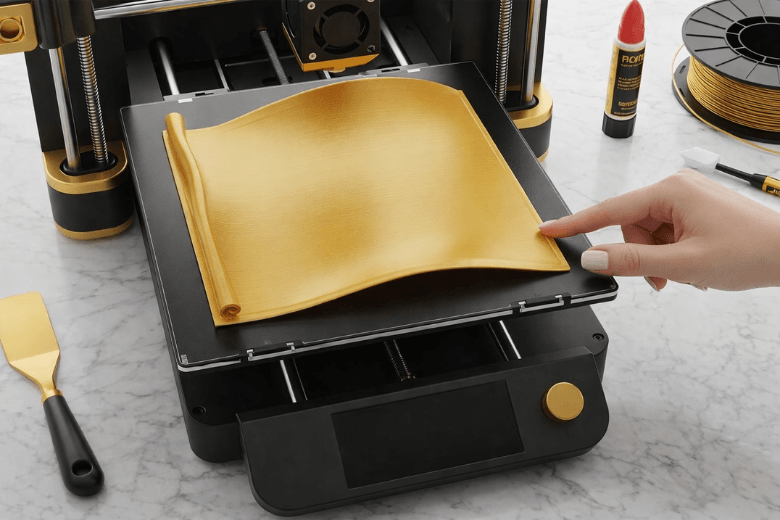
You often face warping in 3D printing, which can disrupt your projects and waste valuable time. This issue can feel discouraging, especially when you expect precise results. You do not need to struggle alone. Proven techniques allow you to fix warping quickly and efficiently. You will find that with the right approach, consistent and reliable prints become achievable, even if you have experienced repeated failures.
Key Takeaways
-
Always level and clean your print bed before starting. This ensures better adhesion and reduces the risk of warping.
-
Use low-shrinkage materials like PLA or PETG for your prints. These materials are less likely to warp and provide reliable results.
-
Adjust your print settings, including bed and nozzle temperatures, to match your filament. Proper temperature control is key to preventing warping.
-
Consider using brims or rounded corners in your designs. These features help anchor your prints and reduce stress points that can lead to warping.
-
Maintain a stable printing environment. Avoid drafts and temperature fluctuations to ensure consistent print quality.
Quick Ways to Fix Warping
If you want to fix warping in your 3D prints quickly, you must address the most common causes directly. The following steps will help you achieve better results with minimal effort.
Level and Clean the Print Bed
You should always start by ensuring your print bed is perfectly level. An uneven surface can cause the first layer to adhere poorly, which leads to warping. Use your printer’s calibration tools to check the bed at multiple points. Adjust the screws or knobs until the nozzle maintains a consistent gap from the surface across the entire area.
Cleaning the print bed is equally important. Dust, grease, and leftover filament can prevent proper adhesion. Wipe the surface with isopropyl alcohol before every print. This creates a clean, oil-free base that helps the first layer stick firmly. Regular cleaning not only improves adhesion but also reduces the risk of shifting or lifting during printing.
Tip: Make a habit of cleaning the print bed before each print session. This simple routine can dramatically reduce warping and improve your overall print quality.
Improve Bed Adhesion
Strong adhesion between the first layer and the print bed is essential if you want to fix warping. You have several options to enhance this grip:
-
Apply a thin layer of glue stick or use painter’s tape on the print bed. Many users find purple Elmer’s glue sticks effective for a wide range of filaments.
-
Try hairspray as an alternative. It can provide a surprisingly strong bond for certain materials.
-
Experiment with different build surfaces such as PEI sheets, BuildTak, or textured glass. These surfaces often offer superior adhesion and reduce the need for additional adhesives.
-
For prints with large flat bases or sensitive corners, add a brim or ‘mouse ears’ in your slicer settings. These features increase the contact area and help fix warping at the edges.
You should also consider adjusting your printer’s temperature and speed settings. A heated print bed maintains consistent warmth, which prevents the lower layers from cooling too quickly. Slower print speeds allow each layer to bond more effectively before the next one is added.
Reheat and Reshape Warped Prints
If you notice minor warping after a print finishes, you can still fix warping without starting over. For small lifts or curls, use a heat gun or hairdryer to gently warm the warped area. Once the plastic softens, press it flat against a hard surface and hold it in place until it cools. This method works best for PLA and PETG, which respond well to reheating.
For slight warping on the base, sanding can help. Place the print on a flat sheet of sandpaper and move it in circular motions. This will smooth out uneven edges and improve the appearance of your finished part.
Note: Reheating and sanding are best for minor defects. If the warping is severe, you should focus on improving your print bed preparation and adhesion for future prints.
By following these quick steps, you can fix warping efficiently and achieve more reliable results. Consistent attention to bed preparation, adhesion, and post-processing will help you produce high-quality prints every time.
Why Warping and Curling Happen
Understanding how warping occurs in 3D printing helps you prevent common print failures. Warping and curling often result from a combination of temperature changes, material properties, and bed adhesion problems.
Temperature and Cooling Issues
Temperature plays a crucial role in the stability of your prints. When you print, the extruded plastic starts hot and then cools down. If different parts of your print cool at different rates, you will see curling at the edges or corners. Uneven or rapid cooling creates internal stresses. Cooler layers contract and pull on the hotter ones, which leads to visible deformation. You can also experience curling if the filament does not cool down fast enough, causing overheating and further distortion.
-
Maintain a stable temperature in your print bed and, if possible, use a heated chamber.
-
Control the cooling rate by adjusting your fan speed.
-
Avoid sudden temperature changes in your workspace.
Tip: Stable temperatures and gradual cooling reduce the risk of curling and improve print quality.
Material Shrinkage in 3D Printing
Material shrinkage is another key factor in curling. Plastics like ABS can shrink by about 1.5% as they cool from printing temperature to room temperature. Larger prints show more pronounced shrinkage, which increases the risk of curling and detachment from the print bed. When the plastic cools too quickly or unevenly, it pulls away from the bed, causing warping.
-
Choose materials with lower shrinkage for large or flat prints.
-
Use brims or rafts to help anchor the print during cooling.
Poor Bed Adhesion Causes
Poor bed adhesion directly leads to warping and curling. If your print does not stick well to the bed, the edges or corners will lift as the material contracts. This uneven contraction distorts the print and causes curling. You can often trace print defects back to inadequate adhesion of the first layer. Ensuring a clean, level bed and using the right adhesives or surfaces will help you avoid these issues.
Note: Good adhesion is the foundation for successful prints and prevents most curling problems.
By understanding these causes, you can take practical steps to minimise warping and curling in your 3D prints.
Optimise Print Settings to Prevent Warping
Adjust Bed and Nozzle Temperatures
You must pay close attention to temperature control when you set up your 3d print. The right bed and nozzle temperatures help prevent warping and ensure consistent results. For PLA and ABS, use the following recommended ranges:
|
Filament |
Bed Temperature (°C) |
Nozzle Temperature (°C) |
|---|---|---|
|
PLA |
Around 60 |
180 - 230 |
|
ABS |
80 - 110 |
210 - 250 |
You should always match the temperature settings to your filament. For ABS, a heated bed between 100 and 120 degrees works best. This reduces shrinkage and keeps the print attached to the bed. Stable temperature control in your workspace also helps. Avoid drafts and sudden changes in room temperature, as these can cause the lower layers to contract and lift.
Tip: Use a closed chamber if possible. This keeps the environment stable and supports even cooling throughout your 3d print.
Tweak First Layer and Fan Settings
The first layer forms the foundation of your 3d print. Set a lower first layer height to improve adhesion. A well-adhered first layer reduces the risk of curling and detachment. Adjust your fan speed carefully. Too much cooling at the start can cause the first layer to contract too quickly. Start with a low fan speed for the first few layers, then increase it gradually as the print builds up. This approach balances cooling and adhesion, which is essential for temperature control.
-
Start with low fan speed, then increase after several layers.
Use Brims and Rounded Corners
You can prevent warping by adding brims or rounding the corners in your 3d print design. A brim increases the surface area of the first layer, which helps anchor the print to the bed. Rounded corners reduce stress points, making it less likely for edges to lift. Most slicing software allows you to add these features easily.
Note: Brims and rounded corners are simple adjustments that make a significant difference in print quality.
By optimising your print settings, you address the root causes of warping and achieve more reliable results.
Control the 3D Printing Environment
Creating the right environment for your 3D printer plays a critical role in reducing warping and improving print quality. You can address many warping issues by focusing on temperature control, airflow management, and maintaining a stable workspace.
Use Heated Beds and Enclosures
A heated bed ensures that the first layer of your print remains warm and attached throughout the process. You should always set the bed temperature according to the filament manufacturer’s recommendations. For example, PETG benefits from a bed temperature of 85°C for the first layer and 90°C for subsequent layers. Using an enclosure around your printer helps maintain a consistent temperature, especially when printing large parts. The enclosure traps heat, which reduces the risk of warping and detachment. The table below highlights the impact of heated beds and enclosures:
|
Description |
Temperature Settings |
Effect on Warping |
|---|---|---|
|
Stable enclosure temperature |
Reduces warping and detachment of large parts |
|
|
Increased bed temperature for PETG |
85°C (first layer), 90°C (other layers) |
Improves adhesion and minimises warping |
You will see more reliable results when you combine a heated bed with an enclosure, especially for materials prone to shrinkage.
Minimise Drafts and Airflow
Drafts and uncontrolled airflow can quickly cool the surface of your print, causing uneven contraction and warping. You should keep windows and doors closed in your workspace. A closed printing chamber further minimises temperature fluctuations, which is essential for filaments like ABS or nylon. Deactivating the cooling fan during the first few layers helps maintain warmth at the bed and supports good adhesion. A fully sealed enclosure prevents rapid temperature changes that often lead to warping.
-
Close all windows and doors during printing.
-
Use a sealed enclosure for sensitive materials.
-
Limit fan use at the start of the print.
Keep Room Temperature Stable
A stable room temperature supports consistent printing conditions. Fluctuations in ambient temperature can affect the bed and the print itself. You should avoid placing your printer near radiators, air conditioners, or direct sunlight. These sources can cause sudden changes in temperature, which increase the risk of warping. Maintaining a steady environment allows the bed to stay at the correct temperature and helps each layer bond properly. Good adhesion starts with a controlled environment.
Tip: Monitor your workspace temperature with a simple thermometer. Small adjustments can make a significant difference in print quality.
By controlling your 3D printing environment, you address the root causes of warping. Focus on bed temperature, airflow, and room stability to achieve consistent, high-quality prints.
Choose Materials to Prevent Warping
Select Low-Shrinkage Filaments
You can prevent warping by choosing the right filament for your 3D prints. Materials with low shrinkage rates tend to resist warping and curling, even on larger or more complex parts. PLA stands out as an excellent choice for most users. You will find it easy to print, with very low shrinkage and minimal risk of warping. PETG also offers good resistance to warping, making it suitable for functional parts that require strength and flexibility.
The table below compares common 3D printing materials based on their resistance to warping, shrinkage rates, and user feedback:
|
Material Type |
Resistance to Warping |
Shrinkage Rate |
User Feedback |
|---|---|---|---|
|
Carbon Fibre Reinforced Materials |
High |
Low |
Exceptional strength-to-weight ratio, used in aerospace and automotive sectors. |
|
Fibreglass Reinforced Composites |
Moderate |
Low |
Cost-effective, strong, and widely accepted in engineering prototypes. |
|
PLA |
Very High |
Very Low |
Easy to print, low shrinkage, recommended for beginners. |
|
ABS |
Low |
High |
Prone to warping, requires careful temperature control during printing. |
You should avoid ABS if you want to minimise warping, as it has a high shrinkage rate and demands strict temperature control. For advanced projects, carbon fibre or fibreglass reinforced filaments provide excellent stability, though they may require specialised equipment.
Tip: Start with PLA or PETG if you are new to 3D printing or want reliable results with minimal warping.
Store Filament Properly
Proper filament storage plays a crucial role in preventing warping. Moisture in the air can cause filament to absorb water, which leads to poor extrusion and increased risk of print defects. You should always store your filament in airtight containers or resealable bags with silica gel packs. This keeps the material dry and ready for use.
If you notice popping sounds or steam during printing, your filament may have absorbed moisture. Dry it before use by placing it in a filament dryer or a low-temperature oven. Consistent storage habits ensure your filament remains in optimal condition, which helps you achieve smooth, warp-free prints every time.
You can fix and prevent warping by levelling and cleaning the print bed, improving adhesion, and selecting suitable materials. You should adjust print settings and maintain good cooling to achieve consistent results. Try these steps and adapt them for your printer and filament. With careful preparation, you will prevent curling and see better print quality.
Remember: Reliable 3D printing comes from attention to detail and a willingness to experiment.
FAQ
Why does warping occur in 3d printing?
You see warping in 3d printing because temperature changes cause the material to contract unevenly. This contraction pulls the edges of your 3d print away from the bed. You must control cooling and improve bed adhesion to reduce this effect in your 3d projects.
How can you prevent warping in 3d printing?
You prevent warping in 3d printing by levelling the bed, cleaning the surface, and using adhesives. You should also adjust bed temperature and fan speed. Enclosures and low-shrinkage filaments help you achieve better results in your 3d prints.
Which materials resist warping best in 3d printing?
You achieve the best results in 3d printing with PLA or PETG. These materials show low shrinkage and strong adhesion. You avoid frequent warping in your 3d prints when you select these filaments for most projects.
Can you fix a warped 3d print after it finishes?
You can fix a warped 3d print by reheating the affected area with a heat gun or hairdryer. Press the softened plastic flat until it cools. For minor warping, sanding the base of your 3d print improves stability and appearance.
Does 3d printer placement affect warping?
You reduce warping in 3d printing by placing your 3d printer in a stable environment. Avoid drafts, direct sunlight, and temperature fluctuations. A consistent workspace temperature supports better adhesion and minimises warping in your 3d prints.
Share:
Resin vs FDM Which 3D Printer Suits Your Project Needs
Common Reasons Your Filament Keeps Snapping During Printing