
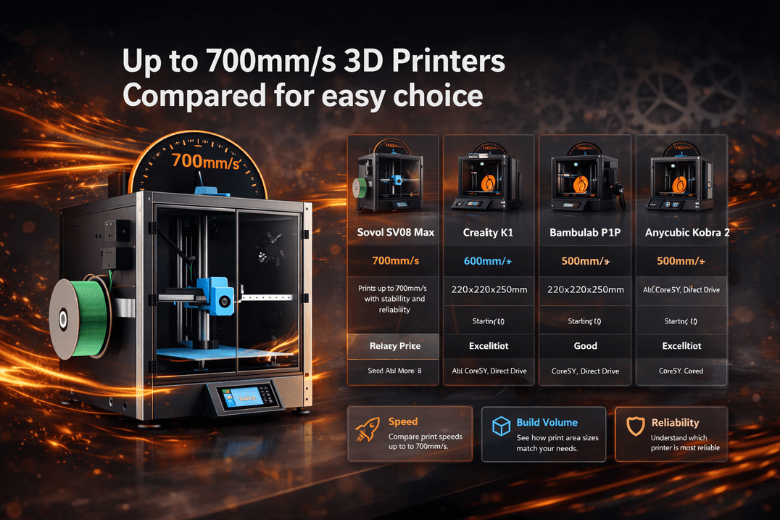
You want the fastest and most reliable up to 700mm/s 3d printer for your needs. In 2026, the SV08 MAX, Ender-5 Max, Sovol Zero, and Dremel 3D50 stand out as the leading up to 700mm/s 3d printers. You should focus on printing speed, print quality, reliability, and features when choosing a 3d printer. Here is a quick summary of the top up to 700mm/s 3d printers for easy comparison:
|
Model |
Max Speed (mm/s) |
Build Volume |
Price Range |
|---|---|---|---|
|
SV08 MAX |
up to 700mm/s |
Large |
Mid-High |
|
Ender-5 Max |
up to 700mm/s |
Extra Large |
Mid |
|
Sovol Zero |
up to 700mm/s |
Medium |
Budget |
|
Dremel 3D50 |
up to 700mm/s |
Medium |
Mid-High |
Key Takeaways
-
Choose a 3D printer based on your specific needs, focusing on speed, build volume, and material compatibility.
-
The SV08 MAX is ideal for professionals needing speed and versatility, while the Dremel 3D50 suits beginners and educational settings.
-
Consider the Sovol Zero for budget-friendly options without sacrificing speed or features, making it great for hobbyists.
-
Always match the printer's capabilities to your projects; larger build volumes allow for bigger prints, while high speeds reduce wait times.
-
Regular maintenance is crucial for high-speed printers to ensure consistent performance and print quality.
Up to 700mm/s 3D Printer Comparison
Key Specs Table
You want a clear overview before you choose a 3d printer. The table below compares the SV08 MAX, Ender-5 Max, Sovol Zero, and Dremel 3D50 on speed, build volume, price, and key features. This helps you see which 3d printer matches your printing needs.
|
Model |
Max Speed (mm/s) |
Build Volume (mm) |
Heated Bed |
Filament Types |
Auto Bed Levelling |
Printer Type |
Price Range |
|---|---|---|---|---|---|---|---|
|
700 |
Yes |
PLA, TPU, PETG, ABS... |
Yes |
CoreXY |
Mid-High |
||
|
Ender-5 Max |
700 |
400 x 400 x 400 |
Yes |
PLA, ABS, TPU |
Optional |
Cartesian |
Mid |
|
Sovol Zero |
700 |
300 x 300 x 400 |
Yes |
PLA, PETG, TPU |
Yes |
Cartesian |
Budget |
|
Dremel 3D50 |
700 |
255 x 155 x 170 |
Yes |
PLA |
Yes |
Cartesian |
Mid-High |
Feature Highlights
You need to consider more than just speed when you select a 3d printer. The SV08 MAX stands out for its large build volume and wide material compatibility. If you want to print big models or prototypes, this 3d printer gives you the space and flexibility you need. The Ender-5 Max also offers a generous build volume, making it suitable for large-scale printing projects. You get reliable speed and a heated bed, which helps with consistent print quality.
If you want the best value, the Sovol Zero provides high speed and a decent build volume at a budget price. This 3d printer suits hobbyists or anyone starting with 3d printing. The Dremel 3D50 focuses on ease of use and reliability. Many schools and educational settings choose this 3d printer because it offers simple operation and dependable results, even though the build volume is smaller.
Tip: Always match the build volume and speed of your 3d printer to your typical printing tasks. A larger volume means you can print bigger objects in one go, while high speed reduces waiting time.
You can see that each 3d printer excels in different areas. Choose the one that fits your printing goals, whether you need large volume, best value, or reliable performance for education.
3D Printer Model Reviews
SV08 MAX Review
You will notice the SV08 MAX delivers impressive speed, reaching up to 700mm/s. This 3d printer suits users who demand both rapid printing and high-quality results. The large build volume allows you to tackle ambitious projects, such as architectural models or functional prototypes, without splitting them into smaller parts. You benefit from a heated bed and broad filament compatibility, including PLA, TPU, PETG, and ABS. These features ensure you can experiment with different materials and achieve consistent performance.
You can rely on the SV08 MAX for robust reliability. The CoreXY design reduces vibrations, which improves print quality at high speed. You will find the automatic bed levelling system saves time and increases first-layer success rates. The interface remains user-friendly, so you can start printing quickly, even if you have limited experience. The price sits in the mid-high range, reflecting the advanced features and large build volume. If you want a 3d printer that balances speed, versatility, and print quality, the SV08 MAX stands out.
Note: The SV08 MAX excels when you need both speed and a large build area for demanding 3d printing tasks.
Ender-5 Max Review
You will appreciate the Ender-5 Max if you need an extra-large build volume and reliable speed. This 3d printer reaches up to 700mm/s, making it suitable for rapid prototyping and large-scale models. The Cartesian structure provides stability, which helps maintain print quality even at higher speeds. You can use common filaments such as PLA, ABS, and TPU, giving you flexibility for different projects.
The Ender-5 Max offers a heated bed, which improves adhesion and reduces warping. You may choose to add auto bed levelling for greater convenience, though it is optional. The interface remains straightforward, so you can set up and start printing with minimal effort. Many users find the Ender-5 Max reliable for long print jobs, thanks to its sturdy frame and consistent performance. The price falls in the mid-range, making it accessible for both hobbyists and professionals who need a large 3d printer without a premium cost.
Tip: The Ender-5 Max provides a strong balance between build volume, speed, and affordability for large-format 3d printing.
Sovol Zero Review
You will find the Sovol Zero an excellent choice if you want a budget-friendly 3d printer that does not compromise on speed or features. This model reaches up to 700mm/s, allowing you to complete projects quickly. The medium build volume suits most home and educational uses, while the heated bed supports reliable printing with PLA, PETG, and TPU.
Ease of use sets the Sovol Zero apart. You receive the printer largely pre-assembled, so you can start printing soon after unboxing. The automatic bed levelling system ensures your first layer adheres well, reducing failed prints. You can monitor your prints in real time with the built-in camera, which also enables you to create time-lapse videos of your 3d printing process. The open-source nature of the Sovol Zero encourages you to customise settings and collaborate with the wider community, making it suitable for both beginners and advanced users.
|
Feature |
Description |
|---|---|
|
Pre-assembled |
Quick setup out of the box |
|
Built-in camera |
Real-time monitoring and time-lapse capture |
|
Automatic bed levelling |
Consistent first layers without manual adjustment |
|
Open-source |
Customisation and community collaboration |
You also benefit from adaptive area detection, which improves bed levelling accuracy and print quality. Open-source documentation supports schools and maker spaces, helping you adopt 3d printing technology more easily.
Callout: Sovol Zero combines speed, ease of use, and unique features, making it a top value choice for new and experienced users.
Dremel 3D50 Review
You will find the Dremel 3D50 designed for reliability and ease of use, especially in educational environments. This 3d printer achieves up to 700mm/s, so you can complete classroom projects or prototypes quickly. The medium build volume fits most school and home applications. You can only use PLA filament, which simplifies the printing process and reduces maintenance.
The Dremel 3D50 features a fully enclosed design, which improves safety and print consistency. You benefit from automatic bed levelling, ensuring each print starts with a solid foundation. The touchscreen interface makes operation intuitive, so you can focus on your designs rather than troubleshooting. Many teachers and students choose the Dremel 3D50 for its dependable performance and straightforward setup. The price sits in the mid-high range, reflecting its robust build and educational focus.
Note: The Dremel 3D50 offers a safe, reliable, and user-friendly 3d printer experience, ideal for classrooms and beginners.
Additive Manufacturing Factors
Material Compatibility
You must consider material compatibility as a top priority in additive manufacturing. Modern fdm 3d printers support over 23 material options, including high-performance materials such as polycarbonate, nylon, and high-performance polymers. These materials enable you to create industrial parts for production, rapid prototyping, and even biocompatible or flame-retardant components. High-performance materials improve the functional range of your prints and allow you to tackle diverse industrial challenges. When you select a printer with broad material compatibility, you gain versatility for industrial manufacturing and continuous production.
|
Feature |
Description |
|---|---|
|
Material Compatibility |
Over 23 options, including biocompatible, durable, flame retardant, and rigid materials. |
|
Performance Impact |
Enhances the ability to tackle various challenges and produce diverse parts efficiently. |
|
Versatility |
Wide range of applications enabled by diverse material options, improving overall printer utility. |
Software & Support
You need robust software and reliable support for industrial additive manufacturing. Leading fdm 3d printers, such as the SV08 MAX, support slicers like OrcaSlicer, Cura, PrusaSlicer, and Simplify3D. These platforms allow you to optimise speed, multi-colour printing, and production workflows. You benefit from compatibility with Windows, Linux, and Mac, ensuring seamless integration into your industrial environment. Strong customer support and regular software updates help you maintain high-performance production and continuous printing.
|
Printer Model |
Compatible Slicers |
Supported File Format |
Operating System Support |
|---|---|---|---|
|
Sovol SV08 |
OrcaSlicer, Cura, PrusaSlicer, Simplify3D |
G-code |
Windows / Linux / Mac |
|
OrcaSlicer, Cura, PrusaSlicer, Simplify3D |
G-code |
Windows / Linux / Mac |
Build Volume & Print Quality
You should match build volume to your industrial production needs. Large build volume enables you to produce bigger parts or multiple multi-colour prints in a single run, which increases efficiency. High-speed fdm technology, combined with advanced manufacturing designs, reduces moving parts and boosts speed without sacrificing print quality. Multi-colour printing systems now allow you to switch filaments easily, supporting complex industrial projects and continuous production. High-performance materials and high-performance polymers further enhance print quality and durability.
Tip: For industrial manufacturing, always align your build volume and print quality requirements with your intended production scale and material needs.
Reliability & Maintenance
You want reliable industrial 3d printers for continuous manufacturing. High-speed printing sometimes causes minor layer shifting, so you must monitor your machines closely. Integration of AI in modern additive manufacturing technology helps detect issues in real time, improving reliability. Regular maintenance, such as checking for wear and cleaning extruders, ensures consistent performance and reduces downtime. Industrial fdm 3d printers designed for high-performance production often include features that simplify maintenance and support continuous printing.
-
Common reliability and maintenance issues:
-
Minor layer shifting during high-speed printing
-
Occasional nozzle clogs with high-performance materials
-
Need for regular calibration to maintain print quality
-
You can achieve industrial-grade results by selecting printers with robust additive manufacturing technology, strong support, and compatibility with high-performance materials and multi-colour printing.
Pros and Cons of Each Printer
SV08 MAX Pros & Cons
You gain a powerful tool with the SV08 MAX. The large build volume lets you print bigger models without splitting them. You enjoy rapid speeds and reliable results. The CoreXY design reduces vibration, improving print quality. You benefit from automatic bed levelling, which saves time and increases success rates. The printer supports a wide range of filaments, including high-performance materials.
-
Pros:
-
Large build volume
-
Fast printing speed
-
CoreXY stability
-
Automatic bed levelling
-
Wide material compatibility
-
-
Cons:
-
Higher price than entry-level models
-
Requires more space in your workspace
-
Advanced features may need learning
-
Tip: SV08 MAX suits you if you want versatility and speed for demanding projects.
Ender-5 Max Pros & Cons
You experience professional print quality and ultra-fast speeds with the Ender-5 Max. The enormous build volume supports large-scale prints. You can tailor this printer for print farms. Optional enclosure and tri-colour status display add flexibility. The 1000 watt heating bed and flexible epoxy plate improve adhesion. Automatic loading and unloading of filaments streamline your workflow.
|
Pros |
Cons |
|---|---|
|
Pro-level print quality |
Large footprint |
|
Ultra fast printing |
Optional enclosure costs extra |
|
Enormous build volume |
Limited material compatibility |
|
Tailored for print farm |
Requires regular maintenance |
|
Tri-colour printer status display |
|
|
1000 watt heating bed |
|
|
Flexible epoxy printing plate |
|
|
Automatic loading/unloading of filaments |
|
Note: Ender-5 Max gives you high-speed production and professional results, but you must manage its size and maintenance.
Sovol Zero Pros & Cons
You choose Sovol Zero for budget-friendly printing. The medium build volume fits most home and school projects. You get fast speeds and easy setup. Automatic bed levelling and a built-in camera help you monitor prints. Open-source design allows customisation.
-
Pros:
-
Affordable price
-
Fast printing speed
-
Easy assembly
-
Automatic bed levelling
-
Built-in camera
-
Open-source flexibility
-
-
Cons:
-
Medium build volume limits large prints
-
Fewer supported materials
-
Basic interface
-
Callout: Sovol Zero offers value and simplicity for beginners and hobbyists.
Dremel 3D50 Pros & Cons
You rely on the Dremel 3D50 for safe and consistent results. The enclosed design protects your prints and users. Automatic bed levelling ensures reliable starts. The touchscreen interface makes operation simple. You use only PLA, which reduces complexity.
-
Pros:
-
Reliable performance
-
Enclosed design for safety
-
Automatic bed levelling
-
User-friendly touchscreen
-
Ideal for education
-
-
Cons:
-
Limited to PLA filament
-
Smaller build volume
-
Higher price for features
-
Tip: Dremel 3D50 suits classrooms and new users who value safety and ease of use.
Best 3D Printer Choices
Best for Professionals
You need a 3d printer that delivers precision, speed, and reliability for professional work. The SV08 MAX stands out in this category. You benefit from a maximum printing speed of 700mm/s and acceleration up to 40,000mm/s². Adaptive area detection optimises levelling, and pressure advance ensures accurate extrusion. These features help you achieve consistent, high-quality results in demanding environments.
|
Feature |
Details |
|---|---|
|
Max Printing Speed |
700mm/s |
|
Acceleration |
Up to 40,000mm/s² |
|
Adaptive Area Detection |
Optimises levelling preparation |
|
Pressure Advance |
Improves extrusion accuracy |
You can rely on the SV08 MAX for complex 3d printing projects and large-scale production.
Best Value
You want the best value when you invest in a 3d printer. The Sovol Zero offers an excellent price-to-performance ratio. You get a build volume of 500 x 500 x 500 mm and a maximum printing speed of 700 mm/s. The hot end reaches up to 300°C, and the heated bed supports a wide range of materials. CoreXY kinematics and an intelligent filament feeder add to its efficiency.
|
Feature |
Specification |
|---|---|
|
Build volume |
500 x 500 x 500 mm |
|
Max printing speed |
700 mm/s |
|
Hot end temperature |
Up to 300°C |
|
Filament diameter |
1.75 mm |
|
Heated bed |
Yes |
|
CoreXY kinematics |
Yes |
|
Intelligent filament feeder |
Yes |
You save money while enjoying advanced 3d printing features.
Best for Beginners
You need a 3d printer that is easy to use and reliable if you are new to 3d printing. The Dremel 3D50 provides a user-friendly experience. You benefit from an enclosed design, automatic bed levelling, and a touchscreen interface. You only use PLA filament, which simplifies the printing process and reduces maintenance. Many schools and first-time users choose this printer for its safety and ease of operation.
Tip: Start with a simple 3d printer to build your skills before moving to more advanced models.
Best for Large Prints
You require a 3d printer with a large build volume for oversized projects. The MAGIC-HT-MAX offers a build volume of 500 x 500 x 700 mm, making it one of the largest in its class. You can print big models or multiple parts in one go, which increases your productivity and reduces downtime.
-
Large build volume: 500 x 500 x 700 mm
-
Suitable for industrial and architectural 3d printing
You complete large-scale printing tasks efficiently with this printer.
Best for Versatility
You want a 3d printer that adapts to different tasks and materials. The SV08 MAX provides broad material compatibility, high speed, and advanced features. You can print with PLA, TPU, PETG, and ABS. The CoreXY design and automatic bed levelling support a wide range of 3d printing applications, from prototypes to functional parts.
Note: Choose a versatile 3d printer if you plan to experiment with different materials and project types.
You now have a clear view of the leading up to 700mm/s 3d printer options, each excelling in speed, reliability, or ease of use. When you select your next printer, focus on these essential factors:
|
Factor |
Description |
|---|---|
|
Advanced systems adjust for vibrations, producing cleaner results at higher speeds. |
|
|
Enhanced Speed |
Fewer moving parts boost acceleration, maintaining quality during rapid printing. |
|
AI Integration |
Real-time monitoring increases reliability and simplifies your workflow. |
Choose the model that matches your project size, material needs, and desired features for the best results.
FAQ
What maintenance does a high-speed 3D printer require?
You should clean the nozzle regularly and check for filament debris. Lubricate moving parts and calibrate the bed often. Inspect belts and pulleys for wear. Routine maintenance ensures consistent print quality and extends your printer’s lifespan.
Can you use any filament with these printers?
You can use many common filaments, such as PLA, PETG, and TPU. Some models support advanced materials like ABS or nylon. Always check the manufacturer’s guidelines for material compatibility before starting a print.
How do you reduce print failures at high speeds?
You should use high-quality filaments and ensure the bed is level. Monitor the first layer closely. Lower the print speed for complex models. > Tip: Enable features like pressure advance and vibration compensation for better results.
Are these printers suitable for beginners?
You can start with models like the Dremel 3D50 or Sovol Zero. These offer user-friendly interfaces and automatic bed levelling. Beginners benefit from enclosed designs and clear instructions.
What safety features should you look for?
You should look for enclosed build chambers, thermal runaway protection, and automatic shutdown. These features protect you and your workspace during high-speed printing.
Share:
What Makes the SV08 Max 3D Printer Stand Out in 2026
Large Build Volume 3D Printers for UK Homes