
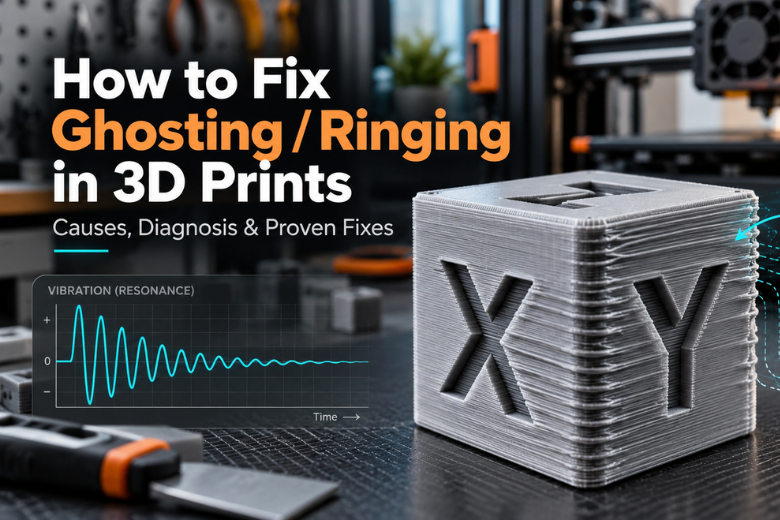
Ripples fanning out behind every corner and every letter on a print that used to come out clean, on a machine nobody deliberately changed. That is ghosting, also called ringing: a repeating echo of the shape that came just before it, stamped into the wall by the toolhead itself. Both names describe the same defect, and the behaviour underneath it is resonance, the tendency of a springy structure to keep oscillating after it has been pushed. The cause is motion, not filament. A sharp direction change is an impulse, and the toolhead and gantry have inertia, so belts, frame members, mounts, rails and bearings flex, rebound and oscillate around the commanded path, which is why the nozzle records a damped vibration in the plastic (Klipper's resonance compensation documentation). What follows is a diagnostic sequence: confirm the defect, check the mechanics, reduce the motion inputs, let the firmware shape what is left, and finish with a documented setting the next person on the bench can reuse.
Key Takeaways
Ghosting and ringing are the same defect: a damped mechanical oscillation recorded in the wall after a sharp direction change, not a filament or extrusion problem.
Ripple spacing equals travel distance per vibration cycle, so the faster the wall, the wider the echoes.
Fix the mechanics first. Klipper advises mechanical remediation when measured resonance falls below roughly 20-25 Hz, because input shaping cannot stiffen a flexible machine.
Change one variable at a time and write down the value, the machine and the firmware, or the next person on the bench starts from zero.
What ghosting or ringing looks like on a finished print
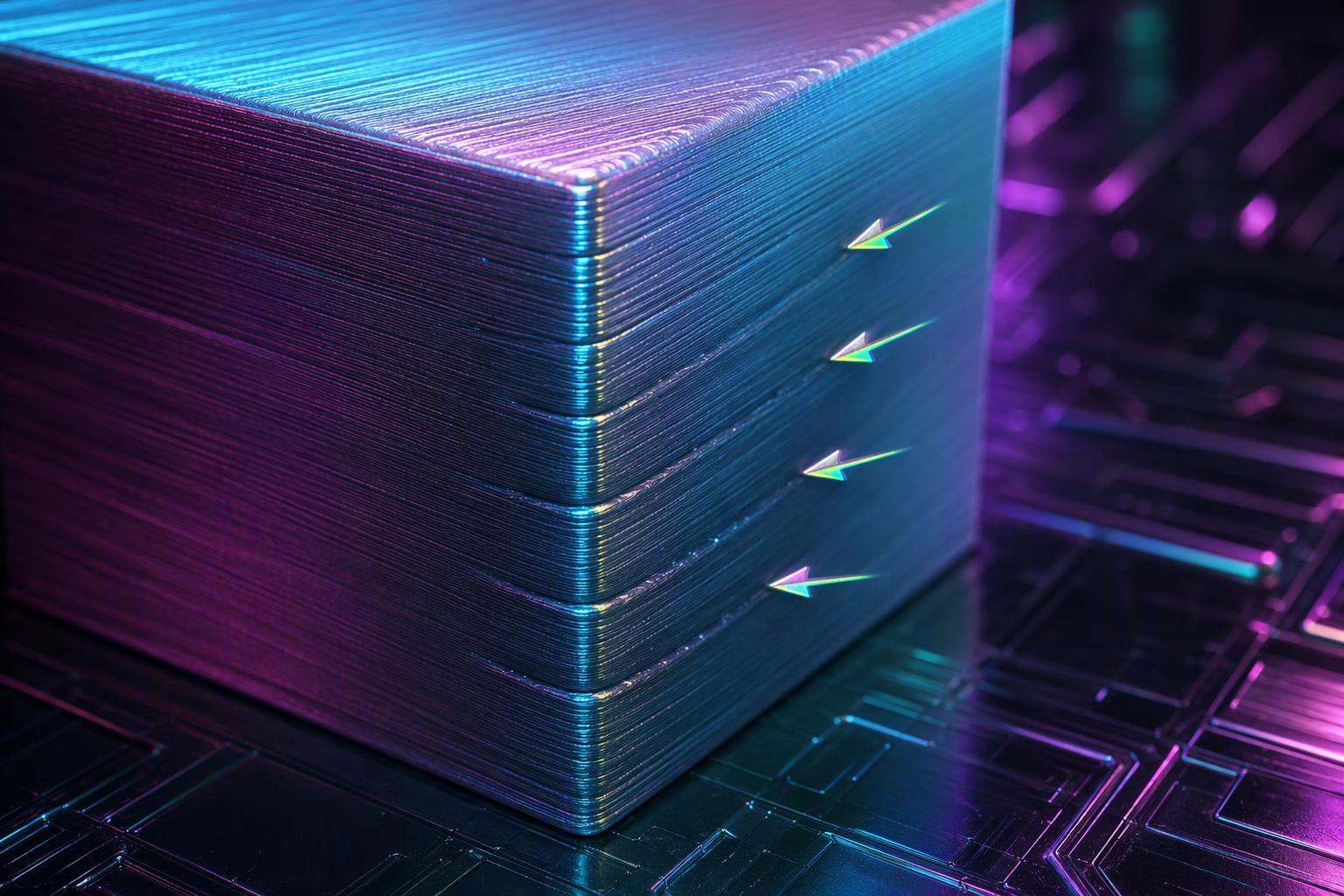
Ghosting and ringing show up as ripples that begin at or immediately after the feature that caused the abrupt direction change, whether that is a 90 degree corner, a notch, a hole, an embossed or debossed letter or a raised edge. They extend in the direction of travel, are approximately periodic, and decay with distance from the trigger, with the first ripple usually the strongest (Klipper's resonance compensation documentation). The spacing between ripples is not random: it equals the travel distance per vibration cycle, written as D ≈ v/f, so a faster wall spreads the echoes further apart.
Prusa's own ghosting article describes the same signature from the vendor side, several waves that follow a sharp edge of a model, and ties the effect to a geometry change rather than to the whole surface (Prusa's knowledge base entry on ghosting). That localisation is the practical test. If the ripples cluster behind corners and lettering and fade along a long straight wall, you are looking at ringing. If they run the full height of the part, keep reading before you touch a setting.
Why ringing happens: it is the printer, not the filament
The defect scales with speed because the ripple spacing is set by the documented relationship between ripple spacing and speed: the distance between echoes equals wall speed divided by the vibration frequency, D = v/f, and Klipper estimates that frequency as f = vN/D across N measured cycles (Klipper's resonance compensation documentation). Double the outer-wall speed and the echoes sit twice as far apart at the same frequency. Nothing in that relationship involves the spool, the dryer or the flow rate.
That is why a filament change, a temperature tower or a new nozzle rarely touches ghosting. The extruder is laying down the plastic correctly; the toolhead is not arriving where the firmware commanded it to arrive. Marlin's input shaping page makes the same point from a different firmware ecosystem, describing how a lightweight frame flexes and springs back, leaving the print head out of alignment by a fraction of a millimetre (Marlin's input shaping documentation). If you want to fix ringing in 3D prints, the lever is motion, and the first question is whether the machine is mechanically sound enough for motion tuning to hold.
How to tell ringing apart from Z-banding, layer shifting and under-extrusion
Ringing is tied to a geometry change and decays away from it. Prusa's differential diagnosis separates it from four lookalikes: Z-banding repeats at a fixed Z interval and wraps around multiple faces; layer shifting is a hard step where everything above the failed layer is offset; under-extrusion is missing material following the extrusion paths; and VFA is fine, closely spaced vertical or slightly diagonal stripes on long straight walls whose intensity changes with print speed rather than being localised to corners (Prusa's knowledge base entry on ghosting).
|
Defect |
Where it appears |
How it behaves when you change speed |
|---|---|---|
|
Ringing / ghosting |
Behind corners, holes and lettering |
Spacing widens with speed, amplitude drops with distance |
|
Z-banding |
Repeats at a fixed Z interval, wraps several faces |
Largely unchanged |
|
Layer shifting |
Hard offset above a failed layer |
Unchanged, or worse under load |
|
Under-extrusion |
Gaps following extrusion paths |
Unchanged |
|
VFA |
Long straight walls, fine vertical stripes |
Intensity changes with speed |
The extrusion-side lookalikes have their own tool. Linear Advance, which corrects extrusion pressure rather than motion, compensates pressure and flow artefacts and does not fix motion ringing (Marlin's Linear Advance documentation). If your test print shows gaps and thin patches rather than periodic echoes, tune the K-factor and leave the motion settings alone.
Step 1: Check the mechanics before you touch a single slicer setting

Start with the machine powered off and the steppers disabled, then inspect before you adjust. Voron's secondary tuning guide sets out the order: check the belt for fraying, tooth damage, contamination or permanent stretch; check the toolhead, bed, gantry wheels or rails, idlers, motor mounts and frame for play; align every pulley with its belt; and measure the same long unsupported span each time so readings are comparable (Voron's secondary tuning guide). The goal is even, moderate tension, not maximum tension.
On a CoreXY machine the two belts are A and B, not an X belt and a Y belt, because each belt contributes to both X and Y motion, so equivalent spans of A and B must be measured the same way and matched as closely as practical (Voron's secondary tuning guide). The pluck-and-measure method is the budget route: pluck a long unsupported span and read its fundamental frequency with a phone spectrum app, knowing that the target depends on belt type, span length and construction, so a universal number is no substitute for the manufacturer's specification (3D Print Gear Lab's belt tensioner guide). Bambu Lab's belt-tensioning procedure describes the same physics as a mass-spring system, with the belt as the spring and the gantry as the mass, and finds the natural frequency by frequency sweep during its vibration compensation calibration (Bambu Lab's belt-tensioning procedure).
Verify your result: with the machine off, push the toolhead along X and Y by hand. It should move smoothly with no notch, no rock in the gantry and no slack before the belt takes up the load. If a belt span still reads slack after adjustment, stop here. Motion tuning on a loose machine measures the belt, not the frame.
Step 2: Reduce acceleration and cornering speed, in that order
Acceleration is the variable that excites the resonance, so it comes first. Practitioner guidance puts wall acceleration at roughly 500-1,500 mm/s² when ringing is prominent, with a representative Marlin adjustment of 3,000 down to 1,000 mm/s², and outer-wall speed at 30-45 mm/s on Cartesian and bedslinger machines, with 60 down to 40 mm/s a common diagnostic change (QIDI's ringing and ghosting guide). Treat those as starting points rather than measurements: the guides behind them do not all state the printer and firmware the numbers came from.
Cornering behaviour is the second lever, and the parameter name depends on your firmware. Classic Marlin jerk sits around 8-10 mm/s; Marlin junction deviation is about 0.05 mm; and Klipper's square_corner_velocity is commonly 5 mm/s (a plain-language explanation of jerk and junction deviation). One reported multi-printer test paired a lower wall speed with jerk at or below 8 mm/s on Marlin or junction deviation at or below 0.05 mm on Klipper across an Ender-3 V3 SE, a Bambu Lab P1S, a Kossel Pro and a Qidi Tech X-Max3 (the LayerCraftLog outer-wall speed workflow). That page could not be read directly in this research pass, so treat the combination as a reported starting point.
Verify your result: print a 20 mm sharp-corner cube at 0.2 mm layers and compare it with your baseline. Ripple amplitude should be visibly lower and the spacing narrower. If the echoes are unchanged, the resonance is being driven by something mechanical, and Step 1 was not finished.
Step 3: Run a resonance test and let the firmware shape the motion

Input shaping is open-loop compensation: it predicts the printer's vibration and distributes a motion command over several precisely timed impulses so the resulting vibration largely cancels at the troublesome frequency, and neither Klipper nor Marlin actively measures and cancels vibration during every move (Klipper's resonance compensation documentation). On Klipper, the official resonance-test procedure runs TEST_RESONANCES AXIS=X and AXIS=Y after ACCELEROMETER_QUERY confirms the accelerometer, and SHAPER_CALIBRATE evaluates candidate shapers and frequencies while balancing vibration reduction against smoothing (the official resonance-test procedure).
Klipper supports ZV, MZV, ZVD, EI, 2HUMP_EI and 3HUMP_EI, configured through shaper_freq_x and shaper_freq_y plus a damping ratio value, and the more robust shapers tolerate frequency error at the cost of added smoothing (Klipper's resonance compensation documentation). Marlin's input shaping is configured through M593, commonly uses ZV shaping, and stores settings with M500; basic ZV has little tolerance for an incorrect resonance frequency (Marlin's input shaping documentation). The two share the same control idea but differ in measurement workflow: printed frequency-sweep or ringing-tower tests on Marlin versus an accelerometer and SHAPER_CALIBRATE on Klipper.
Verify your result: reprint the same cube with the shaper enabled and the same acceleration. The echoes should be reduced at the frequency you measured. If nothing changes, re-measure before changing shaper type.
Step 4: Run one change at a time and record what you changed
One variable per print, and a written record of the value, the machine and the firmware. The failure mode this prevents is well documented: a delta printer tuned down to 16 mm/s outer-wall speed with acceleration left untouched produced ringing plus new blobs at every reversal, because speed and acceleration are coupled (the LayerCraftLog outer-wall speed workflow). Klipper's own workflow controls that coupling explicitly by running a tuning tower on acceleration with the shaper enabled, rather than changing both at once (Klipper's resonance compensation documentation).
A bench log that survives a volunteer changeover needs five fields per line: date, machine, firmware and version, the single parameter changed, and the observed result on the test cube. On a shared bench, add who ran it. A loose belt also corrupts the measurement used to tune it away, since Klipper lists loose belts, binding or bumpy axes among the causes of bogus resonance results (the official resonance-test procedure), so a log entry that says "re-tensioned A and B, then re-ran the test" is worth more than a saved profile with no history.
Verify your result: hand the log to someone else and ask them to reproduce your best setting from the written entry alone. If they cannot, the entry is incomplete.
Step 5: Decide whether the machine is the ceiling
Input shaping has a documented floor. Klipper recommends fixing mechanical problems first when measured resonance falls below roughly 20-25 Hz, because input shaping cannot make a fundamentally flexible machine rigid (Klipper's resonance compensation documentation). The same page lists what shaping does not repair: loose belts, pulleys, bearings, wheels or fasteners; a flexible frame or poorly supported bed; excessive moving mass; and mechanical backlash or missed steps.
That list is the honest budget test. If your machine's resonance sits in that low band, or if the frame and bed flex under hand pressure, the money goes into rigidity, not into a faster machine. Manufacturer guidance is documented per machine series, which is why a universal belt frequency or a universal acceleration number does not transfer between printers (Bambu Lab's belt-tensioning procedure). The counter-case is also documented: Klipper's tuning sequence includes a branch where, if none of the 2HUMP_EI test models show improvement, input shaping is unlikely to help that machine (Klipper's resonance compensation documentation). Running that test costs a few prints and settles the question with evidence instead of a purchase.
Verify your result: if the shaper test shows no improvement and the mechanical checks are clean, you have your answer. Document it in the bench log so the next person does not repeat the experiment.
Common mistakes that keep the ripples coming back
The most common mistake is treating ghosting as an extrusion problem. Linear Advance corrects pressure and flow artefacts and does not fix motion ringing, so a K-factor calibration will not remove echoes (Marlin's Linear Advance documentation). The second is changing speed and acceleration together, which makes the result unreadable and, in the documented delta case, made the print worse (the LayerCraftLog outer-wall speed workflow).
The third is over-tensioning belts to chase a symptom. Voron's guide asks for even, moderate tension rather than maximum tension, and notes that belts which are too tight cause mechanical issues and premature wear (Voron's secondary tuning guide). The fourth is tuning on a machine that has not been serviced: loose belts, binding or bumpy axes produce bogus resonance measurements, so you end up tuning to a fault (the official resonance-test procedure). The fifth is skipping the record. A setting that is not written down is not a fix, it is a lucky afternoon.
Frequently asked questions
Is ghosting caused by wet filament or a bad spool?
No. Ghosting is a mechanical resonance excited by rapid direction changes, recorded by the nozzle as a damped oscillation in the wall (Klipper's resonance compensation documentation). Wet filament produces stringing, popping, poor layer adhesion and inconsistent extrusion, and a bad spool produces diameter variation. Neither creates periodic echoes that decay with distance from a corner. Dry the filament if you suspect moisture, then look at the motion system for the ripples.
Can I fix ringing without an accelerometer?
Yes. Marlin's input shaping uses printed frequency-sweep or ringing-tower tests with M593 and M500, and the documentation notes that attaching and configuring an accelerometer on most Marlin printers is a hassle (Marlin's input shaping documentation). Klipper's accelerometer route requires some crimping and soldering (Klipper's resonance compensation documentation). Both firmware ecosystems report the same hardware barrier, and both offer a print-based alternative. Start with the printed test, and buy an accelerometer only if you tune often.
Does input shaping slow my prints down?
Not by itself. Klipper states that the input shaper feature has pretty much no impact on print times, while the maximum acceleration value certainly does (Klipper's resonance compensation documentation). The time cost comes from the acceleration limit you choose, not from the shaper. In practice, shaping often lets you raise acceleration back up, because the vibration that forced you to slow down is being cancelled.
Why did slowing down make my ringing worse?
Because speed and resonance interact. Changing speed changes how long the toolhead dwells near a resonance, and makers who found that slowing down made their ringing worse report exactly that effect (an r/3Dprinting thread on slowing down and ringing). The documented failure case is a delta printer tuned to 16 mm/s with acceleration left high, which produced ringing plus new blobs at every reversal (the LayerCraftLog outer-wall speed workflow). Reduce acceleration with the speed, not after it.
How do I know when to stop tuning and accept the print?
When the remaining echoes are below what your application can see. Practitioners in the r/klippers community treat a tuned input shaper as producing some residual ringing and argue about where the acceptable line sits (an r/klippers thread on acceptable ringing). Set the bar by the part: a display piece or a mating surface justifies more tuning than a bracket. Once two consecutive changes produce no visible improvement on your test cube, stop and write down where you landed.
Conclusion
Ghosting and ringing are the toolhead telling you what the machine did after a corner, not what the filament did. The ripple spacing follows wall speed divided by vibration frequency, the defect decays with distance from the trigger, and the fix runs in one direction: mechanics first, then acceleration and cornering, then firmware shaping, then a written record. The measured floor matters more than any single setting. If resonance sits below roughly 20-25 Hz, or the frame and bed flex under hand pressure, no shaper will rescue the print, and the honest next step is rigidity rather than speed (Klipper's resonance compensation documentation).
Run the sequence on your own machine this week: confirm the signature, check belts and play with the power off, drop acceleration before speed, run one resonance test, and log the result. If the test shows no improvement and the mechanics are clean, you have learned the machine's ceiling, which is worth more than another spool. For makers running a shared bench, the log is the deliverable: a documented setting the next volunteer can reuse, so the ripples get solved once instead of every time the machine changes hands.
About the publisher. Sovol is a 3D printing brand that sells high-speed, high-precision printers, filaments, dryers and parts, with a UK warehouse and support. It has a commercial interest in this topic, so weigh its perspective accordingly; the guidance above does not depend on its products.
Share:
How to Make 3D Printed Parts Stronger
How to Fix 3D Print Ghosting and Ringing: A Step-by-Step Guide