
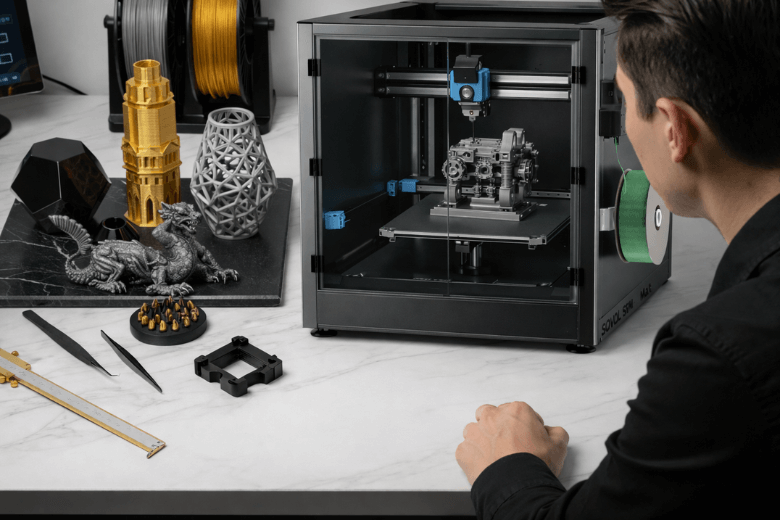
You achieve the best prints with the Sovol SV08 Max by focusing on setup, calibration, slicer settings, material choice, and maintenance. A flat bed and correct positioning increase print success rates, especially when you use auto-leveling. Regular cleaning reduces print failures significantly.
-
Good setup ensures proper first layer adhesion.
-
Calibration prevents issues like poor positioning.
-
Maintenance keeps your printer reliable.
Key Takeaways
-
Ensure proper setup by checking all components and performing auto-leveling before each print. This habit enhances first layer adhesion and reduces print failures.
-
Regularly calibrate your Sovol SV08 Max, focusing on PID tuning and Z-offset adjustments. Consistent calibration leads to improved print quality and fewer defects.
-
Choose high-quality filament and store it properly to prevent moisture absorption. This practice enhances print quality and reduces the risk of defects.
-
Adjust slicer settings like print speed and layer height to optimise print quality. Slower speeds and finer layer heights yield smoother prints and better details.
-
Establish a maintenance routine that includes cleaning and lubrication. Regular upkeep prevents mechanical issues and ensures consistent printing performance.
Sovol SV08 Max setup for best prints
Auto-leveling and bed prep
You begin your Sovol SV08 Max journey with careful unboxing and assembly. Each component must fit securely, and you should check for any loose screws or misaligned parts. Many users overlook these initial steps, but they directly affect print quality. When you assemble your printer, you avoid common mistakes by focusing on bed adhesion, Z-offset calibration, and filament loading. Inconsistent bed adhesion often leads to print failures, so you must pay attention to the bed surface and ensure it is clean and free from debris.
You achieve optimal results by making auto-leveling part of your routine. The Sovol SV08 Max features an auto-leveling system that measures the bed surface and adjusts the nozzle height. You run the auto-bed leveling feature at the start of each session. Sensors scan the bed, and the printer automatically sets the correct gap between the nozzle and the bed. Before every print, you check the results of bed leveling. If you notice unevenness, you repeat the process. This habit saves time and prevents issues with print quality.
Tip: Make auto-bed leveling a regular routine. You prevent adhesion problems and improve your first layer consistency.
If your printer does not have auto-leveling enabled, you use a piece of paper to check the gap at each corner. You adjust the knobs until you feel a slight drag on the paper. You repeat this process until the bed feels even. You check bed leveling before every significant print. This step ensures your Sovol SV08 Max delivers flawless prints every time.
Frame and nozzle checks
You maintain frame stability by tightening all bolts and checking for wobble. The Sovol SV08 Max relies on a rigid frame to produce high-quality prints. You inspect the frame after assembly and before each print session. Loose connections cause vibrations, which reduce print quality and lead to layer misalignment.
You examine the nozzle for blockages and wear. The Sovol SV08 Max nozzle must remain clean and free from residue. You remove any filament build-up and check for signs of damage. Filament loading difficulties often require manual adjustment. You ensure the filament feeds smoothly into the extruder. You avoid print failures by keeping the nozzle and extruder in top condition.
You review your printer settings before every print. You confirm the correct Z-offset, bed temperature, and nozzle temperature. These settings influence adhesion and the quality of your first layer. You adjust the settings as needed for different materials and print speed requirements. You keep your Sovol SV08 Max ready for any 3d printing project.
Note: Consistent frame and nozzle checks improve reliability and reduce downtime. You build a habit of inspecting your printer, which leads to better prints and fewer interruptions.
You follow these setup tips to maximise your Sovol SV08 Max performance. You create a foundation for flawless prints by focusing on auto-leveling, bed preparation, frame stability, and nozzle maintenance. You set your 3d printer up for success with every print.
Calibration for print quality
PID tuning and input shaping
You achieve consistent results with your Sovol SV08 Max by performing regular calibration. PID tuning stands as a crucial step for maintaining temperature stability in your printer. When you tune the PID settings, you keep the hotend temperature steady throughout the print. This stability leads to improved layer consistency and smoother extrusion. You also reduce printing defects, which enhances print quality.
-
PID tuning maintains a consistent hotend temperature.
-
Improved layer consistency results from stable temperatures.
-
Smoother extrusion and reduced printing defects are achieved.
Input shaping technology offers another valuable calibration method. This feature modifies acceleration commands in your printer to counteract mechanical resonance during fast movements. You minimise ringing and ghosting artefacts, which often appear in 3d printing. Input shaping allows you to increase print speed without sacrificing print quality. You benefit from sharper details and cleaner surfaces on every print.
Tip: Schedule regular calibration sessions for your Sovol SV08 Max. You prevent unexpected issues and maintain high print quality.
Z-offset and first layer
You must pay attention to Z-offset and first layer calibration. These settings determine how well your print adheres to the bed and how smooth the base layer appears. You start by levelling the bed, which is essential for accurate printing. The Sovol SV08 Max uses an Eddy Current Scanning system for quick and precise bed leveling. This system ensures an even first layer, which enhances print quality and prevents adhesion issues.
-
Bed leveling is essential for accurate printing.
-
The Sovol SV08 Max uses an Eddy Current Scanning system for quick bed leveling.
-
This system ensures an even first layer, enhancing print quality and preventing adhesion issues.
You adjust the Z-offset until the nozzle sits at the correct height above the bed. You check the first layer after every calibration session. If you see gaps or uneven lines, you fine-tune the settings. You repeat this process for each new material or print project. You build reliable habits that lead to flawless prints.
Note: Consistent calibration of Z-offset and first layer settings improves adhesion and reduces print failures. You gain confidence in your printer’s performance.
Material choice for 3D printer results
Filament selection and care
You achieve high-quality prints with the Sovol SV08 Max by making informed filament choices. Filament selection plays a crucial role in print quality and mechanical properties. You select materials that flow smoothly and avoid those prone to warping. The Sovol SV08 Max works well with several filament types:
-
PLA offers sharp details and smooth layers. You find it ideal for beginners and general prints.
-
PETG provides strength and flexibility. You use it for durable parts and projects requiring resilience.
-
ABS delivers toughness and heat resistance. You choose it for engineering models, but you must handle it carefully to prevent warping.
You benefit from using high-quality filament. Poor-quality filament leads to weak prints and rough surfaces. You avoid print failures by choosing reputable brands and checking for consistent diameter. You monitor your printer settings to match the filament type. For example, you adjust print speed and temperature settings to suit PLA, PETG, or ABS. You maintain your 3d printer by cleaning the nozzle and extruder after each print. This habit prevents clogs and ensures smooth extrusion.
Tip: Always check filament for moisture or brittleness before loading. You improve print quality and reduce the risk of defects.
Storage tips
You protect your filament and maintain print quality by following proper storage practices. Moisture absorption causes print failures and affects the mechanical properties of your prints. You store filament in a dry box or sealed bag with silica gel packs. You keep filament away from sunlight and heat sources. You use airtight containers for long-term storage. You label each spool with the date opened to track exposure time.
-
Store filament in a dry, sealed container.
-
Use silica gel packs to maintain dryness.
-
Keep filament away from direct sunlight and heat.
-
Label spools with the date opened.
If you hear popping sounds during printing, you dry the filament before the next print. Leaving filament exposed leads to brittleness or bubbles in your prints. You avoid these issues by storing filament properly. You ensure your Sovol SV08 Max delivers consistent results with every print.
Note: Proper filament storage is essential for achieving high-quality prints and reliable printer performance. You follow these tips to maximise your 3d printing experience.
Slicer settings for best print quality
Speed and layer height
You optimise print quality on the Sovol SV08 Max by adjusting print speed and layer height in your slicer. Slowing print speed to 40-60 mm/s improves surface finish and reduces print failures. You achieve great accuracy and high resolution by selecting the right layer height. For standard prints, you set layer height to 0.2 mm. When you require fine detail, you choose 0.1-0.15 mm. These settings help your printer deliver consistent results and minimise printing artefacts.
Tip: Lower print speed and finer layer height produce smoother prints and enhance performance.
|
Layer Height |
Print Quality |
Recommended Use |
|---|---|---|
|
0.2 mm |
Standard |
Everyday prints |
|
0.1-0.15 mm |
High resolution |
Detailed models |
Retraction and Z-hop
You prevent stringing and oozing by balancing retraction and Z-hop settings. Retraction pulls filament back during travel moves, which reduces unwanted blobs. You set retraction distance between 2-4 mm for most filaments. Z-hop lifts the nozzle slightly when moving across the print, which avoids collisions and improves print quality. You adjust Z-hop height to 0.2-0.5 mm. These techniques help your Sovol SV08 Max handle fast printing without sacrificing quality.
-
Retraction: 2-4 mm
-
Z-hop: 0.2-0.5 mm
You monitor your printer for issues like stringing or layer shifts. If you notice problems, you fine-tune these settings in your slicer. You also check print temperature, as incorrect values can cause printing defects.
Supports and adhesion
You improve printing success by configuring supports and adhesion settings. You enable supports in your slicer for overhangs and complex geometries. You select support density between 10-20% to balance ease of removal and stability. For bed adhesion, you use a brim or raft, which helps your print stick to the bed and prevents warping. You adjust these settings based on your material and model shape.
You follow these tips to maximise print quality and reduce print failures on your Sovol SV08 Max 3d printer.
Maintenance for consistent prints
Cleaning and lubrication
You maintain your Sovol SV08 Max by establishing a regular cleaning routine. Dust and debris accumulate on the bed and nozzle, which affects print quality and leads to print failures. You wipe the bed with a lint-free cloth before each print. You remove filament residue from the nozzle using a brass brush. You inspect the extruder for blockages after every printing session. You clean the fans and electronics to prevent overheating and maintain printer performance.
Lubrication keeps your printer running smoothly. You apply a small amount of lubricant to the rails and lead screws. You avoid over-lubricating, as excess oil attracts dust. You check moving parts for wear and replace them if necessary. You schedule maintenance every month to ensure consistent printing results. You follow these tips to reduce issues and extend the life of your 3d printer.
Tip: Clean and lubricate your Sovol SV08 Max regularly. You prevent mechanical problems and improve print speed.
|
Maintenance Task |
Frequency |
Tools Needed |
|---|---|---|
|
Bed cleaning |
Before every print |
Lint-free cloth |
|
Nozzle cleaning |
After every print |
Brass brush |
|
Lubrication |
Monthly |
Lubricant, cloth |
|
Fan cleaning |
Monthly |
Compressed air |
Firmware updates
You keep your Sovol SV08 Max up to date by installing the latest firmware. Manufacturers release updates to fix bugs, improve settings, and enhance printing performance. You check the Sovol website for new firmware versions. You follow the instructions to update your printer safely. You back up your settings before updating to avoid losing custom configurations.
Firmware updates address issues such as temperature fluctuations and calibration errors. You gain access to new features that improve print quality and reliability. You update your printer regularly to prevent print failures and optimise 3d printing results. You stay informed about the latest developments in printer technology.
Note: Firmware updates ensure your Sovol SV08 Max operates at peak performance. You benefit from improved printing and fewer issues.
Troubleshooting print issues
Warping and adhesion
You often encounter warping and poor adhesion when using the Sovol SV08 Max. These problems lead to print failures and wasted material. You improve your results by following a few essential steps:
-
Clean your bed before every print. Dust and residue reduce adhesion.
-
Use a brim or raft for better adhesion, especially with larger models.
-
Adjust bed temperature for your material. PLA requires lower temperatures than ABS.
-
Slow down the first layer speed and increase cooling after the first few layers.
You check the bed surface for scratches or wear. You replace it if you notice damage. You also ensure the bed is level and the Z-offset is correct. These actions help you achieve consistent printing and reduce warping.
Tip: You run a small test print before starting a large project. This practice helps you fine-tune settings and avoid costly mistakes.
Layer shifts and stringing
You see layer shifts when the printer frame is loose or the belts lack tension. You inspect the Sovol SV08 Max frame and tighten all bolts. You check belt tension and adjust as needed. You also monitor the stepper motors for overheating. You reduce stringing by adjusting retraction settings in your slicer. You set the retraction distance between 2-4 mm and increase Z-hop to prevent nozzle collisions. You lower print temperature if stringing persists.
You keep the print area free from drafts and sudden temperature changes. You avoid moving the printer during printing. These steps help you maintain print quality and minimise troubleshooting print quality issues.
Under-extrusion and clogs
You face under-extrusion and nozzle clogs during 3d printing. Regular cleaning and inspection of your 3d printer prevent these problems. You wipe down the bed and rails with a soft cloth. You check the extruder and feeder for stuck filament. You use the following table to diagnose and fix common under-extrusion problems:
|
Problem with Under-Extrusion |
How to Fix It |
|---|---|
|
Blocked Nozzle |
Clean with a wire brush or replace the nozzle. |
|
Damaged PTFE Coupler |
Replace it if it’s bent or melted. |
|
Dirty Bowden Tube |
Push a cloth through the tube to clean it. |
|
Worn Drive Gear |
Check and replace gears if needed. |
|
Broken Cooling Fan |
Remove dirt and make sure it’s installed correctly. |
|
Wet Filament |
Store filament in a dry box or use a dryer. |
|
Wrong Print Settings |
Adjust flow rate, nozzle temperature, and first-layer settings. |
You store filament in a dry box to prevent moisture-related print failures. You adjust print settings for each material. You replace worn parts promptly. You maintain your Sovol SV08 Max to ensure reliable printing and high-quality prints.
Advanced tips for flawless prints
Upgrades and monitoring
You can elevate your Sovol SV08 Max by considering targeted upgrades and remote monitoring solutions. Upgrading the extruder to an all-metal version increases reliability during high-temperature printing. You also benefit from a PEI spring steel bed, which improves adhesion and simplifies print removal. Installing a filament runout sensor helps you avoid unexpected print failures, especially during long prints.
You gain more control over your 3d printer by adding a camera for remote monitoring. This setup allows you to check print progress and intervene if you notice issues. Many users choose OctoPrint or similar platforms for real-time printer management. You receive notifications about print status and can pause or stop printing from your phone or computer. These upgrades reduce downtime and help you maintain consistent print quality.
Tip: Upgrading cooling fans and adding vibration dampers further enhance print stability and surface finish.
Fine-tuning slicer profiles
You achieve professional results on the Sovol SV08 Max by fine-tuning slicer profiles. Adjusting advanced slicer settings reduces vibrations and prevents ghosting or ringing, especially at higher speeds. You improve surface finish and reach dimensional accuracy within ±0.1 mm by calibrating layer height, wall thickness, and infill patterns. Auto bed leveling and 0.01 mm precision calibration secure the first layer, which is essential for flawless prints.
You can refer to the following table for a summary of expert-level slicer adjustments and their impact:
|
Setting or Feature |
Impact on Print Quality |
|---|---|
|
Reduced vibrations |
Enhances model appearance, prevents ghosting and ringing |
|
Improved surface finish |
Achieves dimensional accuracy of ±0.1 mm |
|
Auto bed leveling (0.01 mm) |
Secures first layer, prevents print failures |
|
Stationary bed stability |
Maintains detail for tall or delicate models |
|
CoreXY motion system tuning |
Delivers reliable and detailed printing |
You experiment with retraction, speed, and temperature settings to match each material. You save custom profiles for different projects, which streamlines your workflow and reduces print failures. You address common printing issues by reviewing and adjusting slicer parameters before each print. These advanced tips ensure your Sovol SV08 Max delivers exceptional results for every 3d printing project.
You achieve flawless prints with the sovol sv08 max by focusing on careful setup, precise calibration, and regular maintenance. Consistency in these areas ensures reliable results and reduces print failures. You improve your skills by experimenting with slicer settings and trying new materials. For advanced techniques, you explore resources such as:
-
The Sovol blog, which offers insights into large build volume 3D printers and advanced printing strategies.
FAQ
How often should you calibrate the Sovol SV08 Max?
You calibrate your Sovol SV08 Max before every major print. Regular calibration ensures consistent results and prevents unexpected print failures. You check PID tuning and bed levelling monthly for optimal performance.
What filament types work best with the Sovol SV08 Max?
You achieve reliable results with PLA, PETG, and ABS. PLA suits general prints. PETG offers strength and flexibility. ABS provides heat resistance. You select high-quality brands for best performance.
How do you prevent nozzle clogs?
You clean the nozzle after each print. You use a brass brush or cleaning filament. You avoid low-quality or wet filament. You inspect the extruder regularly to ensure smooth feeding.
Which slicer settings improve print quality?
You set print speed between 40-60 mm/s. You choose a layer height of 0.2 mm for standard prints. You adjust retraction and Z-hop to reduce stringing. You enable supports for complex models.
Is remote monitoring possible with the Sovol SV08 Max?
You install a camera and use OctoPrint for remote monitoring. You track print progress from your phone or computer. You receive alerts and can pause or stop prints if issues arise.
Share:
PLA vs PETG vs ABS Which Filament Is Best?
Sovol 3D printers: real users share their stories