
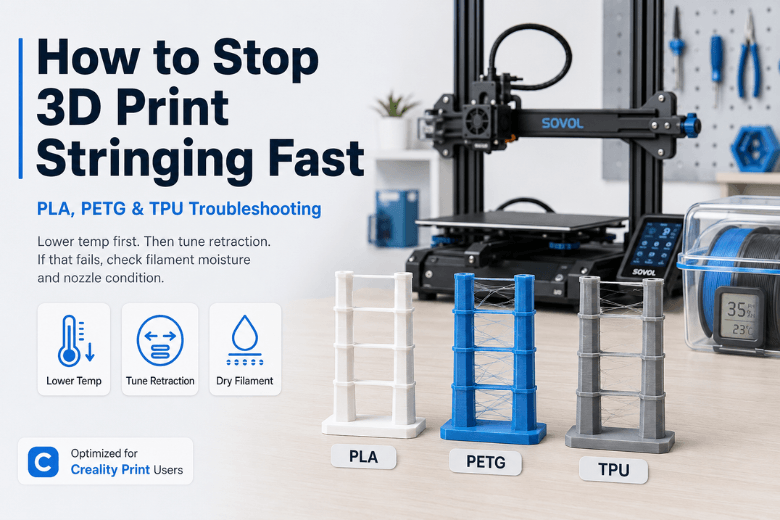
Stringing is that fine “cobweb” (or sometimes thick angel-hair) you get when the nozzle travels between two points and leaves a trail behind. The frustrating part is it can look like a slicer problem… right up until you realise it’s also moisture, temperature, and nozzle condition.
This guide is built for fast, repeatable fixes you can teach to others — with conservative starting ranges for PLA, PETG, and TPU, split for direct drive and Bowden setups, and written with Creality Print users in mind.
Key Takeaway: If you only change one thing first, change nozzle temperature (in 5°C steps). Then tune retraction. If stringing ignores both, assume wet filament or a dirty/leaking nozzle.
Starting-point settings to stop stringing (use these as a baseline)
These aren’t “magic numbers.” They’re safe starting points that usually get you into the right postcode so you can fine-tune with a small test print.
|
Material |
Extruder |
Nozzle temp (start) |
Retraction distance (start) |
Retraction speed (start) |
Travel speed (start) |
|---|---|---|---|---|---|
|
PLA |
Direct drive |
205°C |
1.0 mm |
30 mm/s |
180 mm/s |
|
PLA |
Bowden |
205°C |
5.0 mm |
50 mm/s |
180 mm/s |
|
PETG |
Direct drive |
235°C |
1.2 mm |
25 mm/s |
200 mm/s |
|
PETG |
Bowden |
235°C |
4.5 mm |
40 mm/s |
200 mm/s |
|
TPU |
Direct drive |
225°C |
0.6 mm |
20 mm/s |
130 mm/s |
|
TPU |
Bowden |
225°C |
1.5 mm |
20 mm/s |
130 mm/s |
A few range notes, if you prefer thinking in bands:
-
Direct drive retraction is commonly ~0.5–2mm; Bowden often needs more due to the longer filament path (as discussed in Sovol’s 2026 stringing troubleshooting notes).
-
TPU generally wants minimal retraction, because too much can cause feeding issues.
How to stop stringing fast: the fix order
1) Confirm it’s stringing (not blobs from a leaking nozzle)
If the strings are thick and always seem to start from the same side of the nozzle, check the nozzle tip:
-
burnt-on plastic on the outside behaves like a “paintbrush”
-
a hotend leak can ooze from above the nozzle threads
If you suspect either, pause tuning and clean/inspect first. Retraction won’t fix hardware ooze.
2) Lower nozzle temperature first (5°C steps)
Temperature changes are fast and low-risk compared to aggressive retraction.
-
Stringing almost always gets worse as filament gets more fluid.
-
Both Simplify3D and Creality flag temperature as a core lever once retraction is enabled (see Simplify3D’s “Stringing or Oozing” troubleshooting guide and Creality’s guide to 3D print stringing).
How to do it (Creality Print):
-
Drop nozzle temp by 5°C
-
Print a quick two-tower stringing test (5–10 minutes)
-
Stop when stringing improves but layers still bond well
What failure looks like: under-extrusion, weak layers, or a rough matte finish from being too cold.
3) Tune retraction like an experiment (distance first, then speed)
Retraction is meant to pull pressure back inside the nozzle before travel moves.
Distance: change in small steps
-
Direct drive: start ~1mm, move by 0.2–0.5mm
-
Bowden: start ~4–6mm, move by 0.5–1mm
Speed: only after distance is close
-
Too slow: the nozzle still oozes during travel.
-
Too fast: you can grind filament or introduce inconsistent extrusion.
One caution worth keeping in mind: aggressive retraction can create new problems (grinding, inconsistent extrusion, even jams) — so treat changes as small, testable increments rather than a big leap.
4) Make travel moves less likely to string
Retraction isn’t the whole story. Travel behaviour decides how much time the nozzle has to drool and whether it crosses open air.
In Creality Print, look for settings in the “Travel” / “Retraction” area that map to these concepts:
-
Travel speed: faster travel = less time to ooze (common starting point 150–200 mm/s for PLA/PETG).
-
Avoid crossing perimeters / combing: keeps travel inside the part so any ooze is hidden in infill.
-
Z-hop when retracted (optional): helps if you see strings getting dragged across top surfaces.
-
Minimum travel distance before retract: prevents pointless micro-retractions that can worsen consistency.
-
Wipe / coast (if available): can reduce pressure at the end of a line, but too much causes corner under-extrusion.
These settings are called out across slicer troubleshooting guides, including Creality’s own and Sovol’s general advice on reducing stringing. For example, Creality’s guide highlights travel and temperature interplay, and Sovol’s 2026 notes summarise practical starting ranges.
5) If tuning “does nothing,” assume wet filament
If you’ve lowered temperature and tuned retraction, yet you still get random wisps and rough surfaces, moisture is the usual culprit.
Sovol UK’s guide on wet filament suggests quick tells like popping/crackling during extrusion, bubbles/foam, and stringing that doesn’t respond to normal retraction tuning (see Sovol UK’s “how to tell if filament is wet” guide).
Practical makerspace shortcut:
-
Keep one known-dry spool of PLA as a diagnostic reference.
-
If the reference spool prints clean but the “problem spool” strings, don’t waste time on slicer settings.
Material-specific fixes (PLA vs PETG vs TPU)
PLA stringing
PLA usually responds quickly to a small temperature drop and modest retraction.
Common mistakes:
-
printing too hot “for safety”
-
chasing stringing with huge retraction distances
If you’re unsure whether PLA is the right material for your part in the first place, it’s worth standardising a simple materials guide for your members (PLA vs PETG vs TPU) so people aren’t fighting the wrong trade-offs for the job.
PETG stringing
PETG is naturally more oozy and “sticky” than PLA. Expect some fine wisps even when tuned.
What tends to help most:
-
run PETG a touch cooler (within your spool’s recommended range)
-
keep retraction sensible (over-retraction can cause inconsistent extrusion)
-
increase travel speed and avoid crossing open air
Also: if PETG is stringing and you hear occasional pops, treat it as a drying problem first.
TPU stringing
TPU is where people accidentally make things worse.
Two key rules:
-
Keep retraction low (too much can cause feeding problems).
-
Prefer travel/pathing fixes and drying over aggressive retraction.
For shared printers, the “easy win” is procedural: store TPU sealed and dry it more often than PLA.
Pro Tip: If TPU is stringing but dimension and surface finish are acceptable, it’s often faster to accept minor wisps and do a quick cleanup pass than to over-tune and risk jams.
Quick checklist (makerspace SOP)
Use this when a printer “suddenly started stringing”:
-
Swap to a known-good spool (or dry the current spool).
-
Clean the nozzle exterior (burnt plastic causes drag-strings).
-
Drop nozzle temperature 5°C and rerun the same test.
-
Retraction distance up slightly (direct drive: +0.2–0.5mm; Bowden: +0.5–1mm).
-
Increase travel speed and turn on avoid-crossing/combing.
-
If it still strings: inspect for partial clog or hotend leak.
Next steps
If stringing shows up alongside other print-quality issues (like inconsistent first layers), it’s usually faster to fix those in a consistent order rather than changing five settings at once. Sovol UK has a solid troubleshooting flow for fundamentals like bed adhesion in this practical bed adhesion guide.
If moisture is a recurring issue in UK humidity, it may be worth standardising a drying workflow for PETG and TPU — for example with a filament dryer approach like the one discussed in Sovol UK’s SH03 filament dryer comparison.
Share:
Why PETG Stringing Happens More Often Than PLA
Why is my 3D print stringing? Causes and fixes (PLA + PETG)