
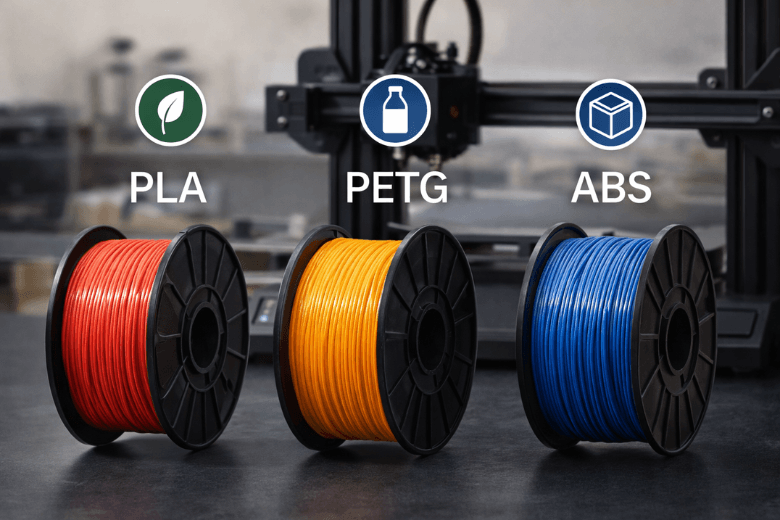
If your prints keep failing, it’s tempting to blame the filament — and sometimes that is the right call. But a lot of “bad filament” problems are really first-layer, temperature, or moisture/storage problems.
This 3D printing filament comparison focuses on the “holy trinity” most people start with: PLA vs PETG vs ABS. You’ll get a quick decision table, plus a troubleshooting map so you know when switching material helps — and when it’s just masking the real issue.
Key takeaways
-
PLA is usually the fastest route to reliable prints. If you’re diagnosing failures (or teaching beginners), PLA is the easiest baseline.
-
PETG is a strong middle ground when PLA parts crack or soften — but it’s more prone to PETG stringing and can be fussier about first layer.
-
ABS can be great for tougher, more heat-resistant parts, but ABS warping is common without environmental control, and you need good ventilation.
-
If you hear popping or see bubbles, or the filament is snapping on the spool, switching materials won’t help until you fix moisture/storage.
PLA vs PETG vs ABS (quick decision table)
|
If your problem looks like… |
PLA |
PETG |
ABS |
|---|---|---|---|
|
You want the easiest “known good” filament to rule out variables |
✅ Best baseline |
⚠️ doable |
⚠️ not ideal |
|
Corners lifting / warping on larger parts |
✅ least prone |
⚠️ moderate risk |
❌ highest risk |
|
Brittle parts that crack or snap in use |
⚠️ can be brittle |
✅ tougher |
✅ tough |
|
Parts softening in a warm room / car / near a heat source |
❌ more likely |
✅ better |
✅ best |
|
Stringing and wispy hairs everywhere |
✅ easier to tame |
⚠️ more common |
✅ usually manageable |
|
You need a shared-space-safe workflow |
✅ easiest |
✅ usually fine |
⚠️ requires ventilation |
Pro tip: If you’re troubleshooting, start with PLA to stabilise your process. Move to PETG or ABS only when you can name the specific reason you need them.
Criterion 1: Ease of printing (why this matters when troubleshooting)
When your goal is “stop wasting time on failed prints”, ease of printing is a feature.
-
PLA is generally forgiving.
-
PETG usually needs higher nozzle temperatures and rewards careful tuning — especially retraction and cooling.
-
ABS isn’t “hard” because of one setting; it’s hard because the environment matters (drafts and uneven cooling can ruin long prints).
If you want manufacturer starting points for PLA/PETG/ABS, the simplest place to check is the Sovol filament overview — treat those numbers as a starting range, then tune for your specific spool and room.
Criterion 2: Warping and dimensional stability
Warping is the classic “it looked fine for an hour and then the corners lifted” failure.
A useful rule of thumb is that thermal contraction drives warping: the more the material wants to shrink as it cools, the harder it pulls itself off the bed.
Xometry explains the differences (and why they happen) in their guide to 3D print warping with PLA, PETG and ABS. The practical takeaway: PLA tends to warp the least, PETG is in the middle, and ABS is the most demanding.
Criterion 3: Strength, toughness, and layer adhesion (what breaks, and how)
Most “my part broke” complaints aren’t about a single number like tensile strength — they’re about how it fails.
-
PLA can be strong but tends to fail in a brittle way (crack/snap).
-
PETG is often chosen because it’s more impact resistant and less brittle.
-
ABS is known for toughness, but only if you prevent warping and layer splitting during printing.
UltiMaker’s comparison of PLA vs PETG vs ABS strength tradeoffs is a good reference when you’re choosing a material for real-world handling.
If you’re printing functional parts, don’t read this as “PETG is always stronger” or “ABS is always best”. The best filament for functional parts depends on heat exposure, impact risk, and whether you can print the material consistently without defects.
Criterion 4: Heat resistance (when PLA becomes the problem)
If your prints look great but deform later (especially in warm environments), that’s a strong signal to move away from PLA.
Typical scenarios:
-
parts left in a car on a sunny day
-
mounts near warm electronics
-
functional parts under load in a warm room
In these cases, PETG is often the practical upgrade. ABS can be appropriate if you can support the safer workflow and warping control.
Criterion 5: Safety, odour, and ventilation
ABS can be a useful material — but it’s not a casual “just try it” filament in many UK homes or makerspaces.
⚠️ Warning: If you print ABS, use good ventilation (and ideally an enclosure with fume extraction/filtration). Avoid printing ABS in small, unventilated rooms — especially shared spaces.
For a practical summary of ABS warping mitigation (enclosure, airflow control, cooling choices), Slice Engineering’s article on the 3D printing “holy trinity” is a useful overview.
Troubleshooting: symptoms → what to do (and when switching filament helps)
Symptom: corners lifting / warping
Before you blame the filament, start with first layer adhesion fundamentals:
-
clean the bed
-
re-check bed level
-
re-check Z-offset
-
slow your first layer
A practical checklist (including starter bed temperature ranges by material) is in Sovol’s first-layer adhesion guide.
Material decision:
-
If you must keep the part flat and you don’t need heat resistance: PLA is usually the least painful.
-
If you need more durability: consider PETG.
-
If you need ABS-level heat resistance: plan for an enclosure and more tuning — don’t expect a “swap and go” fix.
Symptom: stringing and wispy hairs
This is common with PETG.
Try this sequence:
-
Dry the filament and keep it dry while printing.
-
Lower nozzle temperature in small steps.
-
Increase retraction slightly, then re-test.
-
Reduce travel moves across open air when you can (slicer setting).
Material decision:
-
If you want the cleanest prints with the least tuning: PLA.
-
If you need PETG’s toughness, accept that PETG stringing is a normal tuning target, not a sign your printer is “bad”.
Symptom: popping sounds, bubbles, rough surfaces, random under-extrusion
This pattern often points to moisture.
Sovol’s troubleshooting article on why filament keeps breaking and how to stop snapping describes classic signs like popping, surface defects, clogs, and extreme stringing.
Do this first:
-
store spools airtight with desiccant
-
dry the spool before printing
If you want a central place to browse dryer options, see the filament dryer collection.
Symptom: filament snapping on the spool / brittle filament
If the filament breaks before it even reaches the extruder, that’s often storage, age, or filament quality — not your slicer.
Start with:
-
visible cracks on the spool
-
high spool resistance (it can’t unwind smoothly)
-
too-low nozzle temperature (causes high back-pressure)
If it still snaps after drying and improving storage, replacing the spool is often the fastest fix.
Which filament should you choose?
Choose PLA if…
-
you want the most reliable baseline to diagnose your printer
-
you’re running workshops or helping beginners
-
your main failures are adhesion/warping and you don’t need heat resistance
Choose PETG if…
-
PLA parts are cracking or snapping in real use
-
your part needs more durability or moderate heat resistance
-
you’re willing to tune stringing and first layer carefully
Choose ABS if…
-
you actually need higher heat resistance and toughness
-
you can control the environment (enclosure helps) and you can print with good ventilation
A quick SV08 note (for setup context)
If you’re using the Sovol SV08, it supports PLA, PETG, ABS, and TPU. Treat any published temperatures as a starting range, then run small test prints to dial in first layer, temperature, and cooling for your specific spool and environment.
Next steps
If you want one low-risk way to figure out whether you should change material, do this:
-
Print a small first-layer test and a stringing test in PLA.
-
Fix adhesion first.
-
Only then move to PETG or ABS if you can clearly describe the limitation you’re hitting (heat, toughness, or chemical resistance).
For general print failure patterns (not filament-specific), Prusa’s guide to the most common 3D printing errors is a solid checklist.
Share:
3D Printing Filament Types: How to Choose the Right Material (UK Guide)
How to Choose 3D Printing Filament for Your Project (UK Guide)