
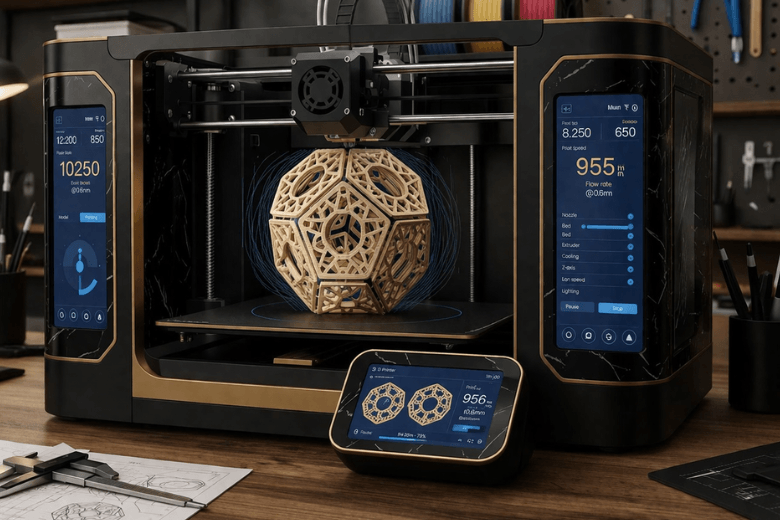
You want your 3d printer to deliver faster printing and keep your results sharp. Achieving reliable 3d printing lets you build anything you want, print anything you can imagine, and revolutionise manufacturing. On-demand production means you can create parts without moulds, respond quickly to changes, and adapt to new projects. > On-demand solutions empower you to work efficiently and maximise productivity.
Key Takeaways
-
Understand the mechanical and structural limits of your 3D printer to improve speed and quality.
-
Regularly update firmware and slicing software to access the latest speed enhancements.
-
Balance print speed with quality by testing new settings on small models before large runs.
-
Upgrade your hotend and extruder to handle higher flow rates for faster, consistent printing.
-
Select the right materials and adjust speed settings to optimise print quality and reliability.
Key Factors in 3D Printer Speed
Understanding what limits 3d printer speed helps you make informed decisions when aiming for faster manufacturing. You must consider several elements that directly affect how quickly your 3d printer can operate and maintain quality.
Mechanical and Structural Limits
Mechanical and structural factors set the foundation for 3d printer speed. If you want to increase throughput, you need to address these core aspects:
-
Material flow and deposition consistency play a vital role. High-speed printing demands a steady flow of filament, especially in large-scale manufacturing.
-
Machine accuracy and repeatability become more difficult to maintain as you push for higher speeds. Larger machines face challenges such as thermal expansion and mechanical wear, which can reduce print quality.
-
Thermal management is essential. Without proper heat control, you risk structural issues that can compromise both speed and reliability.
A rigid frame and precise motion system allow your 3d printer to handle rapid movements without introducing vibrations or errors. You should always check tolerances and ensure all components remain tight and aligned.
Firmware and Software Impact
Firmware and slicing software directly influence 3d printer speed. Advanced firmware lets you fine-tune acceleration, jerk, and motion profiles. Modern slicers offer features that optimise toolpaths for higher throughput. You can adjust settings to match your hardware’s capabilities, ensuring the printer operates efficiently during manufacturing.
Tip: Regularly update your firmware and slicer to access the latest speed improvements and bug fixes.
Speed vs Quality Balance
You must balance 3d printer speed with the quality of your finished parts. Printing too fast can cause layer misalignment, poor surface finish, or even failed prints. The temperature vs speed relationship also matters; higher speeds often require increased nozzle temperatures to maintain proper extrusion. Always test new settings on small models before committing to full-scale manufacturing runs.
3D Printer Hardware Upgrades
Upgrading your 3d printer hardware can unlock remarkable speed improvements while maintaining reliability. Each component in your machine plays a role in how quickly and consistently you can produce quality prints. By focusing on targeted upgrades, you can transform your setup into a fast 3d printer ready for demanding projects.
Hotend and Extruder Improvements
The hotend and extruder form the heart of your printer’s material delivery system. If you want to print faster, you must ensure these parts can handle higher flow rates without compromising consistency. High-flow hotends enhance the volumetric flow in desktop 3D printers. You can achieve up to 60% higher flow rates, which leads to more consistent extrusion at high speeds. This improvement directly increases your max volumetric flow rate, allowing you to print larger objects or thicker layers without under-extrusion. Upgrading to a direct-drive extruder can also improve filament control, especially with flexible or abrasive materials.
Tip: Regularly inspect your hotend for wear and keep the extruder gears clean to maintain optimal performance.
Nozzle Diameter Choices
Selecting the right nozzle diameter has a significant impact on both speed and surface finish. Larger nozzles allow you to lay down more material per pass, reducing print times for bigger parts. However, you may notice a trade-off in surface detail. The table below summarises the relationship between nozzle size, print speed, and finish:
|
Nozzle Diameter |
Print Speed |
Surface Finish |
|---|---|---|
|
0.2mm to 0.3mm |
Lower |
Higher Resolution |
|
0.6mm to 0.8mm |
Higher |
Lower Resolution |
If you prioritise speed over fine detail, consider fitting a 0.6mm or 0.8mm nozzle. For intricate models, stick with smaller diameters.
Bed Levelling Optimisation
A perfectly level bed ensures the first layer adheres properly, which is essential for fast and reliable printing. Automatic bed levelling systems use inductive sensors and advanced probing algorithms to enhance precision and reliability. You will experience significantly fewer first layer issues, which means less time spent on failed starts and more time printing. This upgrade not only improves print speed but also boosts your success rate, especially when running multiple jobs in succession.
Frame Rigidity and Motion System
The structural rigidity of your printer’s frame and the quality of its motion system determine how well it can handle rapid movements. A sturdy frame minimises vibrations and keeps all axes aligned, even at high speeds. Upgrading linear rails, belts, and stepper motors can further reduce backlash and improve accuracy. When you reinforce your printer’s structure, you enable it to maintain quality at higher speeds, reducing the risk of missed steps or print failures.
Note: Loose bolts or worn bearings can introduce play in the system, so check these regularly to keep your machine running smoothly.
Cooling System Enhancements
Efficient cooling is vital when printing at higher speeds. As you increase print speed, each layer has less time to solidify before the next one arrives. Upgrading to a more powerful part cooling fan or adding ducted airflow can help layers set quickly, preventing warping and improving overhang performance. Proper cooling also protects your hotend and extruder from overheating, which can cause jams or inconsistent extrusion.
Benchmark Results for Hardware Upgrades
To illustrate the impact of hardware changes, consider the following benchmark results:
|
Upgrade Type |
Test Duration on S7 |
Test Duration on S8 |
|
|---|---|---|---|
|
Firmware Optimisation |
Significant |
2 hours |
34 minutes |
Firmware optimisation, when combined with hardware upgrades, can dramatically reduce print times. Always ensure your firmware supports the latest features for speed and reliability.
By investing in these hardware upgrades, you can transform your 3d printer into a high-performance machine. Focus on the areas that match your printing goals, and you will see immediate improvements in both speed and reliability.
Material Choices for Faster Printing
Selecting the right material for your 3d printer directly influences speed, reliability, and resolution. You must consider how filament properties affect extrusion rates and layer bonding, especially when aiming for fast prints.
High-Speed Filament Types
Manufacturers now offer filaments engineered for rapid extrusion. High-flow PLA and PETG variants allow you to print at increased speeds without sacrificing resolution. These materials melt quickly and maintain consistent viscosity, which reduces the risk of under-extrusion. You can achieve smoother surfaces and stronger layers, even when printing at higher rates. If you use a resin-based printer, you will find that specialised resins also support faster curing times, enabling rapid production with excellent resolution.
Tip: Always check the manufacturer’s recommended speed settings for each filament type to avoid print failures.
Filament Diameter Effects
Filament diameter consistency plays a crucial role in print reliability and resolution. Variations in diameter impact material flow and layer adhesion, which can weaken structural integrity. You should test your filament using calibration cubes or extrusion flow tests before starting a critical print. Quality control measures help you detect inconsistencies early and prevent compromised results.
|
Evidence Description |
Impact on Print Reliability |
|---|---|
|
Variations in filament diameter impact material flow and layer adhesion. |
Poor bonding weakens structural integrity, making prints susceptible to delamination and failure under load. |
|
Consistent extrusion leads to even stress distribution within the printed model. |
Fluctuations in material feed create weak points prone to cracking under mechanical stress. |
|
Precision in filament diameter ensures accurate infill density and wall thickness. |
Directly affects strength and durability of load-bearing components. |
-
Using test prints such as calibration cubes and extrusion flow tests can help detect filament inconsistencies before starting a critical print.
-
Implementing quality control measures ensures that filament diameter variations do not compromise print integrity.
Material-Specific Speed Settings
You must tailor your speed settings to the material in use to maintain resolution and reliability. PLA supports moderate speeds, with skirt or brim speeds around 20mm/sec. Wood PLA requires slower initial layers, between 10-20mm/sec, then allows faster speeds up to 30mm/sec for subsequent layers. PETG enables high-speed printing, but you need careful optimisation to avoid stringing and poor adhesion. ABS demands precise temperature control and slower speeds to prevent warping and layer separation.
|
Material |
Recommended Speed |
|---|---|
|
PLA |
20mm/sec (skirt/brim speed) |
|
Wood PLA |
10-20mm/sec (initial layers), 30mm/sec (subsequent layers) |
|
PETG |
High-speed printing with careful optimisation |
|
ABS |
N/A |
You will achieve fast prints with optimal resolution by matching your speed settings to the material’s properties. Always run small test prints before scaling up production.
Slicer Settings for Faster Printing
Optimising slicer settings is essential for achieving fast prints without sacrificing quality. You can unlock significant speed gains by adjusting layer height, line width, infill, acceleration, and shell parameters.
Layer Height and Line Width
You can reduce print time by increasing layer height. For example, raising the layer height from 0.2mm to 0.3mm lowers the number of layers for a 100mm tall model from 500 to 312. This adjustment speeds up production considerably. Drafts and prototypes benefit from layer heights between 0.28mm and 0.32mm, while 0.2mm remains the standard for balancing speed and quality.
-
For fine details, select a line height of 0.1mm to 0.12mm.
-
A typical quality print uses a line height of about 0.16mm.
-
Less detailed models can tolerate a line height of 0.2mm.
-
Avoid excessive line height, as it may cause separation between layers.
Infill and Support Optimisation
Choosing the right infill pattern and density can dramatically reduce print time. The following table summarises common infill patterns:
|
Infill Pattern |
Characteristics |
|---|---|
|
Lines |
Simple, fast, minimal turns |
|
Lightning |
Uses way less material, blazingly quick |
|
Rectilinear |
Basic grid, easy to predict |
Reducing infill density from 20% to 10% or even 5% for non-structural parts can cut print time by up to 40%. Combining lightning infill at 10% with lines ensures speed and maintains part strength.
Tip: Use minimal supports and select fast-removal patterns to further accelerate your 3d printer workflow.
Acceleration and Jerk Settings
You can fine-tune acceleration and jerk settings to boost speed and minimise defects. The table below outlines how motor characteristics affect these settings:
|
Motor Type |
Impact on Acceleration and Jerk Settings |
|---|---|
|
High Inertia |
Increases stability, needs more torque for quick changes, affects print time and quality |
|
Low Inertia |
Responds rapidly, ideal for fast movements, reduces print defects |
|
Back EMF |
Limits torque at high speeds, may cause defects if not managed |
Adjust these parameters to match your machine’s hardware for optimal results.
Shells and Perimeters
Increasing shell count improves strength but adds to print time. For fast prints, use two perimeters for most models. Reserve three or more shells for parts requiring extra durability. You can also widen line width for shells, which speeds up printing and enhances mechanical strength.
Note: Always test new slicer profiles on small models before scaling up production.
Practical Tips for Reliable Faster Printing
Maintenance and Calibration
You must treat your 3d printer as a vital production asset. Consistent maintenance routines reduce print failures, especially when you operate at higher speeds. Follow these proven steps:
-
Clean the printhead and ribbon path regularly. Dust and debris can obstruct heat transfer and cause defects.
-
Inspect the printhead and related components for wear or damage. Early detection prevents unexpected breakdowns.
-
Use high-quality consumables. Reliable materials minimise debris and strain on the printhead.
-
Calibrate the printer and check consumable conditions. Proper calibration maintains print quality.
-
Analyse downtime and fault patterns. Tailor maintenance intervals and replace parts proactively.
-
Schedule maintenance during low-volume periods. This approach avoids unplanned downtime and keeps production efficient.
Tip: Integrate maintenance into your workflow. You will see fewer failures and more consistent results.
First Layer Monitoring
The first layer sets the foundation for every print. You must monitor adhesion and extrusion closely. Uneven bed surfaces or incorrect temperatures can lead to warping or detachment. Use automatic bed levelling if available. Adjust nozzle height and temperature for optimal adhesion. Watch the first layer as it prints. If you spot issues, pause and correct them immediately.
|
Common Issue |
Solution |
|---|---|
|
Poor adhesion |
Clean bed, adjust temp |
|
Uneven extrusion |
Recalibrate nozzle |
|
Warping |
Increase bed temp |
Note: A flawless first layer ensures reliable high-speed printing.
Print Profiles and Presets
Pre-configured print profiles simplify your workflow. These profiles automatically set essential parameters such as print speed, nozzle temperature, and build plate temperature. You save time and reduce manual errors. Validated material profiles guarantee optimal performance and quality. Automation enhances efficiency, especially when you print at higher speeds.
-
Select profiles matched to your material and desired speed.
-
Use presets for repeat jobs to maintain consistency.
-
Update profiles as you upgrade hardware or change materials.
Callout: Print profiles help you achieve fast, reliable results without constant tweaking.
Large-Scale 3D Printer Considerations
Speed Challenges with Large Prints
When you operate a large-scale 3d printer, you encounter unique challenges that can affect both speed and quality. Managing thermal control becomes critical. Larger parts often experience uneven heat distribution, which leads to warping and poor adhesion. You must address these issues to maintain consistent results. Structural stability also presents a challenge. As the size of your print increases, internal stresses can cause distortion and inaccuracies. Machine design and careful parameter selection help you minimise these risks.
Material flow consistency is another factor. Printing large objects requires a steady supply of material over extended periods. Any variation in material quality or extrusion can impact the final result. Production efficiency also comes into play. Longer print times increase the risk of interruptions, such as power cuts or equipment failures. You need to optimise your process to print fast and large without sacrificing reliability.
|
Challenge |
Description |
|---|---|
|
Thermal Control |
Larger parts can experience uneven heat, leading to warping and poor adhesion. Active and passive thermal control methods are essential. |
|
Structural Stability |
Internal stresses in large prints can cause distortion and inaccuracies. Proper machine design and process parameters are vital. |
|
Material Flow Consistency |
Consistent material flow is challenging over long durations. Variability in material or extrusion systems affects deposition and part quality. |
|
Production Efficiency |
Longer production times increase risks such as power cuts and machinery failures. Optimising speed while managing other issues is essential. |
Advanced Technologies for Speed
You can overcome many of these challenges by adopting advanced 3D printing technologies. Multi Jet Fusion (MJF) stands out as a leading solution for high-throughput production. This technology fuses entire layers at once, which makes it significantly faster than traditional methods. You benefit from the ability to produce high-resolution parts with complex geometries, even at large scales.
Many manufacturers, such as Forecast3D, have installed HP Multi Jet Fusion platforms to boost their production capabilities. These systems allow you to create large parts in materials like Nylon PA 12 and TPU. The technology also supports lattice structures, which improve part performance and ventilation. MJF builds parts layer-by-layer, similar to an inkjet printer, but with much greater speed and efficiency. You can achieve reliable results when you need to print fast and large, making it ideal for industrial applications.
Note: Advanced technologies like MJF enable you to balance speed, quality, and scale in your 3D printing projects.
Common Pitfalls in Faster Printing
When you push your 3D printer to operate at higher speeds, you encounter several common pitfalls that can undermine both reliability and quality. Understanding these issues helps you prevent costly failures and maintain consistent results.
Overheating and Clogging
High-speed printing increases the risk of overheating and nozzle clogging. You must monitor your extruder and filament supply closely. If the filament runs out or the drive gear damages the filament, extrusion stops and your print fails. Dirt or prolonged exposure to hot plastic can clog the extruder, disrupting material flow. An overheated extruder motor stalls, while the printer continues to operate, causing incomplete prints.
|
Cause |
Explanation |
|---|---|
|
Filament has run out |
Insufficient filament leads to extrusion stopping and print issues. |
|
Drive gear has damaged the filament |
Excessive speed or pressure causes filament to get stuck and move poorly. |
|
Extruder is clogged |
Dirt or hot plastic blocks the nozzle, affecting filament flow. |
|
Extruder motor is overheated |
Lack of cooling overheats the motor, causing it to stall mid-print. |
Tip: Regularly check filament levels and clean the extruder to avoid these problems.
Adhesion and Layer Issues
You must ensure proper bed adhesion and layer bonding when printing fast. Poor adhesion causes warping or detachment, especially during rapid movements. Uneven extrusion or incorrect temperatures weaken layer bonding, leading to cracks or delamination. You can improve adhesion by cleaning the bed, adjusting temperatures, and monitoring the first layer. Strong layer bonding ensures your prints remain durable and accurate.
-
Clean the build plate before every print.
-
Adjust nozzle and bed temperatures for optimal adhesion.
-
Watch the first layer and pause if you see defects.
Note: Reliable adhesion and layer bonding are essential for high-speed printing.
Missed Steps and Failures
Mechanical failures increase as you raise print speed. Stepper motors may misalign, causing layer shifting. Loose or worn-out belts also contribute to missed steps and print defects. High-speed demands strain the motion system, making regular maintenance vital.
|
Mechanical Failure |
Cause |
|---|---|
|
Layer Shifting |
Stepper motor misalignment |
|
Missed Steps |
High print speed demands |
|
Layer Shifting |
Loose or worn-out belts |
You must inspect belts and motors frequently. Tighten loose components and replace worn parts to maintain accuracy.
Callout: Preventing mechanical failures keeps your prints consistent and your workflow efficient.
You can achieve truly fast results by upgrading your 3d printer, optimising slicer settings, and selecting the right materials. The table below highlights proven strategies for balancing speed, quality, and reliability:
|
Strategy |
Description |
Impact on Speed/Quality |
|---|---|---|
|
Layer Height |
Adjust layer height to reduce print time. |
Higher layers = faster prints, but lower quality. |
|
Infill Patterns |
Choose faster infill patterns. |
Some patterns are quicker but may affect strength. |
|
Support Settings |
Optimise supports to save time and material. |
Smarter supports = faster prints, less waste. |
|
Filament Selection |
Use suitable filament for speed and quality. |
Some materials allow for faster printing. |
Start with one or two upgrades to build confidence. Open-source slicers let you customise settings for faster, higher-quality prints. Regular maintenance and ongoing experimentation, such as LLM-guided tuning, help you achieve reliable results with fewer failures.
FAQ
What is the fastest way to increase 3D print speed?
You can increase print speed by raising layer height, using a larger nozzle, and selecting rapid infill patterns. Upgrade your hotend and cooling system for best results. Always test changes on small models before full production.
Will faster printing always reduce print quality?
Faster printing often reduces surface detail and may cause layer misalignment. You can balance speed and quality by adjusting slicer settings and using high-flow materials. Test different profiles to find the best compromise for your needs.
How do I prevent print failures at high speeds?
You should maintain your printer regularly, check belt tension, and calibrate the bed. Use high-quality filament and monitor the first layer closely. Reliable hardware and proper cooling help prevent missed steps and adhesion issues.
Which materials work best for high-speed 3D printing?
High-flow PLA and PETG perform well at increased speeds. Some manufacturers offer filaments specifically designed for rapid extrusion. Always check the recommended speed range on the packaging or technical datasheet.
Can I use standard slicer profiles for fast printing?
Standard profiles rarely suit high-speed printing. You should create custom profiles with optimised acceleration, jerk, and infill settings. Save these profiles for future use to ensure consistent results.
Share:
Why More Makers Are Switching to CoreXY 3D Printers
From Idea to Reality in 24 Hours