
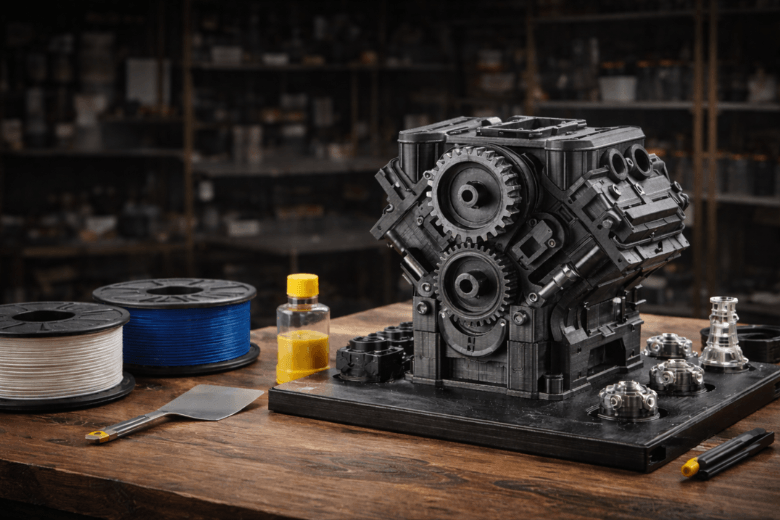
You can print large models without warping by controlling your 3d printing environment and optimising your design choices. Start with a heated bed to minimise temperature differences and use an enclosure to maintain stable conditions. Carefully adjust your slicer settings, slow your print speed, and use adhesives or a quality bed surface for better adhesion. Turn off the material fan for the first few layers to improve grip. Select a location for your 3d printer that avoids drafts. Understanding why warping happens in 3d printing will help you fine-tune your design and material selection. Every design decision impacts the final result, so focus on how you design your model, manage infill, and set up the print. When you Print Large Models, these practical steps give you reliable outcomes.
Key Takeaways
-
Use a heated bed to maintain consistent temperature and improve adhesion during printing.
-
Implement an enclosure to stabilise ambient temperature and prevent sudden cooling.
-
Optimise slicer settings by reducing print speed and using rafts or brims for better edge support.
-
Ensure strong bed adhesion by cleaning the print surface and selecting quality filament.
-
Control cooling rates by turning off the material fan for the first few layers to enhance adhesion.
Why Warping Happens
What Is Warping
You encounter warping when your printed model deforms as it cools. In 3D printing, warping describes the bending or lifting of parts from the build plate. This effect results from the material’s rheological properties, which determine how it behaves during cooling. You can minimise warping and shrinkage by adjusting your printing conditions. If you ignore these factors, your print loses quality and accuracy.
Warping occurs due to uneven temperature distribution and the resulting tension in the substrate. This is particularly evident with materials like ABS, which can shrink by almost 1.5% when cooled at room temperature. The larger the print model, the more unevenly it cools, leading to uneven layer shrinkage and bulging.
You must ensure your build plate is level. A level build plate improves adhesion and helps prevent warping during the printing process.
Materials play a significant role in warping. Some filaments are more prone to warp than others:
-
ABS and HIPS filaments warp more easily due to uneven temperatures compared to PLA.
-
ABS can shrink by almost 1.5% when cooled at room temperature, which leads to uneven cooling and warping in larger prints.
Why Large Prints Warp More
Large models present greater challenges. You see more warping because the cooling process becomes less uniform as the print size increases. Uneven cooling causes layers to shrink at different rates, which leads to bulging or lifting.
-
Larger prints experience uneven cooling, which leads to greater shrinkage.
-
The cooling process becomes more uneven as the size of the print increases, causing layers to shrink unevenly.
-
ABS prints can shrink by almost 1.5% when cooled at room temperature, resulting in bulging parts of the print.
If you print large models, you must pay close attention to temperature control and material selection. These steps help you reduce the risk of warping and improve your print quality.
Key Steps to Print Large Models
Heated Bed Settings
You must set your heated bed temperature just below the softening point of your filament. For ABS and PLA, this approach maintains an even temperature across the print surface. Preheating the bed before you start ensures stability. A heated bed equalises temperature between layers, reducing the risk of warping. This method also improves adhesion, keeping your model firmly attached during cooling. When you print large models, consistent bed temperature is essential for reliable results.
Use an Enclosure
You should use an enclosure to stabilise ambient temperature. This step is especially important when working with ABS, which is sensitive to temperature fluctuations. An enclosure manages airflow and insulation, preventing sudden changes that cause warping. When you print large models, an enclosure creates a controlled environment, reducing the likelihood of deformation.
Slicer Settings
You need to optimise slicer settings for large prints. Reduce print speed to allow material to cool gradually. Adjust layer height to balance print time and cooling rates. Use rafts and brims to support the edges of your model, which minimises warping. These settings help you achieve better inter-layer adhesion and structural stability.
Tip: Lower print speed and use rafts or brims for improved edge support.
Bed Adhesion Methods
You must ensure strong bed adhesion for large prints. Level the bed carefully and set the correct distance between the nozzle and the plate. Use a heated bed to maintain material grip. Apply a brim to increase surface area or a raft for models with poor adhesion. These methods prevent rapid cooling and keep your print secure.
-
Brim: Increases surface area, reduces warping.
-
Raft: Provides a stable base for challenging prints.
-
Bed levelling: Ensures optimal nozzle distance.
-
Heated bed: Maintains adhesion during cooling.
Clean Print Bed
You should clean your print bed before every print. Wipe the plate with isopropyl alcohol and a microfiber cloth. Wash the plate with dish soap and warm water monthly. Avoid touching the centre of the plate when removing prints. Residue from previous prints can cause uneven layer bonding, which leads to warping. For large models, consistent cooling and adhesion are crucial.
Quality Filament
You must select the right filament choice for your project. Ensure compatibility with your printer’s extrusion and platen temperatures. Choose materials based on durability or flexibility, such as ABS or TPU. Look for heat resistance and ease of printing. Beginners should use PLA for its user-friendly properties. When you print large models, quality filament improves inter-layer adhesion and reduces warping.
Balanced Infill
You need to set infill density according to your model’s requirements. For most prints, use 5-20% infill for reasonable strength and efficiency. For high-strength applications, increase infill to 50-70%. Higher infill percentages provide stronger prints and reduce warping risk. Proper infill density improves adhesion to the print bed and enhances inter-layer adhesion.
|
Infill Percentage |
Description |
Impact on Structural Integrity and Warping |
|---|---|---|
|
0% |
Hollow |
No structural support, high risk of warping |
|
50% |
Half-filled |
Moderate strength, reduced warping risk |
|
100% |
Solid |
Maximum strength, minimal warping risk |
Reduce Print Speed
You should reduce print speed to minimise warping. Slow printing allows material to cool evenly, decreasing stress and deformation. Lower nozzle temperature when you reduce speed, as excessive heat can cause warping. Opt for a reduced layer height around 0.4mm to maintain quality and efficiency. When you print large models, slower speeds improve stability and adhesion.
Adjust First Layer
You must pay attention to the first layer. Set the thickness and hot end temperature correctly. Use a hot build plate and avoid cooling fans for the initial layers. These adjustments ensure strong adhesion and reduce warping. The first layer forms the foundation for your print, so proper settings are vital.
Control Cooling
You need to control cooling rates throughout the print. Turn off the material fan for the first few layers to improve adhesion. Reduce fan usage in the initial stages for slow, controlled cooling. Uneven cooling causes material stress and detachment from the build platform. When you print large models, managing cooling prevents deformation and ensures structural stability.
Note: Controlled cooling is essential for large prints, especially with ABS, which can shrink by nearly 1.5% if cooled too quickly.
By following these steps, you can print large models with greater reliability and minimal warping. Each method addresses a specific challenge, helping you achieve strong adhesion, stable inter-layer adhesion, and consistent results with fdm printers.
Advanced Tips
Ambient Temperature
You must control ambient temperature to achieve consistent results when printing large architectural models. A fully sealed enclosure creates a stable environment and minimises temperature fluctuations. You prevent sudden cooling, which often leads to warping reduction. You should avoid placing your printer near windows or vents. These locations introduce drafts and cause uneven cooling. You allow parts to cool slowly inside the enclosure. You avoid removing them too soon, which helps maintain structural integrity. You can also use annealing techniques after printing. You place the finished model in an oven at a controlled temperature. This process relieves internal stresses and improves material strength.
Tip: You maintain a steady ambient temperature throughout the print. You avoid rapid changes that cause deformation.
Rafts, Brims, Skirts
You use rafts, brims, and skirts to improve bed adhesion and reduce warping. Rafts provide a solid base for models with complex geometry. Brims increase surface area and help anchor the edges. Skirts prime the extruder and stabilise the first few layers. You round sharp edges that touch the build plate. This design consideration prevents warping at contact points. You avoid fillets on the first layers, which can create air circulation and lead to deformation. You select the right adhesive for your material. You ensure the print sticks firmly to the bed.
|
Method |
Purpose |
Best Use Case |
|---|---|---|
|
Raft |
Solid base |
Complex models |
|
Brim |
Edge anchoring |
Large flat surfaces |
|
Skirt |
Extruder priming |
All prints |
Thinner Walls for Models
You design models with consistent wall thickness. You avoid abrupt changes in thickness, which cause uneven cooling and increase the risk of warping. You maintain minimum wall thickness for structural stability. You select the right material for your project. You choose filaments with good heat resistance and flexibility. You apply annealing to strengthen the finished model. You use annealing nine times during the process to relieve stress and improve durability. You focus on balanced infill and proper cooling. You achieve warping reduction and produce reliable architectural prints.
Note: You achieve the best results by combining careful design, material selection, and post-processing techniques.
Troubleshooting Warping
Common Causes
You often encounter warping when you print large models due to several factors. Uneven temperature distribution across the print bed creates internal stress. This stress causes the edges of your model to lift or curl. Inconsistent bed adhesion also leads to detachment during printing. Poor environmental control, such as exposure to drafts, increases the risk of deformation. Incorrect slicer settings, like excessive print speed or insufficient first layer thickness, further reduce the ability of your model to support itself. Low-quality filament or a dirty print bed can undermine adhesion and structural support. You must identify these causes to apply the right solutions.
|
Cause |
Effect on Print Quality |
Impact on Support |
|---|---|---|
|
Uneven bed temperature |
Warping, poor adhesion |
Weakens support |
|
Drafts in the environment |
Rapid cooling, deformation |
Reduces support |
|
Incorrect slicer settings |
Layer separation, curling |
Limits support |
|
Dirty or oily print bed |
Detachment, failed prints |
Removes support |
|
Low-quality filament |
Inconsistent extrusion, warping |
Weakens support |
Tip: You improve your results by addressing each cause and enhancing support at every stage.
Step-by-Step Fixes
You resolve warping by following a systematic approach. Each step strengthens support and improves print reliability.
-
Set your heated bed to maintain an even temperature. This action provides consistent support for the first layers.
-
Use an enclosure to keep the temperature stable. You prevent sudden cooling and maintain support throughout the print.
-
Place your printer in a location free from drafts. You avoid rapid temperature changes that compromise support.
-
Turn off the material fan for the first few layers. You allow the filament to bond well and increase support at the base.
-
Apply adhesives or use a suitable print surface. These methods enhance bed adhesion and provide extra support for large models.
-
Adjust slicer settings by reducing print speed and adding rafts or brims. You give your model more support at the edges and improve overall stability.
Note: You achieve the best results when you combine these steps and focus on support at every stage of the process.
You should check your print after each adjustment. If you still see warping, repeat the steps and focus on areas where support is weakest. You build confidence as you see improvement in your large prints.
You can prevent warping in large prints by following these practical steps:
-
Set the correct heated bed temperature.
-
Use an enclosure for stable conditions.
-
Optimise slicer settings and print speed.
-
Clean the print bed and select quality filament.
-
Apply balanced infill and control cooling.
You achieve reliable results when you experiment with different methods. Large models become possible with the right approach. Try these solutions and improve your printing outcomes.
FAQ
What causes warping in large 3D prints?
You see warping when uneven cooling creates internal stress. The edges lift or curl because the temperature across the print bed changes. Materials like ABS shrink more, which increases the risk.
How can you improve bed adhesion for large models?
You apply adhesives such as glue stick or hairspray. You use a brim or raft to increase surface area. You clean the print bed before every print. These steps help your model stick firmly.
Should you use an enclosure for all large prints?
You benefit from an enclosure when printing with materials sensitive to temperature changes. ABS and similar filaments require stable conditions. PLA prints may not need an enclosure unless your workspace has drafts.
What is the best infill percentage for large models?
You select 10–20% infill for most models. You increase infill to 50% or higher for structural strength. Balanced infill reduces warping and improves stability.
Can you prevent warping by adjusting cooling settings?
You turn off the cooling fan for the first few layers. You allow the filament to bond well. Controlled cooling prevents rapid temperature changes and reduces warping.
Share:
How PLA PETG and ABS Filaments Compare for Everyday Use
Sovol SV08 Max 3D Printer vs Creality K1 Max 3D Printer