
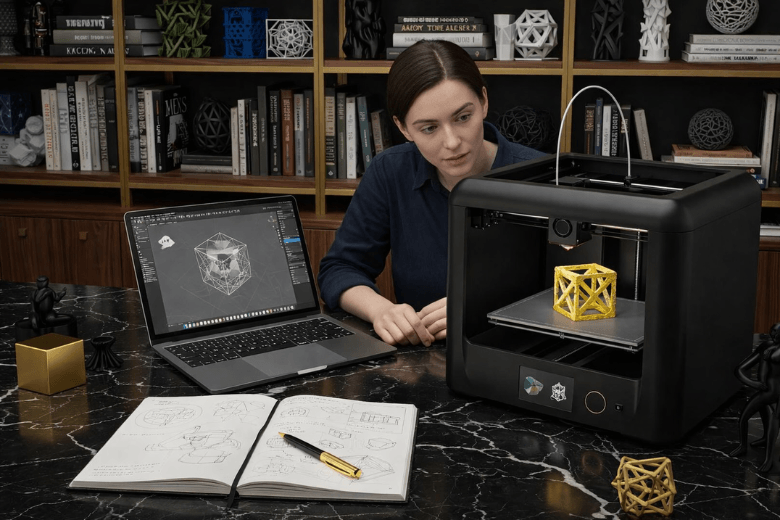
You may wonder if 3d printing feels daunting in 2026. The process involves more steps than traditional 2D printing. You need to handle software, hardware, and creativity. Today, advanced user-friendly features and accessible online resources help you learn faster.
Many beginners find the journey manageable with guidance and patience.
Key Takeaways
-
3D printing requires a mix of technical and creative skills. Beginners should focus on learning basic modelling and slicing software to succeed.
-
Patience and realistic expectations are crucial. Beginners often face challenges, but consistent practice leads to improvement and confidence.
-
Utilise online resources and communities. Platforms like Addmio and forums provide valuable support, tutorials, and pre-existing designs to ease the learning process.
-
Choose beginner-friendly printers and software. Reliable equipment simplifies the setup and enhances the learning experience, making it easier to achieve quality prints.
-
Celebrate small milestones. Each successful print builds confidence and encourages further exploration of 3D printing possibilities.
Is 3D Printing Hard to Learn?
Skills Needed for 3D Printing
You encounter a different level of complexity when you compare 3D printing to traditional 2D printing. The process demands more than pressing a button. You must develop a blend of technical and creative skills.
"Overall, 3D printing skills in 2026 are more interdisciplinary, combining traditional manufacturing know-how with advanced digital and material science capabilities."
You need to understand basic modelling, operate slicing software, and manage printer settings. Creativity plays a vital role. You design objects and solve problems. Mathematics helps you calculate dimensions and tolerances.
"Hiring in the AM sector will increasingly favour candidates who blend deep technical AM expertise with digital savvy, material science knowledge, and strategic thinking about production and sustainability."
You also benefit from learning CAD tools. These allow you to create and modify digital models.
"Design for Additive Manufacturing (DfAM) skills are now at a premium organisations need design engineers and product developers who understand how to exploit multi-material printers and novel processes to create superior products."
Challenges for Beginners
As a beginner, you face several hurdles. The journey to learn 3d printing involves trial and error. You must adjust settings like temperature and speed. You need quality equipment for consistent results. You also spend time understanding slicing software and basic modelling.
-
Understanding slicing software
-
Importance of quality equipment
-
Trial and error in achieving perfect prints
-
Familiarity with printer settings like temperature and speed
Many beginners misunderstand the accessibility of 3D printing technology. You might believe that all printers are easy to use. In reality, you discover practical limitations. For example, resin printers offer high detail but require careful handling and maintenance. Retail users often feel misled by exaggerated promises. You learn that patience and realistic expectations matter.
Advancements Making Learning Easier
Modern advancements have transformed the experience for beginners. You now access printers and platforms designed for ease of use.
|
Innovation |
Description |
|---|---|
|
A beginner-friendly 3D printer with real-time print progress display, AI-powered error detection, and multi-colour support, reducing material waste by up to 50%. |
|
|
Meshy AI Creative Lab |
An AI platform that generates print-ready files from 3D models, automating repairs and recommending materials and settings, allowing users to create without CAD expertise. |
You also benefit from online resources and communities. Platforms like Addmio bridge the gap between rapid technological advancements and educational content.
-
Addmio aims to make 3D printing accessible to everyone, addressing the gap between rapid technological advancements and the availability of educational resources.
-
The platform is developing a course specifically for entrepreneurs, focusing on practical applications of 3D printing that are often hard to find online.
-
The course is structured to maximise value for business owners, emphasising the importance of time and relevant content.
You find structured courses and practical guides that help you learn 3d printing efficiently. These resources reduce confusion and accelerate your progress.
Learning 3D Printing: Steps
Getting Started with Tutorials
You begin your journey by exploring tutorials. YouTube offers step-by-step guides that walk you through the basics of 3d printing. These videos cover everything from unboxing your 3d printer to setting up the software. You gain confidence by watching demonstrations and following along. Many creators explain common pitfalls and provide practical advice.
Tutorials help you avoid mistakes and build a strong foundation. You learn at your own pace and revisit lessons as needed.
Using Pre-Existing Designs
You do not need to design your own models immediately. Online repositories such as Printables and Thingiverse offer thousands of ready-made files. You select a model that interests you and download it. This approach allows you to focus on the printing process rather than modelling.
Using pre-existing designs saves time and reduces frustration. You see results quickly and understand how your printer handles different shapes.
Setting Up Your Printer
You set up your 3d printer by following a structured process.
-
Choose a printer that matches your budget and experience. The Bambu Lab A1 stands out for beginners due to its simple setup and reliable performance.
-
Install the required software and connect your printer.
-
Find a 3D model online or use one from the included library.
-
Slice the model to generate a G-code file.
-
Load the filament and check for proper material handling.
-
Start your first print and monitor the process.
You avoid common mistakes by keeping spools dry and using tailored purge values for different materials. You do not assume that one successful print solves all issues.
-
Mixing wet and dry spools causes inconsistent results.
-
Using a single purge value for all materials leads to poor transitions.
-
Overlooking recurring faults may affect longer jobs.
First Successful Print
You achieve your first print by following these steps and monitoring the process. You celebrate this milestone and review the outcome. You inspect the object for quality and learn from any imperfections.
Your first print marks the beginning of your journey. You gain practical experience and build confidence to tackle more complex projects.
Learn 3D Printing: Troubleshooting
Common Beginner Problems
You encounter several issues when you start your journey with 3d printing. Print failures often stem from poor bed adhesion, incorrect extrusion, or inconsistent temperatures. You may notice your prints warping or detaching from the build plate. Sometimes, the filament jams or the nozzle clogs, causing interruptions. You might struggle with layer shifting, stringing, or uneven surfaces. These problems can frustrate you, especially if you expect flawless results from the outset.
You need to check your printer’s calibration and ensure the bed is level. You must clean the nozzle regularly and use the correct filament type. You should monitor the print environment, as humidity and dust affect outcomes. You also benefit from reviewing your slicing settings, as improper layer height or speed can lead to defects.
3D Printing User Guide For Beginners: This guide is designed specifically for novices, providing practical troubleshooting techniques to help users achieve successful prints quickly. It covers essential topics such as setting up a workspace, slicing models, and troubleshooting common issues like bed adhesion and extrusion problems. The book emphasises a straightforward approach, making it accessible for beginners.
Simple Solutions and Support
You solve most problems by following simple steps. You adjust the bed temperature or apply adhesive to improve bed adhesion. You clear filament jams by removing and reloading the spool. You fix layer shifting by tightening belts and checking for obstructions. You reduce stringing by lowering print temperature or increasing retraction settings. You inspect your printer after each job to prevent recurring faults.
3D Printing for Dummies: This updated edition serves as an easy reference for newcomers to 3D printing. It covers various printer types, modelling methods, and practical applications in production. The book also addresses common troubleshooting issues, making it a comprehensive resource for both beginners and experienced users.
You find support through online communities and forums. These platforms connect you with experienced users who share advice and solutions. You gain confidence by learning from others’ experiences and asking questions.
-
Joining online communities provides beginners with valuable tips.
-
These communities offer troubleshooting advice that can significantly enhance the learning experience.
You access guides, video tutorials, and interactive courses that explain troubleshooting in detail. You build your skills by practising and seeking feedback. You progress faster when you use reliable resources and engage with supportive groups.
Tips and Resources to Learn
Building Good Habits
You build success in 3d printing by developing practical habits from the start. Reliable routines help you avoid common mistakes and maintain consistent results. The following table outlines the top recommended habits for beginners in 2026:
|
Recommended Habit |
Explanation |
|---|---|
|
Ease of Setup |
Use printers that are almost ready to operate out of the box. Automatic bed levelling, pre-assembled frames, and user-friendly software simplify your initial experience. |
|
Safety Features |
Prioritise enclosed designs to protect yourself from hot and moving parts. Filament sensors and automatic pause functions prevent mishaps. |
|
Print Quality & Consistency |
Choose reliable printers that produce consistent, quality prints. Meeting expectations keeps you engaged and reduces wasted materials. |
|
Learning Value |
Select printers that reveal the printing process layer-by-layer for older users or offer simplicity for younger users. This approach fosters interest in engineering and design. |
|
Software & File Access |
Use beginner-friendly software with simple slicing tools and built-in model libraries. You achieve success without advanced CAD skills and progress smoothly to complex projects. |
You create a week one plan to practise basic modelling skills and familiarise yourself with your printer’s features. You inspect your workspace for safety and keep your tools organised.
Accessing Models and Profiles
You access a wide range of free models and printer profiles through online platforms. These resources allow you to experiment and learn without designing from scratch. The following platforms stand out for beginners:
-
RealityMAX offers a straightforward modelling tool, similar to Canva, and provides a library of models. You create your own designs or use existing files.
-
TinkerCAD features a gallery of free-to-use files from the community, making it accessible for beginners.
-
Vectary serves as an accessible tool for basic modelling skills and supports browser-based design.
You select models that match your interests and printer capabilities. You download profiles that optimise print settings for your device.
Time and Patience for Success
You achieve progress when you invest time and patience. Learning 3d printing requires steady practice and realistic expectations. You review each print, identify areas for improvement, and adjust your approach. You avoid rushing complex projects and celebrate small milestones. You seek feedback from online communities and use guides to refine your skills. You build confidence as you learn 3d printing and overcome challenges.
Consistent effort and a positive mindset help you master new techniques and enjoy the creative possibilities of 3d printing.
You can master 3D printing as a beginner in 2026 with the right approach. Modern tools such as Tinkercad and beginner-friendly FDM printers simplify your journey. You benefit from interactive platforms that break down complex concepts and foster hands-on learning.
-
Community support and clear tutorials accelerate your progress.
-
Simple routines and reliable equipment reduce frustration.
You achieve success by practising patience and focusing on steady improvement. With each print, you build confidence and unlock new creative possibilities.
FAQ
What is the most important step for successful 3D printing?
You must focus on the first layer. A reliable first layer ensures your print adheres to the bed and prevents warping. You should check bed levelling, clean the surface, and monitor the first layer as it prints. Consistency here leads to better results.
Why does my print fail during the first layer?
You may see failures if the first layer does not stick. You should check for dust, oil, or uneven surfaces. Adjust the nozzle height and slow the print speed for the first layer. You can use adhesives or textured beds for better adhesion.
How do I improve the first layer quality?
You should clean the bed before every print. Adjust the temperature for the first layer to match your filament. Lower the speed for the first layer and ensure the nozzle is not too close or too far. You can use a skirt or brim to help the first layer stick.
What settings affect the first layer the most?
You control the first layer height, speed, and temperature. You should set a slightly thicker first layer for better adhesion. Lower the speed for the first layer and increase the bed temperature. These adjustments help you achieve a smooth and even first layer.
How do I know if my first layer is reliable?
You should watch the first layer as it prints. A reliable first layer appears smooth, even, and fully attached to the bed. You should not see gaps, bubbles, or lifted edges. If you spot issues, stop the print and adjust your settings before continuing.
Share:
Who Should Buy a 3D Printer in 2026
Best Easter 3D Print Ideas for 2026