
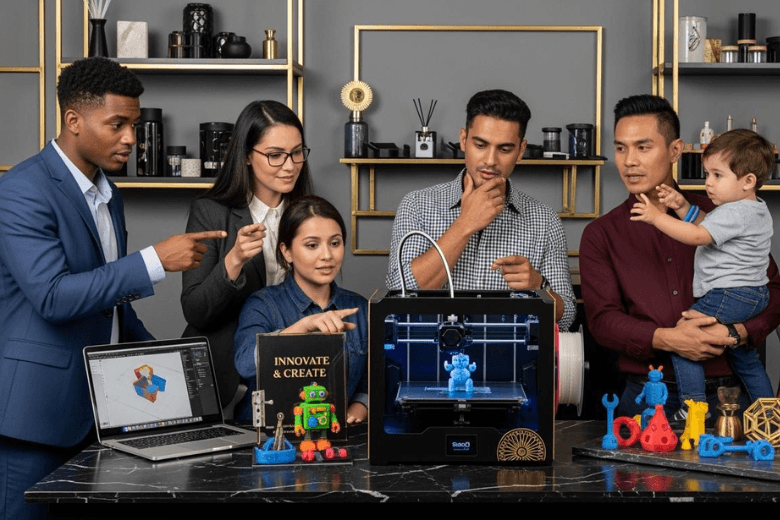
You may wonder if investing in a 3d printer makes sense for you in 2026. The answer depends on your goals and expectations. Many groups find value in 3d printing, including educational institutions using printers for teaching and prototyping, small businesses seeking rapid product development, and hobbyists who enjoy personal projects. Healthcare, automotive, and aerospace sectors also rely on 3d printing for specialised applications. You should match your needs with the right 3d printer technology. Assess your intended use, budget, and readiness to handle the demands of 3d printing before making a decision.
Key Takeaways
-
Identify your needs before buying a 3D printer. Consider if you are a beginner, professional, educator, or small business owner.
-
Choose a beginner-friendly printer with clear instructions and community support. This helps you overcome early challenges and build confidence.
-
Evaluate the costs of ownership, including initial purchase and ongoing material expenses. Balance your budget with the features you need.
-
Prioritise safety features in your 3D printer. Look for enclosures, filtration systems, and emergency shut-off options to protect your workspace.
-
Stay informed about new technologies and market trends. This knowledge helps you maximise the benefits of your 3D printer investment.
Who Needs a 3D Printer?
Beginner Users
You may find yourself drawn to the world of 3d printing as a beginner. The appeal lies in the ability to create objects from digital designs, whether for personal projects or learning new skills. Many beginner users seek a 3d printer to join the Maker Movement, which encourages sharing and collaboration. You can use a beginner-friendly 3d printer to experiment with simple models, toys, or household items. The best beginner 3d printers offer straightforward interfaces and reliable results, making them suitable for those with limited experience.
However, you should be aware of common challenges. Time consumption remains a major obstacle, with 66% of new users reporting that processing a part takes longer than expected. Consistency issues affect over half of beginners, and yield capacity problems can hinder productivity. You may also encounter a skills gap, as effective 3d printing requires some technical knowledge. High costs for materials and equipment can discourage investment, especially if you plan to produce larger volumes. If you want to start with 3d printing, look for a beginner-friendly 3d printer that balances ease of use with quality.
Tip: Choose a 3d printer with clear instructions and robust community support. This will help you overcome early challenges and build confidence.
Professionals
You may need a 3d printer if you work in sectors such as aerospace, automotive, medical, or defence. Professionals rely on 3d printing for industrial production, rapid prototyping, and custom manufacturing. The technology enables you to navigate intellectual property laws, empowering you to innovate independently. You can use advanced printers to produce metal or polymer parts, test new designs, and accelerate product development.
|
Industry |
Market Size (2024) |
Projected Market Size (2032) |
CAGR (2025-2032) |
Notes on Demand Drivers |
|---|---|---|---|---|
|
Aerospace |
$3.53 billion |
$14.53 billion |
~20.1% |
High metal usage, strong growth in aerospace 3d printing market |
|
Automotive |
$4.64 billion |
$31.01 billion |
~26.8% |
Use of metal and polymer materials, rapid market expansion |
|
Healthcare |
N/A |
N/A |
N/A |
Demand for biocompatible polymers and metals in medical/dental sectors |
|
Construction |
N/A |
N/A |
N/A |
Emerging sector focused on printing walls, structural components, and formwork |
You can benefit from the flexibility and speed of 3d printing, especially when you need to customise products or create prototypes quickly. The RepRap Movement has made 3d printer technology more accessible, allowing professionals to innovate without relying on large corporations.
Educators
As an educator, you may use a 3d printer to enhance learning outcomes in your classroom or training environment. 3d printing allows you to create tangible models for subjects such as science, engineering, and art. You can provide students with hands-on experience, helping them understand complex concepts through practical application.
Studies show that 3d printed models improve confidence levels among trainees, especially novices. Junior trainees report a significant increase in confidence after simulation workshops, with the average score rising by 1.8 points. These models prove most effective when used early in training, offering a realistic and low-risk environment for skill acquisition.
Note: Integrating 3d printing into your curriculum can foster creativity and problem-solving skills among students.
Small Businesses
You may run a small business and seek a 3d printer to gain a competitive edge. 3d printing enables you to design innovative products, create prototypes efficiently, and produce low-volume batches for market testing. You can use a printer to develop custom biomedical devices, such as prostheses tailored to individual needs.
|
Application Type |
Description |
|---|---|
|
Design Applications |
3d printing allows for innovative designs that traditional methods cannot achieve, enabling better products. |
|
Efficient Prototyping |
Rapid prototyping remains a key use, allowing businesses to create models quickly for testing and investor presentations. |
|
Low-Volume Production |
Ideal for small batch production, helping businesses test market demand before full-scale production. |
|
Biomedical Devices |
Custom 3d printed prostheses and other medical devices tailored to individual needs, enhancing comfort and functionality. |
You can leverage 3d printing for rapid prototyping and low-volume production, especially in medical equipment. Customisation remains a significant motivation, allowing you to respond quickly to market demands.
Home and Family Use
You may consider a 3d printer for home and family applications. 3d printing technology is transforming home construction, reducing the time and labour needed to build houses. You can create walls with hollow cavities for insulation, improving energy efficiency and offering customisation options for your family. The 3d printing construction market is projected to grow rapidly, with the structural shell of a 1500-square-foot home produced in just 24 to 48 hours.
For everyday use, you can print household items, toys, or replacement parts. However, you must address safety concerns. Inadequate ventilation can lead to hazardous fumes and ultrafine particles, which may reduce indoor air quality and increase health risks. Some filament materials release chemicals such as styrene and isocyanates, posing additional dangers.
|
Safety Standard/Recommendation |
Description |
|---|---|
|
UKCA/CE Marking |
Printers should be marked to indicate compliance with UK safety standards. |
|
Emergency Shut Off |
Printers must have an emergency shut off feature for safety. |
|
Enclosures |
Printers should be fully enclosed to reduce exposure to fumes and particulates. |
|
Ventilation |
Filters should be included to manage chemical emissions. |
|
Clearance Time |
A recommended time before opening the enclosure after printing to ensure safety. |
Tip: Never leave your printer unattended during operation. Install smoke detectors and use enclosures with ventilation systems to protect your household.
You can enjoy the benefits of 3d printing at home, but you must remain vigilant about safety and maintenance.
Choosing a 3D Printer
FDM vs Resin Printers
You face a choice between FDM and resin 3d printers. FDM printers use filament to build strong, functional parts and larger models. Resin printers, often based on SLA technology, produce miniatures and intricate details with smooth surface finishes. The workflow for FDM involves printing, removal, and light finishing. Resin printing requires washing, curing, support removal, and thorough cleanup. Although both technologies have similar upfront costs, resin printing incurs higher material expenses and longer print times. You must consider the total cost of ownership, including filament or resin, cleaning fluids, and accessories.
|
Category |
FDM (Filament) |
Resin |
|---|---|---|
|
Best for |
Functional parts, prototypes, fixtures, larger models |
Miniatures, dental models, jewellery masters, ultra-fine detail |
|
Workflow |
Print → remove → (optional) light finishing |
Print → wash → cure → supports removal → cleanup |
|
Cost driver |
Filament spools (plus drying/storage) |
Resin bottles + gloves + cleaning fluid |
You should select a 3d printer based on your intended application. FDM suits prototypes and functional parts that withstand stress. Resin excels in detailed models and complex geometries.
Best Beginner 3D Printers
You want a 3d printer that is easy to use and reliable. Top-rated beginner models in 2026 include Elegoo Neptune 4, Flashforge Adventurer 5M, Sovol SV06 ACE, Anycubic Kobra 3 V2, Bambu Lab A1 Mini, Creality Ender 3 V3 KE, and Creality Hi. These printers offer automatic bed levelling, power loss recovery, and consistent performance. Plug-and-play features allow you to start printing quickly. Many models operate quietly, making them suitable for home environments.
|
Feature |
Description |
|---|---|
|
Ease of Use |
User-friendly operation with minimal technical knowledge required |
|
Safety Features |
Built-in safeguards to prevent accidents |
|
Reliability |
Consistent performance and dependability |
|
Plug-and-Play |
Quick setup for immediate printing |
|
Noise-Free Operation |
Quiet printing suitable for home |
|
Expandability |
Options for future upgrades |
Tip: Choose a 3d printer with automatic bed levelling and power loss recovery for a smoother experience.
Advanced Models for Professionals
You require advanced 3d printing solutions for professional applications. In 2026, volumetric 3d printing and ultra high-speed SLA move from research to commercial use, enabling faster production and new geometries. Cold-spray metal deposition becomes viable, offering new material processing options. Multi-material printing allows you to create parts combining rigid, flexible, and conductive materials. AI-driven workflows, such as Meshy, automate model repair and material selection, bridging digital design and physical manufacturing. The Gauss MT90 and Palette 300 introduce safer, energy-efficient metal printing and multi-colour, multi-material capabilities.
Stay updated with market trends and new technologies to maximise the benefits of your 3d printer investment.
Key Features to Consider
Print Quality
You should prioritise print quality when selecting a 3d printer. High-quality prints depend on several benchmarks, including speed, material compatibility, build volume, and reliability. In 2026, you can compare 3d printers using the following print quality standards:
|
Benchmark Type |
Description |
|---|---|
|
Speed |
High-speed printing capabilities, with some printers reaching up to 700mm/s. |
|
Material Compatibility |
Support for over 23 material options, including high-performance materials like polycarbonate. |
|
Build Volume |
Large build volumes allow you to produce bigger parts or multiple prints in one run. |
|
Reliability |
AI integration detects issues in real time and ensures consistent print quality. |
You will achieve high-quality prints by choosing a printer that excels in these areas. Consistent print quality ensures your 3d printing projects meet professional standards.
Speed and Build Volume
Speed and build volume affect your productivity and the scale of your 3d printing work. Leading 3d printer models in 2026 offer impressive speed and large build volumes. For example:
|
Model |
Max Speed (mm/s) |
Build Volume (mm) |
|---|---|---|
|
Ender-5 Max |
400 x 400 x 400 |
|
|
Sovol Zero |
700 |
500 x 500 x 500 |
|
Dremel 3D50 |
700 |
255 x 155 x 170 |
You can select a 3d printer that matches your need for high-quality prints at a fast pace. Large build volumes support bigger projects and multiple items in one print run.
Material Options
Material options influence the quality and versatility of your 3d printing. Modern 3d printers support over 23 materials, including:
-
Polycarbonate
-
Nylon
-
High-performance polymers
You can choose materials that deliver high-quality prints for demanding applications. The right material ensures your 3d printing projects meet your quality expectations.
Ease of Use
You want a 3d printer that is easy to use and reliable. In 2026, printers feature automated calibration, user-friendly interfaces, and advanced usability tools. These features make 3d printing accessible and reduce errors. You will find it easy to manage print jobs and achieve consistent print quality.
|
Feature |
Description |
|---|---|
|
Automated Calibration |
The printer adjusts settings automatically, improving print quality and reducing mistakes. |
|
User-Friendly Interfaces |
Live camera snapshots and print progress displays simplify monitoring. |
|
Usability Tools |
Analytics and clear print history help you track print quality and performance. |
Safety
Safety remains essential in 3d printing. You must ensure your 3d printer includes enclosures, filtration systems, and emergency shut-off features. These measures protect you from fumes and overheating. Always follow manufacturer guidelines to maintain print quality and a safe environment.
Tip: Choose a 3d printer with robust safety features to protect your workspace and ensure high-quality prints every time.
Practical Considerations
Costs and Budget
You must evaluate your budget before purchasing a 3d printer. The price for an entry-level 3d printer starts under £200, while advanced models reach £3000. Operating costs depend on the printer type and materials. FDM printers offer low cost per print, usually £1.50 to £4 for a 100g print. SLA printers require resin, costing £20 to £130 per kilogram. You must consider ongoing expenses for filament, resin, and maintenance. The table below shows typical price ranges and operating costs:
|
Printer Type |
Price Range (GBP) |
Operating Costs (per print) |
|---|---|---|
|
FDM |
Under £200 - £3000 |
£1.50 - £4 (for 100g print) |
|
SLA |
Under £200 - £3000 |
£20 - £130 (per kg of resin) |
You must balance price, budget, and the features you need. Many hobbyist users choose the best value desktop 3d printer for home diy projects, while professionals invest more for reliability.
Maintenance
You must maintain your 3d printer to ensure consistent printing quality. Cleaning the plate after each print prevents residue build-up. Inspect the bed weekly and lubricate moving parts monthly. You must check electrical wires regularly. The most reliable desktop 3d printer requires less frequent repairs, but you must still follow routine maintenance. The checklist below helps you track tasks:
|
Task |
Frequency |
|---|---|
|
Clean plate |
After prints |
|
Inspect bed |
Weekly |
|
Lubricate moving parts |
Monthly |
|
Check electrical wires |
Monthly |
You must prioritise electrical safety. Proper setup and inspection protect you and your equipment.
Support and Community
You benefit from strong support and community when using a 3d printer for home use. Many manufacturers offer online forums, tutorials, and troubleshooting guides. You can join hobbyist groups to share creative ideas and solve problems. Community support helps you select the best starter 3d printer and learn new techniques.
Learning Curve
You must prepare for a learning curve with 3d printing. Beginners face challenges with software, calibration, and material selection. You can overcome these by starting with a user-friendly printer and seeking advice from experienced hobbyist users. Many consumers find that home diy projects improve their skills over time.
Alternatives
You may consider alternatives if your budget or space limits ownership. Hybrid machines, such as 5AXISMAKER and Creality CP-01, combine 3d printing, CNC milling, and laser engraving. These models suit creative users who want versatility. You can also use local makerspaces or online printing services if you do not wish to buy a printer for home.
You gain the most from owning a 3D printer if you are a professional, educator, small business owner, or an enthusiastic hobbyist. You may not need to buy one if you only require occasional prints or lack the time for maintenance. Consider alternatives such as makerspaces or online printing services. Match your purchase to your actual needs and readiness. Weigh the benefits against the responsibilities before making your decision.
Tip: Evaluate your goals and resources carefully. A well-chosen 3D printer can transform your workflow and creativity.
FAQ
What is the best 3D printer for beginners in 2026?
You should consider models like the Bambu Lab A1 Mini or Creality Ender 3 V3 KE. These printers offer easy setup, reliable performance, and strong community support.
Tip: Look for automatic bed levelling and safety features.
How much maintenance does a 3D printer require?
You must clean the print bed after each job, lubricate moving parts monthly, and inspect wires regularly.
-
Weekly: Inspect bed
-
Monthly: Lubricate and check wires
Consistent maintenance ensures reliable prints.
Are 3D printers safe for home use?
You must use printers with enclosures, filtration systems, and emergency shut-off features.
|
Safety Feature |
Benefit |
|---|---|
|
Enclosure |
Reduces fumes exposure |
|
Filtration system |
Improves air quality |
|
Emergency shut-off |
Prevents overheating |
Can I print with different materials?
You can print with over 23 materials, including polycarbonate, nylon, and high-performance polymers.
Choose a printer that supports the materials you need for your projects.
What alternatives exist if I do not want to buy a 3D printer?
You can use local makerspaces, online printing services, or hybrid machines like 5AXISMAKER.
-
Makerspaces: Access equipment
-
Online services: Order prints
-
Hybrid machines: Combine functions
Share:
Is 3D Printing Growing in 2026 Key Industry Trends to Watch
Is 3D Printing Difficult to Learn for Beginners in 2026