
Key takeaways
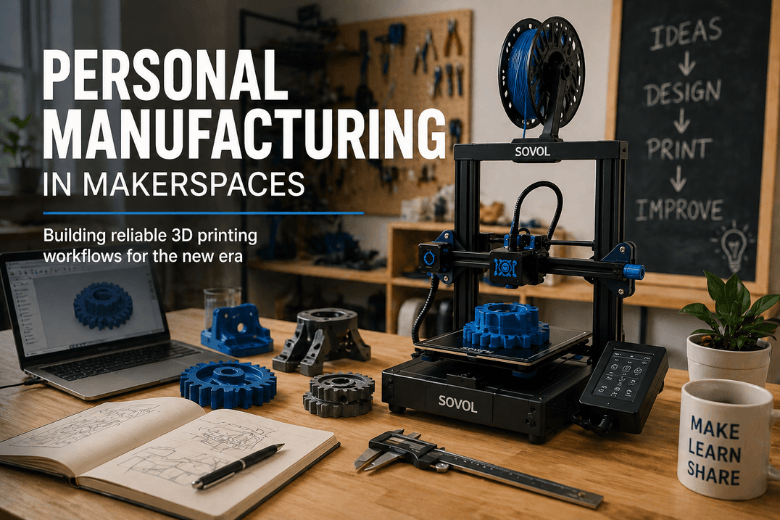
“Personal manufacturing” isn’t just “owning a 3D printer.” In a makerspace, it’s a repeatable stack: machines + materials + profiles + training + safety.
The “new era” is mostly about throughput and repeatability: faster motion, better firmware/software, and fewer mentor-hours per successful print.
Evaluate your setup for 3D printer uptime and teachability—not peak mm/s.
Run a short benchmark set (first layer, stringing, dimensional accuracy, speed/quality) before you standardise on a model.
What “personal manufacturing” means for makerspace 3D printing
In practice, personal manufacturing means individuals can produce parts on demand using accessible tools—desktop FFF 3D printers, laser cutters, small CNC, and electronics. In a shared space, the difference between “cool demo” and “reliable capability” is whether the workflow is repeatable.
You’ll recognise this shift if your makerspace is moving from “a few mentors can coax prints to succeed” to “any member can get a usable part with predictable results.”
That’s why the makerspace version of personal manufacturing is less about owning machines and more about standardising a stack—profiles, materials, storage, maintenance, onboarding, and a clear definition of what “good enough” looks like.
For a UK framing on why makerspaces exist as community prototyping spaces, see the Craft Council’s guide on setting up a makerspace (2021).
What’s changed lately: speed, software, and repeatability
A lot of “new era” commentary drifts into sci‑fi. For makerspaces, what matters is simpler: you can now get more successful parts per hour with less babysitting, if you choose the right combination of hardware and operating model.
Three changes tend to show up in day-to-day operations:
-
Faster machines are more common (but only valuable when stable). Peak speed specs don’t help if the printer rings, shifts layers, or can’t melt enough plastic consistently.
-
Firmware and slicer workflows are more mature. Community profiles, calibration routines, and better defaults have improved the baseline.
-
The mindset has shifted from tinkering to repeatability. Makerspaces care about member throughput. The more you can standardise, the more you can teach.
For broader context on how 3D printing applications and scale keep evolving, Protolabs’ 3D Printing Trend Report 2024 is a useful high-level reference.
The evaluation framework: what to prioritise for makerspace uptime
You’re not buying a “best printer.” You’re choosing a platform your community can run with minimal drama.
Here’s a practical decision matrix you can use when comparing models.
|
Criterion |
Why it matters in shared spaces |
What “good” looks like |
What to watch for |
|---|---|---|---|
|
First-layer repeatability |
First layer is where beginners fail—and where mentor time disappears |
Simple bed routine + reliable leveling/Z‑offset process |
Needs constant manual tweaks; adhesion depends on hacks |
|
Throughput at real quality |
Workshops need parts done on time, not “fast in theory” |
Stable motion at the speeds you’ll actually run |
Ringing, layer shifts, inconsistent corners |
|
Maintenance burden |
Downtime is your hidden cost |
Predictable maintenance with easy parts swaps |
Proprietary parts, hard-to-service hotends/extruders |
|
Teachability |
The “printer” includes the onboarding system |
A single baseline profile + standard calibration set |
Every mentor has a different slicer “magic” |
|
Materials & storage reality |
Wet filament and messy storage kill success rates |
Dry storage, clear material rules, simple labeling |
Spools left open; random brands; inconsistent results |
|
Noise + space fit |
Makerspaces are shared environments |
Enclosures/placement that reduce vibration and noise |
Printers that shake tables, disrupt classes |
|
Safety & ventilation |
You need sensible, consistent protocols |
Documented rules, PPE where appropriate, clean workflow |
Resin/solvents handled casually; unclear disposal |
|
Parts & support availability |
Your calendar can’t wait on long RMA cycles |
Spares on hand + reliable shipping/support |
Nozzles/consumables hard to source quickly |
For a grounded view of how different printer types behave operationally in a makerspace (and why FFF often wins for learning curve and repairability), 3DPrint.com’s “Survival Guide to Running a 3D Printing Makerspace” (2023) is worth reading.
A quick “needs assessment” before you compare models
Before you shortlist anything, answer these as a team:
-
What percentage of prints are functional parts vs models/props?
-
Do you need enclosed printing for the materials you plan to run—or just for noise/consistency?
-
What’s your acceptable failure rate during workshops?
-
How many mentor-hours per week can you realistically spend on calibration and rescue?
-
What’s your spare-parts plan (and who is allowed to do repairs)?
Pro Tip: In makerspaces, the winning setup is often the one that reduces variance, not the one with the best headline features.
Benchmarks to run before you standardise on a printer
If you want fewer debates and more clarity, run the same small benchmark set on every candidate machine (or request a trial unit and do it once properly).
Keep the benchmark set short enough that you’ll actually run it:
1) First-layer repeatability test
This is your fastest diagnostic for first layer adhesion problems across different users, materials, and build surfaces.
-
Print a simple first-layer square at a slow first layer speed.
-
Adjust Z‑offset live if needed.
You’re checking for:
-
consistent “squish” across the bed
-
corners that stay down
-
a surface that doesn’t show obvious gaps or over-squash
Sovol’s internal guide includes a useful first-layer adhesion triage checklist (2026) that emphasises a simple routine: clean the bed, slow the first layer, reduce cooling initially, and verify Z‑offset. If your makerspace is stuck in recurring failures, first-layer adhesion is usually where your uptime leaks first.
2) Stringing + retraction sanity check
Run a basic stringing test with the filament you’ll actually standardise on.
You’re looking for:
-
whether “good enough” results are possible with sane settings
-
whether the printer is sensitive (minor changes cause big failures)
3) Dimensional accuracy / fit test
Print a small tolerance test or a simple calibration cube, then measure it.
In a makerspace context, you care less about perfection and more about whether parts fit consistently from week to week.
4) Speed vs quality reality check
Choose one functional part and print it at two speeds:
-
your conservative “workshop-safe” speed
-
your “push it” speed
If quality collapses at the higher speed (ringing, layer shifts, inconsistent corners), treat peak speed as marketing.
As the Sovol guide puts it: real-world speed often comes down to flow (how much plastic the hotend can melt and push), not just mm/s.
The boring playbook that makes personal manufacturing work
The most effective makerspaces don’t rely on hero mentors. They build boring systems.
Standardise three things first
-
A single baseline slicer profile for your default material
-
A shared first-layer routine (including cleaning + Z‑offset check)
-
Filament storage rules (what’s “ready,” what’s “suspect,” what must be dried)
If you want a practical starting point for first-layer process discipline, Sovol’s internal post on how to improve first-layer adhesion is a decent checklist-style reference.
Put maintenance on a calendar, not in someone’s head
-
Track nozzle swaps, belt checks, and lubrication.
-
Keep a small spare kit: nozzles, PTFE where relevant, common fasteners, build-surface cleaning supplies.
Treat safety as workflow design
This doesn’t need to be fear-driven. It needs to be consistent.
-
Separate messy processes and keep the space clean.
-
Write down the “allowed materials” list and why.
For first-layer process troubleshooting structure, Bambu Lab’s first-layer optimization guide is a good example of how to present calibration steps in a repeatable order.
⚠️ Warning: If your makerspace runs resin, don’t treat solvents and waste handling as optional “common sense.” Document it and train it. (Avoiding strong regulatory claims here is deliberate—your local requirements vary.)
Where Sovol fits as an open-source 3D printer option
If your community leans open-source-friendly and you’re trying to balance throughput with cost, Sovol is worth evaluating as one option—especially if local UK availability and support reduce downtime risk. You don’t need to treat any brand as a default; treat it as a candidate in the framework above.
A sensible approach is:
-
shortlist 2–4 printers that match your build-volume and enclosure needs
-
run the same benchmark set
-
choose the one that produces the best repeatable results with the least mentor intervention
If you want a makerspace-oriented, beginner-readable example review format, Sovol’s own SV08 hands-on review can help you see how to structure tests and expectations.
Next steps
If you’re standardising for the next 6–12 months, don’t start with a big purchase order. Start with a pilot:
-
Pick one “default” material and profile.
-
Run the benchmark set.
-
Document the first-layer routine.
-
Track failures for 4–6 weeks and adjust one variable at a time.
When you’re ready to compare UK-stock options and support realities, start at the Sovol UK site and apply the same evaluation checklist you’d use for any other candidate.
Share:
Why 3D Printing Is More Than Just a Hobby
Why 3D Printing Speed Matters in Modern 3D Printing